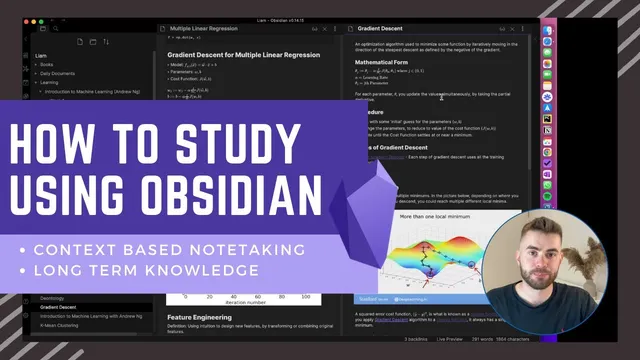
How to Study using Obsidian
Based on Liam Gower's video on YouTube. If you like this content, support the original creators by watching, liking and subscribing to their content.
Use a two-phase workflow: capture lecture context during learning, then curate and connect notes afterward.
Briefing
Studying effectively in Obsidian hinges on splitting note-taking into two phases: fast, context-based capture during learning, then deliberate, connected “long-term knowledge management” afterward. The payoff is a living knowledge base where key concepts evolve over time and link back to the original contexts that shaped them—so understanding doesn’t stay trapped inside one lecture or one folder.
In the first phase, notes look familiar: a course folder with subfolders by week, and within each week, notes for each lecture. While watching “Introduction to Machine Learning,” the workflow mirrors typical study behavior—write down definitions, formulas, and explanations that seem salient in the moment. For example, while covering regression models, the notes include supervised learning framing, training data, the mathematical form for linear regression, cost functions (including what they mean with diagrams), and gradient descent. Markdown structure—subheadings and sections—helps the notes stay readable and searchable later, but the emphasis remains on capturing what matters during the learning session.
The second phase is where Obsidian’s connected-note approach becomes central. After a class or at the end of a week, the notes get reviewed with a new goal: identify the key concepts worth turning into durable “atomic” notes, then link them together like a personal Wikipedia. Instead of leaving “training data” as a one-off definition inside a lecture note, the workflow creates a dedicated note for training data and back-links it to where the idea first appeared. Even if this feels duplicative at the start, it enables future updates: when later lectures reference training data in a new way, the atomic note can be expanded or refined, while the backlinks preserve the original context.
This curation-and-linking process also forces deeper understanding. When the cost function section grows dense, the workflow extracts a clear definition in the learner’s own words, then links it back to the lecture material. For gradient descent, the workflow demonstrates a “live” state: some parts are curated and defined, while other items remain placeholders for later refinement—such as noting that other gradient descent variants exist even if they weren’t covered yet. Crucially, the notes can link to specific sections within source notes, not just entire documents.
As the course progresses, the network starts to pay off. Gradient descent reappears in “multiple linear regression,” bringing new details like the normal equation as an alternative to gradient descent and practical guidance on convergence checks via the learning curve. Those additions get folded back into the gradient descent atomic note, so knowledge accumulates in one place rather than fragmenting across separate lecture notes. The result is a continuously updated concept map: local graphs summarize what was learned in a course (e.g., training data, cost function, linear regression, gradient descent) and show how related concepts connect (e.g., learning curve, batch gradient descent, normal equation). The central claim is practical: connected note-taking turns study notes into a system that supports retrieval, revision, and long-term understanding across any subject—not just data science.
Cornell Notes
The workflow divides studying into two phases: capture context during learning, then curate long-term knowledge afterward. Lecture notes are organized by course, week, and lecture, using Markdown to record definitions, formulas, and key ideas. Afterward, the system extracts durable “atomic” concept notes (e.g., training data, cost function, gradient descent) and links them with backlinks to the original lecture sections. Later lectures add new angles—like the normal equation and convergence checks—so the atomic notes evolve instead of staying fragmented across separate classes. This matters because it preserves context while building a connected knowledge graph that improves recall and understanding over time.
How does the workflow distinguish between “context-based note-taking” and “long-term knowledge management”?
Why create an atomic note for a concept like “training data” even if it duplicates what’s already written in a lecture note?
What does “curating” look like when a lecture section is dense, such as cost functions?
How does the workflow handle partial understanding, such as gradient descent variants not yet covered?
What concrete updates happen when gradient descent is revisited in “multiple linear regression”?
How does the local graph reinforce learning in this system?
Review Questions
- What steps would you take after a lecture to convert context notes into long-term atomic notes with backlinks?
- Give one example of how later material should update an existing atomic note rather than creating a new, separate fragment.
- How does linking to specific sections (not just whole notes) improve retrieval and context preservation?
Key Points
- 1
Use a two-phase workflow: capture lecture context during learning, then curate and connect notes afterward.
- 2
Organize initial notes by course → week → lecture so retrieval stays simple while studying.
- 3
Extract durable atomic notes for key concepts (e.g., training data, cost function, gradient descent) and connect them with links and backlinks.
- 4
Write concept definitions in your own words during curation to force understanding, not just transcription.
- 5
Link atomic notes back to the exact lecture sections where the ideas were learned to preserve context.
- 6
When later lectures add new details, update the existing atomic note so knowledge accumulates in one place.
- 7
Use Obsidian’s local graph to see how concepts connect and to reinforce what you learned at both course and topic levels.