How to take better meeting notes
Based on Reflect Notes's video on YouTube. If you like this content, support the original creators by watching, liking and subscribing to their content.
Use a daily note as the hub for each day’s meetings, with calendar events driving the meeting entries.
Briefing
Better meeting notes come from building a linked system: log each meeting to a specific day, attach it to the right people or clients, and preserve reusable context so follow-ups happen automatically. The workflow centers on a “daily note” that acts as the hub for everything that happens that day—especially meetings—while “backlinked notes” store evergreen information tied to recurring attendees or accounts.
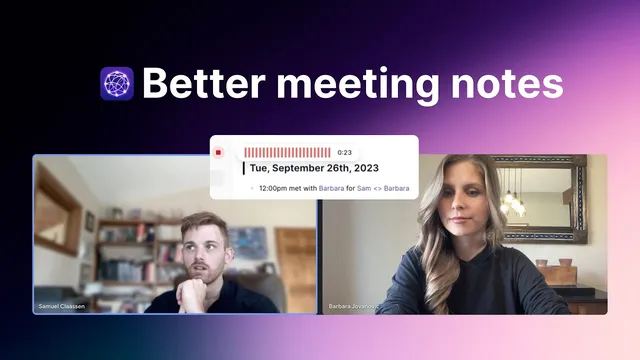
In practice, the process starts with the daily note view. Calendar events for the day appear inside the note, and selecting a meeting event lets a user create a backlinked note that includes the time, attendees, and a pre-structured meeting note. For recurring one-on-ones, the key move is to maintain a dedicated backlinked note for that person. That note can hold legacy context such as the attendee’s goals and the projects that should be discussed every time. During the meeting itself, notes get written into the day’s daily note under the meeting line item—typically using bullet points for summary points and task items for action items and roadblocks.
After the meeting, the real payoff arrives when the notes connect. When the same person meets again on a later date, the system surfaces the prior backlinked note in the “incoming backlinks” area, letting the user instantly review what was discussed last time and what was promised. If a task was left unchecked—such as getting sign-off for a freelance hire—the user can see that gap, follow up appropriately, and close the loop. The same linking approach works for non-recurring calls: a client conversation can be captured under a client/account backlinked note, and the resulting meeting note can include follow-up dates (for example, deciding to revisit an outbound email channel in two months). Over time, the network of linked notes makes it easy to recall past decisions, commitments, and next steps without hunting through scattered documents.
The workflow also reduces the friction of capturing information in the moment. Instead of writing everything live, a user can record a voice memo right after the call. The system transcribes the audio into an audio memo backlinked note and places the transcription underneath, which can then be dragged into the meeting notes. For cleaner structure, an “AI Palette Editor” prompt can transform the transcription into two organized lists: key meeting takeaways and action items. Even short memos can be processed, though more detail generally improves the output.
Finally, meeting tags provide a quick index of all meetings captured in the notes, reinforcing the idea that the system is meant to be revisited. Diligent use turns meetings into a searchable, connected record of who was involved, what was decided, and what each side committed to—making follow-ups faster, meetings more efficient, and outcomes easier to track.
Cornell Notes
Meeting notes work best when they’re stored as a linked network rather than isolated text. A daily note acts as the hub for each day’s meetings, while backlinked notes attach meetings to specific people or clients and preserve evergreen context for recurring conversations. During the meeting, users capture summaries as bullets and commitments as task items; afterward, incoming backlinks surface what was discussed last time and what was promised. Notes can also be generated from voice memos that get transcribed automatically, then optionally reformatted with AI into key takeaways and action items. Over time, meeting tags and backlinks make past decisions and follow-ups easy to retrieve, improving efficiency and accountability.
How does the system organize meeting notes so follow-ups don’t get lost?
What’s the advantage of maintaining a “legacy” backlinked note for recurring one-on-ones?
How should notes be captured during the meeting to make them actionable later?
What’s the workflow when the meeting isn’t recurring—like a one-off client call?
How do voice memos and AI formatting change the note-taking process?
What signals indicate the notes are becoming a usable “network” over time?
Review Questions
- When should a user rely on a legacy backlinked note versus creating a one-off meeting note under an account?
- What note elements (bullets vs task items) best support follow-up and accountability, and why?
- How do voice memo transcription and AI Palette Editor prompts reduce the effort needed to produce structured meeting notes?
Key Points
- 1
Use a daily note as the hub for each day’s meetings, with calendar events driving the meeting entries.
- 2
Create backlinked notes tied to people or clients so future meetings automatically surface relevant context.
- 3
For recurring one-on-ones, store evergreen “legacy” information (goals, projects, recurring topics) in the person’s backlinked note.
- 4
Capture meeting outcomes in two formats: bullet summaries for decisions and task items for commitments, roadblocks, and follow-ups.
- 5
For one-off calls, attach the conversation to the correct client/account backlinked note and include explicit follow-up timing.
- 6
Record voice memos right after calls to generate transcribed notes quickly, then insert them into the meeting record.
- 7
Use AI formatting prompts to convert raw transcriptions into clean key takeaways and action items for faster review.