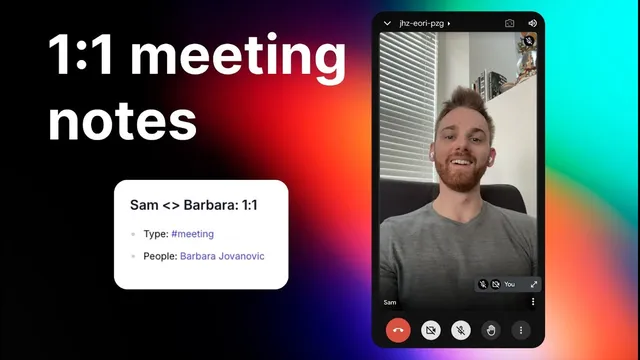
How to take the best 1:1 meeting notes
Based on Reflect Notes's video on YouTube. If you like this content, support the original creators by watching, liking and subscribing to their content.
Use a recurring meeting note template that stores evergreen context like top goals and a repeating agenda so weekly notes don’t start from scratch.
Briefing
Strong one-on-one notes aren’t about writing more—they’re about building a reusable record that makes the next meeting easier for both sides. When managers forget what was discussed last time, employees experience it as a lack of care; when managers juggle many direct reports, it’s draining to reconstruct prior conversations from memory. The method here uses a structured, recurring-meeting note template so key context stays “evergreen,” while the specific discussion and outcomes are captured per meeting.
The workflow starts with a dedicated backlink note for every one-on-one. Using a calendar integration is optional, but it helps automatically create a meeting entry from the invite. Each meeting note includes a log with the date/time, plus fields that are largely stable across weeks: meeting type (tagged as “meeting” and labeled as a one-on-one), the person involved, the relevant company or project, and the purpose of the recurring check-in. The template also includes “top goals” and a recurring agenda section (for example: personal catchup, progress on goals, and review of top priorities). The key idea is that these sections should rarely change—goals might stay the same for months—so the note becomes a dependable reference point rather than a fresh document every week.
Actual meeting content lives under the agenda items as bullet points. Notes can be captured in three ways: (1) write directly into the bullets as the conversation happens, (2) record a voice note and rely on transcription (with the caveat that the transcription may not split by speaker), or (3) use a hybrid approach—jot highlights during the meeting, then record a short voice note at the end while details are still fresh, focusing on action items and key takeaways. The transcript also mentions an “executive assistant” style AI prompt workflow (via Reflect) that can transform selected audio notes and bullet content into a clean list of action items and takeaways.
After the meeting, the notes can be enriched with backlinks automatically. Selecting the notes and running the AI prompt can link names and client companies, reducing manual cleanup. The payoff arrives at the next one-on-one: the backlink section shows what was discussed last time, letting someone quickly review key takeaways and confirm whether prior action items were completed. The same notes can be copied into a follow-up message to share updates with the other participant, and the overall structure helps both managers and employees appear more organized with minimal ongoing effort.
In short, the method turns one-on-one note-taking into a consistent system: stable context for the recurring relationship, fast capture for the live conversation, and instant recall for the next meeting—so follow-through becomes visible and meetings feel more continuous rather than starting over each time.
Cornell Notes
The core idea is to treat one-on-one notes as a recurring system, not a fresh write-up each week. A template stores evergreen context—meeting type, attendee, company/project, top goals, and a repeating agenda—so it changes rarely. Each individual meeting then adds bullet-point notes under the agenda, capturing what was actually discussed and the resulting action items. Notes can be gathered by typing, recording voice for transcription, or using a hybrid approach (highlights during the meeting plus a short end-of-meeting voice note). Backlinks and AI-assisted action-item extraction make the next meeting easier by surfacing what happened last time and whether prior commitments were completed.
Why does the transcript emphasize “evergreen” sections like top goals and agenda?
What’s the practical difference between capturing meeting notes in bullets versus recording audio?
How do backlinks improve continuity between meetings?
What structure does the method suggest for the per-meeting content?
Why is the backlink note for each one-on-one described as optional but recommended?
How can these notes be used beyond internal tracking?
Review Questions
- What parts of the note template are intended to remain stable across weeks, and why?
- Describe the hybrid note-taking method and how it reduces effort while preserving important details.
- How do backlinks and AI-assisted action-item extraction change what someone can do before the next one-on-one?
Key Points
- 1
Use a recurring meeting note template that stores evergreen context like top goals and a repeating agenda so weekly notes don’t start from scratch.
- 2
Create a dedicated backlink note for each one-on-one to make prior discussions instantly accessible in future meetings.
- 3
Capture live discussion under agenda items using bullet points, then summarize into key takeaways and action items for quick review.
- 4
Choose a capture method that fits the moment: typing, full voice transcription, or a hybrid of highlights plus an end-of-meeting voice note.
- 5
Run AI-assisted workflows to generate action items/takeaways and automatically add backlinks to names and client companies.
- 6
Before the next meeting, review the backlink section to confirm what was decided and whether action items were completed.
- 7
Optionally share the organized notes as a follow-up message to improve accountability and perceived organization.