How to Track Habits Digitally (+ Free Notion Habit Tracker Template)
Based on The Organized Notebook's video on YouTube. If you like this content, support the original creators by watching, liking and subscribing to their content.
Use digital habit tracking to make daily progress easy to record and review during the ~30-day window when habits start to become automatic.
Briefing
Digital habit tracking is positioned as a practical way to build or break routines by making progress easy to record and review—especially when paired with Notion. The core idea is that habits often take about 30 days to become automatic, so tracking during that window helps people stay consistent, notice patterns, and decide whether a routine is worth continuing. The method emphasizes digital tracking because it’s simpler to manage data over time than relying on scattered notes or memory.
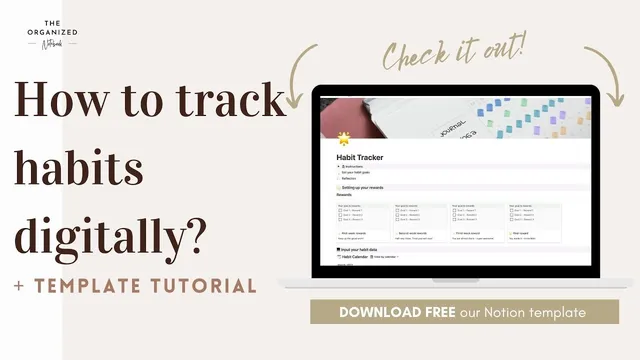
The workflow starts with getting a Notion account and using a free habit tracker template distributed through Gumroad. After downloading the template, users duplicate it into their own Notion workspace. From there, the tracker is set up around three to five habit goals for the month. Those goals determine which routines the calendar and tracking tabs will support. In the example provided, the monthly focus includes yoga, reading 30 minutes a day, and walking 10,000 steps.
Next comes an optional rewards system. Users can fill in a “setup rewards” section to add motivation for weekly completion, including customizing the motivational message shown for each goal. A checkbox marks whether a goal was completed each week, turning the tracker into a feedback loop: progress is visible, and effort is reinforced.
The calendar setup ties everything together. Users rename the habit tabs on the calendar to match the selected habits and then populate the daily entries. Each day includes checkboxes for the habits, and those checkbox labels must match the tab names in the same order. The template also allows comments under each day, giving space to record how someone felt—useful for connecting outcomes to mood, energy, or other context.
After a month, the tracker supports review. The rewards section shows whether weekly targets were fully met, and the calendar view highlights consistency toward the end of the month. A dedicated reflection area prompts users to reassess after the 30-day period, since habit formation often takes longer than a single month. That reflection helps decide whether to keep the same habits, adjust them, or switch to new routines.
Finally, the template includes a reset approach: users can re-download and start over while keeping prior records. Renaming the tracker title with the month makes it easier to maintain a history of habit experiments over time. The overall takeaway is straightforward—track daily, review weekly and monthly, then iterate based on what actually stuck.
Cornell Notes
The habit tracker workflow centers on using Notion to record 3–5 habits over roughly a 30-day window, when routines typically shift from effortful to automatic. After setting habit goals, users can optionally add a rewards section that marks weekly completion and includes customizable motivational messages. The calendar then requires matching habit names across tabs, daily checkbox labels, and the order of habits, with optional daily comments to capture how someone felt. At month’s end, a reflection area helps decide whether to continue, modify, or replace habits—followed by a reset process that preserves old records by re-downloading the template and renaming it by month.
Why does the tracker focus on a 30-day cycle, and how does that shape what gets recorded?
What are the minimum setup steps before daily tracking can begin?
How do rewards work in this template, and what’s optional about them?
What details must stay consistent across the calendar to avoid tracking errors?
How does the template encourage reflection beyond checkbox completion?
Review Questions
- What steps ensure the habit names and checkbox labels match correctly in the calendar?
- How does the rewards section influence weekly tracking, and what part is explicitly optional?
- After one month, what criteria does the reflection area help you use to decide whether to keep or change habits?
Key Points
- 1
Use digital habit tracking to make daily progress easy to record and review during the ~30-day window when habits start to become automatic.
- 2
Start in Notion by duplicating the free habit tracker template obtained via Gumroad.
- 3
Choose 3–5 habit goals for the month; those goals drive what appears in the calendar and tracking tabs.
- 4
Optional rewards add weekly motivation by marking goal completion and allowing customized motivational messages.
- 5
Keep habit names and their order consistent across calendar tabs and daily checkbox labels to prevent mismatched tracking.
- 6
Use daily comments to capture context like mood or energy, then use the month-end reflection to decide whether to continue, adjust, or replace habits.
- 7
Reset by re-downloading the template and renaming it by month so past trackers remain available for records.