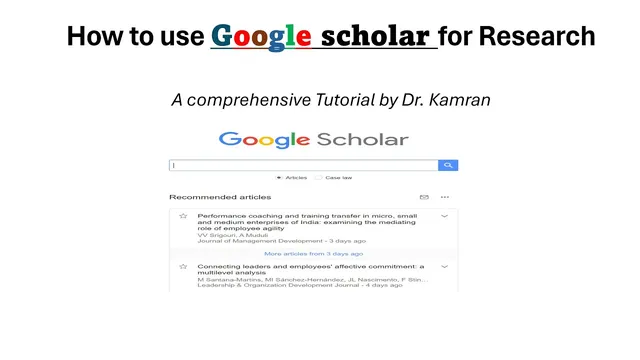
How to use Google scholar for research
Based on Research and Analysis's video on YouTube. If you like this content, support the original creators by watching, liking and subscribing to their content.
Start research at scholar.google.com and use topic keywords to retrieve relevant academic articles.
Briefing
Google Scholar is positioned as a beginner-friendly research tool for finding relevant academic articles, spotting research gaps, and generating properly formatted citations. Starting with scholar.google.com, users can search by topic keywords—such as “working environment” and “job satisfaction”—to surface studies that match their research focus. The results page also signals which items may be accessible as PDFs, making it easier to obtain full text without relying on paid institutional databases.
A key search tactic is controlling how keywords are combined. Putting keywords in quotation marks and using “and” narrows results to papers that contain both terms—useful when a user needs highly specific literature. Using “or” between quoted keywords broadens the net to papers that include either term, which helps when exploring a topic broadly or mapping related sub-areas. This keyword logic supports both targeted literature gathering and early-stage topic exploration.
Google Scholar also helps users filter results by publication date. Options on the left side allow restricting searches to a particular year or setting a custom range, such as retrieving articles published between 2021 and 2022. This time-bounding is especially relevant for systematic literature reviews and for identifying a “search gap,” since many researchers prioritize the most recent one or two years to understand where evidence is growing and where unanswered questions remain.
Beyond discovery, Google Scholar streamlines citation work. When users borrow information and need complete references, they can use the “Cite” option to generate citations in multiple styles. The transcript highlights copying and pasting citations in formats such as APA, and switching citation formats when needed—for example, moving from one style to Chicago. This reduces manual formatting effort and helps keep references consistent with assignment or journal requirements.
Finally, Google Scholar supports access and retrieval workflows. Search results often display links labeled “PDF” alongside the database name, and users can click the PDF link to download the file when free access is available. The practical takeaway is that users can prioritize open-access PDFs directly from search results, which can be a workaround when they lack subscriptions to specific digital libraries or academic databases.
Overall, the core value is a single platform that combines keyword-based searching, Boolean-style query control, date filtering for recency, free-PDF discovery, and citation generation across common academic formats—turning early research tasks like literature collection and referencing into a more efficient process.
Cornell Notes
Google Scholar helps beginners search for academic articles, narrow results, access free PDFs, and generate citations in multiple styles. Users can start at scholar.google.com and enter topic keywords; using quotation marks with Boolean operators like “and” and “or” controls whether results must include both terms or either term. Date filters (including custom ranges) support systematic literature review workflows and help researchers focus on recent studies when looking for a search gap. The “Cite” option generates formatted references (e.g., APA or Chicago) that can be copied into documents. When results show a “PDF” link, users can download open-access full text without needing paid database access.
How can a researcher make Google Scholar return only papers that match two specific concepts?
When is it better to broaden a search in Google Scholar, and how is that done?
What role do date filters play in literature review planning?
How does Google Scholar help with citation formatting across different styles?
How can users find and download full-text PDFs when they lack database access?
Review Questions
- What is the difference between using “and” versus “or” between quoted keywords in Google Scholar searches?
- How would you set up a Google Scholar search to retrieve only articles published within a specific year range for a systematic literature review?
- What steps would you take in Google Scholar to generate an APA citation and then convert it to Chicago format?
Key Points
- 1
Start research at scholar.google.com and use topic keywords to retrieve relevant academic articles.
- 2
Use quotation marks plus “and” to require both keywords in results, and “or” to include either keyword.
- 3
Filter by publication date using year options or a custom range to focus on recent literature and search gaps.
- 4
Use the “Cite” option to generate complete references and copy them into documents in styles like APA or Chicago.
- 5
Look for “PDF” links in search results to download open-access full text when institutional database access is limited.
- 6
Copy reference details from one style to another by selecting the desired citation format within Google Scholar.