How to use Notion AI to work faster
Based on Notion's video on YouTube. If you like this content, support the original creators by watching, liking and subscribing to their content.
Notion AI can generate summaries, extracted themes, action items, and rewritten text by using context from pages inside a Notion workspace.
Briefing
Notion AI is positioned as a fast way to turn messy text—meeting notes, research, and drafts—into usable outputs like summaries, themes, action items, and polished writing. The core value is context: by pulling information from pages inside a Notion workspace, it can generate more informed results than tools that operate on text in isolation. That speed matters because it offloads time-consuming reading and rewriting tasks that typically require manual effort.
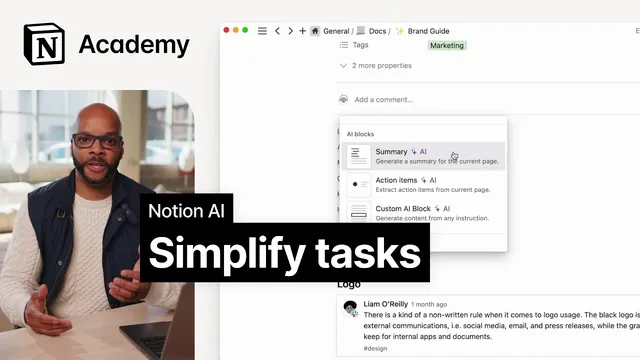
Three main actions drive the workflow. First is summarization: users can highlight text and ask Notion AI to summarize it, or trigger summarization directly from the editor by selecting text and pressing the spacebar for AI. Notion also supports dedicated AI blocks, including a summary block that generates a summary with a single click. Second is extracting insights: Notion AI can analyze text to identify common themes or patterns, helping readers glean learnings from research notes, customer feedback, or survey responses without manually scanning long documents. Third is generating text with page context: Notion AI can rewrite or draft coherent prose from rough notes, which is useful for turning bullet points into polished documents such as internal write-ups or performance reviews.
The transcript lays out practical applications that map to common knowledge-work tasks. For long process documents, teams can add AI-generated overview sections at the top of pages to preserve key information while reducing time spent reading. For research, it suggests summarizing clipped web articles—using Notion’s Web Clipper—before going deeper, especially when working through many papers or articles. For data-driven work, it recommends summarizing themes from survey or customer feedback pages to quickly identify trends worth following up on.
Meetings are treated as the clearest everyday use case. Instead of spending hours searching through meeting notes for takeaways, teams can use AI to generate meeting summaries and highlight action items. The transcript gives a concrete example using an “Acme Inc” scenario: create a meeting notes database template that includes AI blocks for summaries and action items. In a sales discovery call template, the agenda and SDR questions sit alongside top-level sections that other team members can scan quickly. If the organization records meetings and generates transcripts, the workflow can be even more streamlined—users can paste the transcript into Notion and use the AI blocks to produce summaries and next steps, reducing the need for manual note-taking.
Overall, the message is that Notion AI becomes most effective when embedded into templates and recurring workflows—especially meeting notes—so teams can standardize outputs like summaries, action items, and translated or rewritten text with minimal friction.
Cornell Notes
Notion AI speeds up work by turning existing Notion content into summaries, themes, action items, and polished text using page context. Users can highlight text and request a summary, or trigger AI from the editor with a spacebar command. AI blocks make this repeatable: a summary block creates quick overviews, an action-items block extracts documented next steps, and a custom AI block supports any prompt. The transcript highlights practical uses such as summarizing long process documents, condensing research clipped from the web, and extracting themes from survey or customer feedback. Meetings are the flagship case: templates can generate meeting summaries and action items from transcripts so teams spend less time sifting and more time acting.
What are the three core ways Notion AI helps with text in a Notion workspace?
How do AI blocks differ from manually prompting Notion AI?
Why does “page context” matter for the quality of outputs?
What are the transcript’s examples of summarization beyond meetings?
How does the meeting workflow work in the Acme Inc example?
What command shortcuts are mentioned for triggering Notion AI?
Review Questions
- How would you design a Notion meeting notes template so summaries and action items are generated consistently every time?
- Give one example each of when summarization, insight extraction, and page-context writing would be useful in a work setting.
- What role does Notion’s Web Clipper play in the research workflow described, and where does summarization fit in?
Key Points
- 1
Notion AI can generate summaries, extracted themes, action items, and rewritten text by using context from pages inside a Notion workspace.
- 2
Highlight-and-summarize and editor-triggered AI (pressing space after selecting text) provide quick, ad hoc outputs.
- 3
AI blocks—added via “/ AI”—make outputs repeatable, including summary and action-items blocks plus a custom prompt block.
- 4
Long documents benefit from AI-generated overview sections that preserve key information while reducing reading time.
- 5
Research workflows can be accelerated by summarizing web articles clipped into Notion before deeper analysis.
- 6
Meeting templates can use AI blocks to produce meeting summaries and next steps, especially when transcripts are available.
- 7
Embedding AI blocks into recurring templates reduces manual note-taking and speeds up follow-up work.