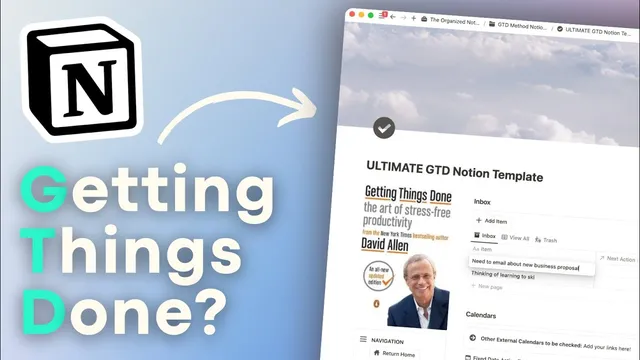
How to use Notion for GTD!? | Getting Things Done System Template Tour & Tutorial
Based on The Organized Notebook's video on YouTube. If you like this content, support the original creators by watching, liking and subscribing to their content.
Use the Inbox as a capture tool throughout the day, then process items later to prevent reminders from staying in your head.
Briefing
Getting Things Done (GTD) is built around one practical promise: capture every incoming task or idea in a single inbox, then sort it into the right place so the mind stops holding reminders. This Notion template tour translates that workflow into a structured system with five core areas—Inbox, Action Tasks, Projects, Calendars, and Reference—plus a review cadence that keeps the whole setup current.
The process starts with an always-available Inbox where anything that pops into mind can be dumped throughout the day. Items don’t need to be organized immediately; the goal is to clear mental clutter first. Once enough accumulate, each inbox entry gets assigned a destination based on what it actually requires. Immediate, actionable items become “next actions.” Multi-step outcomes become “projects.” Things to revisit later go into “someday maybe” or “tickler.” Useful materials—like menus, URLs, or media—move into “reference files.” Anything irrelevant can be sent to trash. A “view all” option helps users trace where items ended up.
From there, the Action Task list becomes the daily workbench. Tasks can be tagged with context (such as phone or car), estimated time/energy/priority, and—crucially—status categories that determine what’s actionable now. The template distinguishes between tasks that can be done immediately (including quick two-minute tasks), tasks that need more time, delegated tasks placed into a “waiting” state, and time-sensitive items that land in “fixed date.” Delegation is supported by assigning a person and optionally setting a due date so follow-ups can be checked later.
Calendars tie the system to time. “Fixed date” tasks appear on the calendar when an appointment or deadline is truly anchored to a specific time. “Due date” entries are treated as more flexible—useful for follow-ups that aren’t tied to an exact hour. A separate tickler calendar handles reminders scheduled from “tickler” items, including optional reminder times. The template also supports linking external calendars (for example, Google Calendar) and recommends using Notion Calendar to view action tasks alongside linked events.
Projects and reference management round out the system. Projects created from the inbox can be planned without cluttering the main action list: users can list project steps, then copy only the next actionable tasks into the Action list. Reference files store enduring information such as URLs and media, organized by categories (like “menu”). Projects can be archived when they no longer fit.
The system stays reliable through reviews. A weekly review checklist guides users through inbox status (aiming for inbox zero), active projects, someday/tickler items, calendar checks across all linked apps, and a read-only scan of the action list. Higher-level reviews follow a hierarchy of time horizons—areas of focus/goals, then 3–5 year vision, then purpose and principles—so users can realign tasks with longer-term direction. Completed weekly review entries can be set to repeat automatically, and higher-level review pages can be archived and replaced to keep reflections current.
Cornell Notes
The template implements David Allen’s Getting Things Done workflow in Notion by routing every incoming item into an Inbox first, then sorting it into the right system: next actions, projects, someday/tickler, reference files, or trash. Action tasks are organized by context (e.g., phone, car), time/energy/priority, and status categories like waiting, fixed date, and done—so users always know what to do next. Calendars separate “fixed date” (time-anchored) from “due date” (more flexible) and use a tickler calendar for scheduled reminders. Weekly reviews keep the system aligned by checking inbox, projects, tickler/someday, and all linked calendars, while higher-level reviews revisit longer-term goals and purpose. The result is reduced mental load because tasks are captured once and processed into actionable lists.
How does the template turn an unstructured thought into an actionable task without creating more mental load?
What’s the difference between fixed date and due date in this system?
How does delegation work for tasks that can’t be completed immediately?
Why are projects planned differently from action tasks, and how does the template prevent clutter?
What does a weekly review actually check, and how does it keep calendars and tasks synchronized?
How do higher-level reviews fit into the GTD hierarchy?
Review Questions
- When an item lands in the Inbox, what decision rules determine whether it becomes a next action, a project, someday/tickler, reference, or trash?
- How would you choose between fixed date and due date for a task like “call the tax office at 3 p.m.” versus a flexible follow-up?
- During a weekly review, which areas are checked in what order, and why is the action list treated as read-only?
Key Points
- 1
Use the Inbox as a capture tool throughout the day, then process items later to prevent reminders from staying in your head.
- 2
Route inbox items to the correct destination: next action, project, someday/tickler, reference files, or trash.
- 3
Keep the Action Task list usable by tagging tasks with context (phone/car), time/energy/priority, and status (waiting/fixed date/done).
- 4
Separate time-anchored work from flexible follow-ups by using fixed date for exact times and due date for movable deadlines.
- 5
Plan projects without cluttering the action list: outline project steps, then copy only the next actionable tasks into the Action list.
- 6
Use calendars to stay synchronized: fixed date events, due date follow-ups, and a tickler calendar for scheduled reminders.
- 7
Run weekly reviews to check inbox, projects, someday/tickler, and all linked calendars; run higher-level reviews to realign tasks with longer-term purpose and goals.