How to use the PARA method in your notes
Based on Reflect Notes's video on YouTube. If you like this content, support the original creators by watching, liking and subscribing to their content.
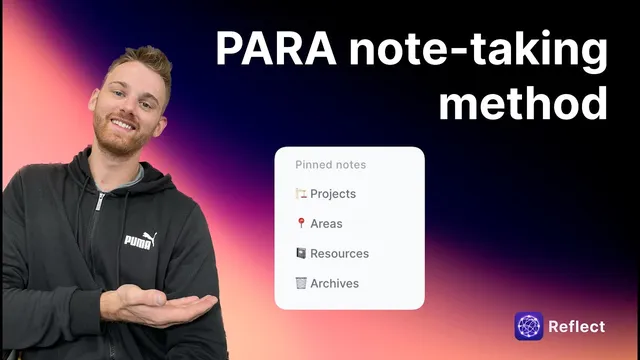
Create four pinned categories: Projects, Areas, Resources, and Archives to keep navigation fast.
Briefing
PARA note-taking organizes personal knowledge into four buckets—Projects, Areas, Resources, and Archives—so notes stay connected, searchable, and easier to review over time. The core idea is to separate what’s actively being worked on (Projects) from ongoing responsibilities (Areas), while keeping reference material (Resources) and completed work (Archives) from cluttering active lists.
Setting up starts with creating four main categories in notes, typically as pinned pages for quick access. Projects hold the work currently in motion. In the example, “Reflect” is treated as a main project, with sub-notes like “Growth ideas,” “Personal FAQ,” and “Goals and tracking.” Each sub-note is tagged so it can be pulled into the correct project list and also linked back to the project page. That tagging and linking creates two useful views: searching by tag surfaces all related notes, and backlinks show which notes connect to a given project—effectively building a map of what belongs where.
Areas represent ongoing domains of life, such as Health and fitness, Personal finance, Home Maintenance, Career Development, and Thought development and productivity. Inside an Area page, backlinks gather all notes tied to that domain—like workout routines, nutrition plans, and personal health records. The same tagging approach keeps these notes distinct from project work, even when they overlap. Clicking an Area tag then reveals every note associated with that domain, making it easy to track long-term goals and reference material without mixing them into short-term deliverables.
Resources are different because they function as a library of saved material—articles, tweets, and other links—that support either a Project or an Area. A note like “Note-taking methods” can be linked as a resource to a productivity Area, while also being tagged as a resource for retrieval. When adding a tweet (for example, from Zach Holland), the system links it to both the resource library and the relevant project (such as a newsletter project), using tags so it appears in both places. The rule of thumb is that every resource should connect to at least one active Area or Project.
Archives is where completed work goes. Once a project is finished—like a “growth book”—its related items can be moved out of Projects and into Archives. Maintenance matters: even after moving items, notes may still carry the original project tag, so creating an additional “archived” tag can help filter what’s done. The transcript also notes that while PARA doesn’t require tags explicitly, tags and backlinks make the system more navigable by providing a visual network of linked notes.
Finally, the workflow depends on periodic review. Checking Projects, Areas, and Resources weekly or monthly keeps information current and prevents saved links from being forgotten. With that upkeep, PARA becomes a straightforward structure for capturing ideas, managing active work, and keeping reference material organized without turning a notes system into a dumping ground.
Cornell Notes
PARA organizes notes into four categories: Projects (active outcomes), Areas (ongoing responsibilities), Resources (reference material), and Archives (completed work). The method’s power comes from linking and tagging so notes automatically appear in the right project or area lists via backlinks and searchable tags. Resources should connect to at least one Area or Project, ensuring reference material stays relevant. When work finishes, items can be moved to Archives, often using an additional “archived” tag to keep filtering clean. Regular review—weekly or monthly—prevents stale notes and forgotten links from accumulating.
How does PARA distinguish Projects from Areas in practice?
Why do tags and backlinks matter even though PARA doesn’t require them explicitly?
What makes Resources different from Projects and Areas?
How should completed work be handled once it moves to Archives?
What maintenance routine keeps a PARA system useful over time?
Review Questions
- If a note supports both an ongoing responsibility and a current deliverable, how would PARA connect it without losing clarity?
- What problems might arise if completed items are moved to Archives but their original tags aren’t adjusted or supplemented?
- How do backlinks and tag-based searches change the day-to-day usability of Projects and Areas?
Key Points
- 1
Create four pinned categories: Projects, Areas, Resources, and Archives to keep navigation fast.
- 2
Treat Projects as active outcomes and Areas as ongoing responsibilities, even when they overlap in subject matter.
- 3
Use consistent tags and backlinks so each note automatically appears in the right project/area lists.
- 4
Connect every Resource to at least one active Area or Project so reference material stays relevant.
- 5
Move finished work from Projects to Archives and consider adding an “archived” tag for clean filtering.
- 6
Review Projects, Areas, and Resources weekly or monthly to keep notes current and prevent link rot.
- 7
Rely on linked structure (backlinks) to visualize how notes relate across the system, even beyond strict PARA requirements.