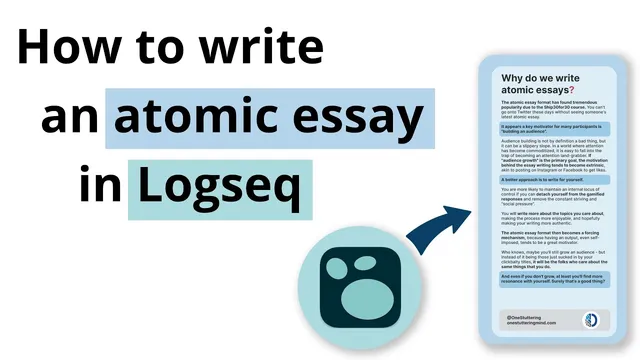
How to write atomic essays in Logseq
Based on CombiningMinds's video on YouTube. If you like this content, support the original creators by watching, liking and subscribing to their content.
Atomic essays turn stored knowledge into output, reducing the risk of hoarding notes without transformation.
Briefing
Atomic essays are presented as a practical antidote to “collector’s fantasy” in personal knowledge management: capturing lots of inputs isn’t enough unless the system forces those ideas into publishable output. The core workflow centers on using Logseq not just to store notes, but to turn drafts into short, 200–250-word essays that can be refined, formatted, and published—so knowledge becomes something usable rather than a backlog.
The process begins with a writing schedule tied to the Ship 30 for 30 challenge: publish an atomic essay every workday for a month. After falling short of the full run (ending up with 18 essays), the focus shifts to the 18th essay—an intentionally meta topic about why atomic essays exist. In Logseq, the author creates a dedicated page (“ship 23 for 31”) and uses block-based outlining with indentation to collect raw ideas, partial drafts, and “departures” that can be revisited later. Ideas are scattered across the database, but indentation and tags make them quickly retrievable, even when the writing process is non-linear.
From there, the draft is built inside a single Logseq page using a “writing” tag and a right-sidebar workflow. A word-count plugin (triggered via a slash command) provides immediate feedback: the draft starts far below the target length (e.g., 57 words) and grows through iterative block additions. To avoid writing in a vacuum, the author pulls in relevant prior notes as block references—examples include reminders about writing for yourself, not quoting but making ideas personal, and using writing as reflection rather than performance. The system supports quick copy/paste of source blocks and rearranging threads as new angles appear.
Once the draft reaches a workable length, the author trims aggressively to remove content that drifts into criticism of the course rather than the intended theme. Grammarly is then used for language-level improvement, but only after the text is pasted in a clean format (copying without Markdown indentation artifacts). The essay is then moved into Figma for presentation: a template is duplicated, text is laid out into the design, and the final graphic is exported for posting.
Back in Logseq, the finished atomic essay is converted into a page (using a “turn into page” plugin) and linked to a daily journal entry via a “published” property. The author also maintains a structured “forest” system for Zettelkasten-style organization—projects and note types share properties for easy filtering. Finally, indentation under the “ship 23 for 31” tag creates a navigable archive of essays and associated assets (images, scraps). “Scraps” are treated as leftover fragments that remain searchable for future writing, enabling follow-up posts without losing earlier work. The result is a repeatable pipeline: capture → draft → refine → design → publish → archive, all driven by Logseq’s block and indentation mechanics.
Cornell Notes
Atomic essays are used as a forcing mechanism to convert stored knowledge into publishable output, countering the trap of hoarding notes without transforming them. In Logseq, ideas are collected on a dedicated project page using indentation and tags, then assembled into a draft with a writing tag and a word-count plugin to keep length near the 200–250-word target. Prior notes are pulled in as block references to generate angles and phrasing, while trimming removes off-topic material. After the draft is cleaned and improved with Grammarly, the text is formatted in Figma using a template, exported, and then converted back into a Logseq page with a “published” property and linked to the daily journal. Indentation and “scraps” tags keep both finals and fragments searchable for future essays.
Why does “collector’s fantasy” matter for knowledge management, and how do atomic essays address it?
How does Logseq help keep an atomic essay near the target length during drafting?
What role do tags, indentation, and the right sidebar play in the writing workflow?
How are existing notes reused without turning the essay into a copy-paste exercise?
Why does the workflow move from Logseq to Grammarly and then to Figma?
How does the system archive both finished essays and leftover fragments for future use?
Review Questions
- How does indentation under a project page change what can be found later compared with a flat list of notes?
- What steps in the workflow ensure the draft stays focused on the intended theme rather than drifting into tangential criticism?
- Why is it useful to treat “scraps” as searchable fragments instead of deleting them after an essay is published?
Key Points
- 1
Atomic essays turn stored knowledge into output, reducing the risk of hoarding notes without transformation.
- 2
Logseq’s block-based outlining and indentation make it easy to assemble drafts from scattered ideas and partial threads.
- 3
A word-count plugin provides real-time length feedback so drafts can be trimmed toward the 200–250-word target.
- 4
Reusing prior notes as block references helps generate angles while still producing original writing.
- 5
Grammarly is most effective after copying text cleanly (without Markdown indentation artifacts).
- 6
Figma templates standardize presentation, separating writing from visual layout and export.
- 7
A “scraps” tagging approach preserves leftover fragments so future essays can reuse fragments instead of starting over.