How to write good AI prompts
Based on Notion's video on YouTube. If you like this content, support the original creators by watching, liking and subscribing to their content.
Start in Notion by using “Start writing with AI” on a blank page, then choose a suggested option or type a custom prompt.
Briefing
Good prompts turn Notion AI from a generic text generator into a practical writing partner—because the quality of the output tracks directly to the quality of the instructions. The core idea is simple: ask for the right medium, the right topic, and the right output format, then refine through follow-up prompts until the result matches what you actually need.
The workflow starts in Notion by opening a blank page and choosing “Start writing with AI.” From there, users can either pick from suggested options—such as brainstorming ideas, drafting blog posts, crafting outlines, or writing social media posts—or type their own prompt. The transcript emphasizes that “anything” really means anything: users can request a meal plan and then steer it with follow-ups like “make it vegetarian,” or generate decision-support content such as a pros-and-cons list for moving to a new place. For work tasks, Notion AI can help draft project plans by suggesting tasks, timelines, and milestones based on project details and goals.
A key warning follows: vague prompts produce vague results. To get better output, prompts should be built from a few essential parts. First is the medium—what kind of content is being created (blog post, social post, project plan, and so on). Second is the topic—what the content is about. Third is the format of the expected output, which is treated as especially important: specify whether the response should be bullet points, a table, headings, or a particular structure, and include any constraints like length and tone.
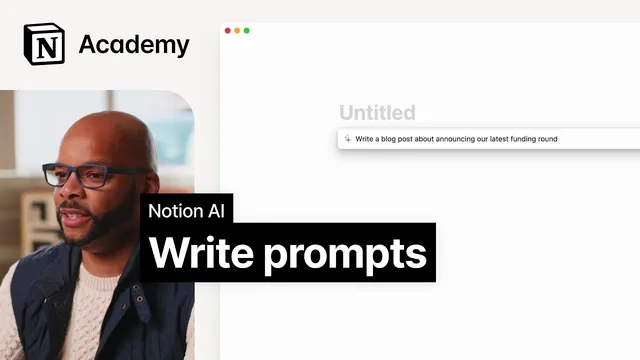
The transcript then walks through a concrete example: drafting a blog post about Acme Inc’s latest funding round. A basic prompt like “announce our latest funding round” yields a short, detail-light draft. To improve it, the prompt is expanded to include the company name, the funding amount ($80 million), the purpose (expanding into global markets), and the desired output characteristics (around 500 words, friendly and humble tone). That more detailed instruction produces a more relevant draft.
Finally, the guidance stresses iteration without over-engineering. If the first draft isn’t right, users should keep prompting for changes—adjusting tone, adding more information about what the company does, or requesting additional specifics—while remembering that a human editor will still be needed for final polish. The takeaway is that Notion AI can generate substantial amounts of usable copy quickly, as long as writers invest enough specificity to guide the model and then refine through targeted follow-ups.
Cornell Notes
Notion AI produces better writing when prompts include three core elements: the content medium, the topic, and the expected output format. The transcript shows that a basic prompt (“announce our latest funding round”) leads to a short, under-detailed result, while a more specific prompt adds company name, funding amount ($80 million), purpose (global market expansion), and constraints like length (about 500 words) and tone (friendly and humble). Users can steer outputs further with follow-up prompts, such as changing dietary preferences (“make it vegetarian”) or requesting additional details about a company’s product. The process is iterative: generate quickly, then refine until the draft is close enough for human editing.
How does Notion AI help users generate text, and what’s the first step to use it?
Why does prompt quality matter, and what happens when prompts are too vague?
What are the three key parts of a strong AI prompt described in the transcript?
How should a prompt be structured to draft a blog post about a funding round?
What’s the recommended approach when the first AI output isn’t satisfactory?
Review Questions
- What three elements should a prompt include to reliably shape Notion AI’s output?
- In the funding-round example, which added details transformed a short draft into a more useful blog post?
- How do follow-up prompts function differently from the initial prompt in the transcript’s examples?
Key Points
- 1
Start in Notion by using “Start writing with AI” on a blank page, then choose a suggested option or type a custom prompt.
- 2
Write prompts with three core parts: medium, topic, and expected output format (including structure, length, and tone).
- 3
Avoid vague prompts; they tend to produce short, detail-light results that require more revision.
- 4
Use follow-up prompts to steer the output toward specific preferences or missing information (e.g., “make it vegetarian,” or request more company details).
- 5
Specify concrete facts and constraints in business writing prompts, such as company name, funding amount, purpose, and target word count.
- 6
Don’t over-engineer prompts—generate quickly, then iterate with targeted changes until the draft is close to usable.
- 7
Plan for human editing: AI can draft quickly, but final polish and accuracy checks still matter.