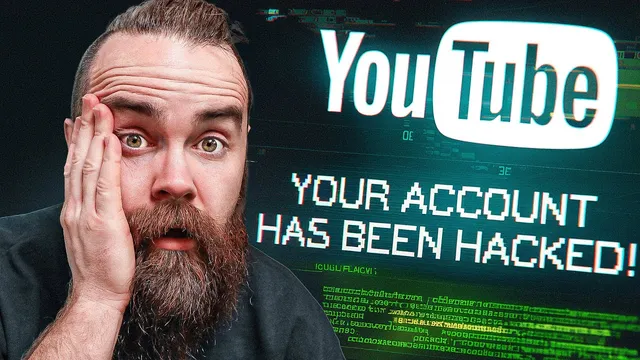
How YouTubers Get Hacked
Based on NetworkChuck's video on YouTube. If you like this content, support the original creators by watching, liking and subscribing to their content.
Treat “YouTube copyright report” notifications and Google Drive shares as suspicious until verified via trusted, independent channels.
Briefing
YouTube creators are being targeted with a phishing scheme that looks like an official Google Drive notification and a “YouTube copyright report,” aiming to trick victims into downloading a malicious file and ultimately stealing credentials. The most alarming part is how believable the lure is: it arrives through a notification that resembles legitimate Google activity, then pushes the victim toward an “official” report link that can lead to malware delivery.
John Hammond, a security researcher and YouTube creator, recounts how the attack began while he was out for brunch. His phone displayed a Google Drive-style notification claiming YouTube had shared a PDF file with him. He then found a matching email in his inbox titled “YouTube copyright report,” sent from a Google.com address—enough to make the message feel authentic at first glance. The subject matter also plays on creator anxiety: a copyright strike is terrifying because it can lead to penalties and limited options to appeal.
Hammond’s key observation is that the phishing attempt isn’t just a generic “click this link” email. The notification and document presentation mimic real Google workflows, and the “official” formatting reduces suspicion. He initially considered opening the report but instead copied the link address to inspect where it went. The URL contained suspicious random strings and tracking parameters, including one that appeared to include his email address—likely used to personalize or track victims.
To analyze the mechanism safely, Hammond tested the link in controlled environments, including Tails (an amnesic, privacy-focused Linux distribution) and other virtual setups. The malicious infrastructure behaved differently depending on the environment and browser identity. In some cases, the redirect appeared to stall or return blank content when viewed through Tor or when using default command-line behavior. The attackers appeared to check the victim’s user agent and only proceed when it matched common browser patterns (for example, Chrome/Firefox) or when the request looked like a real interactive user. When Hammond adjusted the user agent, the redirect advanced and delivered a new payload.
The payload delivery also evolved during testing. Instead of a single static download, the attackers used hosted file links (including a Discord-hosted dropbox-style link) that pointed to a “copyright report.zip” archive. Inside were Windows executable files masquerading as report-related documents (including items labeled like screenshot/docx content), and the samples differed in size and hash values, suggesting multiple variants.
If detonated in a real environment, the malware is identified as RedLine, an information stealer. Its goal is credential theft: harvesting saved browser sessions, logins, usernames, and passwords, then sending the collected data back to the attackers. In short, the scheme is designed to convert a creator’s fear of copyright consequences into a credential compromise—giving attackers the leverage to take over accounts and potentially delete channels.
The practical takeaway is straightforward: treat “copyright report” notifications and Google Drive shares as suspicious until verified through trusted channels, and never download or open attachments from unexpected “official” links—especially when the sender details and URL structure don’t fully check out.
Cornell Notes
Creators are being targeted by phishing messages that mimic legitimate Google Drive notifications and a “YouTube copyright report.” The lure is designed to feel official enough to overcome creator anxiety, then directs victims to download a malicious archive. In controlled testing, the malicious redirect behavior changed based on the environment and user agent, suggesting the attackers filter for likely real victims using common browsers. The delivered malware is identified as RedLine, which steals credentials by harvesting saved browser sessions and login data, then exfiltrates it to the attackers. This matters because credential theft can enable full account takeover, including actions like deleting videos or even the channel.
Why does the “YouTube copyright report” phishing message work better than a typical email scam?
What did Hammond do to verify whether the link was legitimate?
How did the attackers’ redirect behavior change across different testing environments?
How was the malicious payload delivered, and what did it contain?
What happens if the malware runs, and what family is it?
Review Questions
- What specific cues in the notification/email and the URL structure would you treat as red flags before downloading anything?
- How does user-agent filtering help attackers avoid analysis in sandboxed or privacy-focused environments?
- Why does credential theft (rather than direct “delete channel” malware) give attackers more long-term control?
Key Points
- 1
Treat “YouTube copyright report” notifications and Google Drive shares as suspicious until verified via trusted, independent channels.
- 2
Never rely on the sender domain alone; inspect the actual redirect URL for abnormal parameters and unexpected domains/paths.
- 3
Copy and analyze links instead of clicking “open full report,” especially when the message is personalized or unusually urgent.
- 4
Expect attackers to use environment checks (like user-agent filtering) to deliver payloads only to likely real victims.
- 5
Assume hosted payload delivery can change over time (different archives/variants) even within the same campaign.
- 6
RedLine is designed for credential harvesting—saved browser sessions and logins—so phishing can lead to full account takeover.
- 7
Credential theft can enable downstream damage (video deletion, live stream abuse, and channel compromise) even if the initial lure only looks like a document warning.