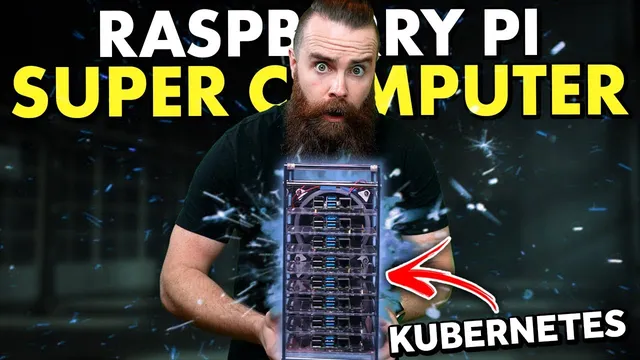
i built a Raspberry Pi SUPER COMPUTER!! // ft. Kubernetes (k3s cluster w/ Rancher)
Based on NetworkChuck's video on YouTube. If you like this content, support the original creators by watching, liking and subscribing to their content.
Use k3s (lightweight Kubernetes) to make Kubernetes practical on Raspberry Pi hardware.
Briefing
A single Raspberry Pi can be turned into a “supercomputer” by clustering multiple Pis with Kubernetes—specifically the lightweight k3s distribution—so workloads like web servers and Minecraft can be deployed across nodes, automatically balanced, and monitored. The payoff isn’t just the novelty of running Minecraft on a home cluster; it’s hands-on practice with Kubernetes concepts (containers, pods, deployments, services, scaling, and ingress) using hardware that’s cheap enough to experiment with.
The build starts with the practical reality that you can’t simply glue computers together. Each Pi remains its own machine, but Kubernetes orchestrates containers across the cluster. The video frames this as orchestration: instead of manually installing and managing apps on each node, Kubernetes places containerized workloads where they fit, keeps them healthy, and can scale replicas up or out. To make the cluster feasible on small devices, k3s—created by Rancher Labs—is used because it’s lightweight and designed for edge and IoT scenarios.
Setup begins with headless Raspberry Pi provisioning: flashing Raspberry Pi OS Lite to a microSD card, booting without a monitor or keyboard, then enabling SSH and configuring boot parameters. Key boot changes include enabling cgroups memory support (needed for k3s/container functionality), setting a static IP and hostname, forcing 64-bit mode, and enabling SSH by creating an SSH file on the boot partition. After the Pi comes online, the cluster prep includes switching to root and enabling legacy iptables so k3s can use them.
K3s installation follows a master/worker model. The first Pi becomes the control-plane “master” by running a single install command that downloads and executes a script. Additional Pis join as worker nodes using a token generated on the master, along with the master’s k3s URL and a unique node name per Pi. Verification is done with kubectl (via the cube ctl shorthand used throughout): “get nodes” confirms the cluster roles and readiness.
For visibility and management, Rancher is optionally installed on a separate Ubuntu virtual machine. Rancher then imports the Pi cluster, including an ARM64-specific agent image override so the x86-oriented defaults don’t break on Raspberry Pi hardware. Once Rancher shows nodes and cluster health, the tutorial shifts from infrastructure to applications.
The first workload is an Nginx deployment: a manifest defines a deployment with replica count, labels, container image, and health checks. After deploying, Kubernetes creates pods, and the video demonstrates how to see which node each pod lands on. Because pod IPs are cluster-internal, access requires a Kubernetes Service. A NodePort service opens a port on each node and forwards traffic to the correct pods, enabling the Nginx pages to load by hitting a node’s IP plus the NodePort.
To make load balancing obvious, the video deploys a “Hello World” app at high replica counts (scaled up to 50). With the NodePort service in place, requests to any node’s NodePort are distributed across the backing pods. Finally, ingress is introduced to route by hostname: a rule maps an I love cow.com-style domain to the Hello World service, and local DNS/hosts-file edits are used to test it.
The practical capstone is Minecraft. Because many container images aren’t ARM64-ready, the tutorial uses a Minecraft Helm chart installed through Rancher’s marketplace UI. After accepting the ULA and deploying the chart, another NodePort service exposes the Minecraft port (25565) to the cluster. The result: a playable Minecraft server running on a Raspberry Pi Kubernetes cluster, with Kubernetes handling placement, health, and traffic routing.
Overall, the project turns a home lab into a working Kubernetes playground—starting from bare-metal Pi configuration and ending with real, interactive services—while teaching the core building blocks needed to take the same skills into enterprise cloud-native environments.
Cornell Notes
The core idea is to use Kubernetes (k3s on Raspberry Pi) to orchestrate containerized workloads across multiple Pis so apps run reliably, scale, and receive traffic through Kubernetes networking. The tutorial builds a master/worker cluster, verifies it with kubectl, and optionally adds Rancher for a visual dashboard and easier cluster management. It then deploys Nginx and a “Hello World” app to demonstrate pods, deployments, replica scaling, and load balancing via NodePort services. Finally, it uses ingress for hostname-based routing and deploys a Minecraft server via a Helm chart, exposing it with a NodePort so it’s playable from the network. This matters because it turns small hardware into a real Kubernetes learning environment with practical, production-like patterns.
Why does the cluster need Kubernetes if each Raspberry Pi is still its own computer?
What makes k3s a good fit for Raspberry Pi compared with standard Kubernetes?
What are the key Raspberry Pi boot changes needed before installing k3s?
How do worker nodes join the cluster, and what role does the master play?
Why can’t the tutorial just open pod IPs to reach the deployed web apps?
How do NodePort and Ingress differ in exposing services?
Review Questions
- What specific boot configuration changes are required to support k3s and containers on Raspberry Pi OS Lite?
- Describe the master/worker join process for k3s, including what the worker needs from the master.
- Explain why a Kubernetes Service is required to access deployed pods from outside the cluster.
Key Points
- 1
Use k3s (lightweight Kubernetes) to make Kubernetes practical on Raspberry Pi hardware.
- 2
Treat each Pi as a separate node; Kubernetes orchestrates containers across nodes rather than merging machines.
- 3
Prepare Pis headlessly by flashing Raspberry Pi OS Lite, enabling SSH, setting static networking, and enabling cgroups memory support.
- 4
Install k3s on the first Pi as the master, then add worker nodes using the master’s token, k3s URL, and unique node names.
- 5
Deploy applications with manifests (deployments) and verify cluster state with kubectl commands like “get nodes” and “get pods.”
- 6
Expose workloads externally using Kubernetes Services (NodePort) because pod IPs are cluster-internal by default.
- 7
Use Ingress for hostname-based routing and Helm charts (via Rancher) for deploying complex apps like Minecraft on ARM64.