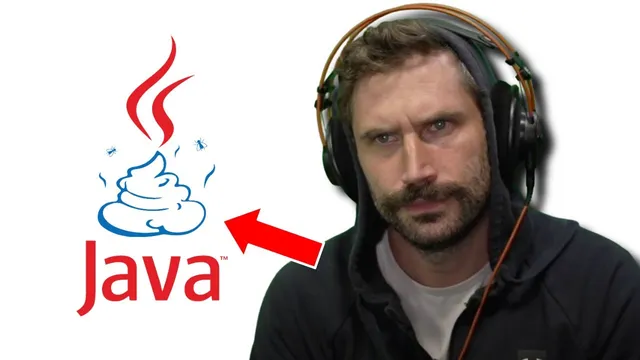
I Hate JavaScript (2006 Was So Good)
Based on The PrimeTime's video on YouTube. If you like this content, support the original creators by watching, liking and subscribing to their content.
The transcript links JavaScript to user-hostile behaviors in 2006, including pop-ups, alerts, and animations that users couldn’t easily disable.
Briefing
In 2006, JavaScript was already being treated like a browser menace—crashing old setups, popping unwanted windows, and forcing users into “download the newest version” cycles—while accessibility and portability were being ignored. The core complaint is simple: interactive web pages shouldn’t require special software or browser-specific settings, and valuable content should still load cleanly for users on basic terminals or non-mainstream browsers.
The transcript frames the rant through the lived constraints of the era. It recalls browsing on Linux and older Netscape Communicator builds, where Java-related behavior could “crush” the browser on some pages. It also points to a real 2006 problem: many people didn’t have smartphones, so internet access often meant text terminals. In that world, pages that depended on JavaScript-like features or rich UI patterns could become unusable, even when the underlying information—like timetables—should have been accessible via plain links and HTML.
A major thread is control. Pop-up windows, animation loops, and “play” behavior were portrayed as user-hostile: the user should be able to close or disable things without hunting through title bars or being forced to install or uninstall components. The transcript argues that front-end validation and client-side “safety” claims were misleading, because real security still depends on server-side checks. It also criticizes the marketing pitch that users can fix problems by updating to the latest Microsoft or Netscape version, describing it as a tactic that effectively locks people into a narrow browser ecosystem.
Accessibility and semantics get explicit attention. The transcript claims that the best practice—semantic HTML and textual equivalents for visual-only UI—was already known in 2006, and that ignoring it for decades left the web worse for everyone. Menus built as images, for example, should come with text alternatives so screen readers and non-graphical browsers can interpret them.
Finally, the rant lands on a broader cultural critique: web admins and developers still chase flashy behavior (animations, banners, interactive gimmicks) even though it trains users to avoid the very areas where attention is needed. The transcript ends by inspecting a page’s HTML and style choices, then drawing a line from 2006’s “JavaScript” complaints to today’s continued reliance on modern frameworks—suggesting the underlying user experience problems persist, even as the tooling changes.
Cornell Notes
The transcript argues that JavaScript became a scapegoat in 2006 for a cluster of user-facing problems: browser crashes, pop-ups, unwanted animation, and pages that effectively require specific browser behavior or “latest version” updates. It emphasizes portability and accessibility—content should work on basic terminals and non-mainstream browsers, and visual-only UI should include textual alternatives. It also challenges security claims that client-side checks are enough, warning that server-side validation still matters. Overall, the message is that web design choices made for convenience or marketing often cost users control, clarity, and compatibility, and those patterns can outlive the original technology.
Why does the transcript treat JavaScript as a 2006 “browser menace” rather than a normal web feature?
What portability and accessibility standards does the transcript insist were already known in 2006?
How does the transcript connect client-side validation to security risk?
What does “control” mean in the transcript’s critique of web pages?
Why does the transcript criticize browser-update campaigns and “blessed browser” requirements?
What broader pattern does the transcript claim has persisted from 2006 to today?
Review Questions
- What specific user-control failures (pop-ups, animation loops, disabling behavior) does the transcript blame on JavaScript-era web design?
- How does the transcript distinguish between client-side “safety” claims and the need for server-side validation?
- Which accessibility practices (semantic HTML, textual equivalents) does the transcript argue were already available in 2006, and why do they matter for text terminals?
Key Points
- 1
The transcript links JavaScript to user-hostile behaviors in 2006, including pop-ups, alerts, and animations that users couldn’t easily disable.
- 2
Portability is treated as non-negotiable: valuable web content should render on any browser and even on text terminals.
- 3
Accessibility is framed as practical engineering—semantic HTML and textual alternatives for visual-only menus enable non-graphical and assistive reading.
- 4
Security claims about client-side form checking are criticized as incomplete; server-side validation remains essential.
- 5
“Update to the newest browser” campaigns are portrayed as a lock-in strategy that excludes users on other platforms or older setups.
- 6
The rant argues that flashy UI patterns train users to ignore or avoid content areas, reinforcing poor usability over time.
- 7
Despite new frameworks, the transcript suggests the same incentive structure keeps producing similar user experience problems.