I Made a 2025 Vision Board in Notion! (Tutorial + Template)
Based on Dr. Tiffany Shelton's video on YouTube. If you like this content, support the original creators by watching, liking and subscribing to their content.
Set goals through reflection before building the vision board, including values review and defining yearly “moon goals” plus quarterly or 12-week “stars.”
Briefing
A 2025 vision board in Notion should be built less for “motivation” and more for goal clarification—because repeated viewing can create a false sense of having already achieved those goals. Neuroscience research cited in the tutorial points to a key problem: vision boards often deliver satisfaction and accomplishment signals that reduce the drive to do the work required to reach the targets. The practical takeaway is to use vision boards as a visual framework for understanding what’s being pursued, then rely on other planning mechanisms for day-to-day momentum.
Before any design happens, the process starts with setting goals through reflection. The tutorial stresses “thought work” first: review the past year, clarify core values, align with a higher-self perspective, and define “moon goals” (big, yearly aspirations) alongside more tactical “stars” (quarterly or 12-week milestones that help reach them). It also recommends writing goals by hand—arguing that pen-and-paper goal setting is linked to higher likelihood of achievement—while still using digital tools for the vision board and tracking. A specific example system is mentioned: the creator’s Mod Ambition 2-in-1 Goal Planner and 90-day planner, used to translate yearly aims into actionable cycles.
Once goals are set, the tutorial shifts to how to choose images that support the brain’s processing of goals. The guidance is to look beyond surface-level pictures and select visuals that reflect themes, outcomes, and the actions needed to get there. Prompts include identifying overarching themes across goals, imagining what life looks like after achieving them, and mapping strategic actions to corresponding visuals (for instance, pairing business growth revenue targets with images that represent the steps taken to earn that revenue). The tutorial also encourages symbolic, “ethereal” imagery—nature, animal symbolism, and color palettes—to capture the “vibe” and energy of the goals.
To deepen the planning layer, the template includes exercises that connect near-term goals to longer arcs: listing 5-year and 10-year goals, and choosing a “word of the year” to act as a single guiding theme. The word-of-the-year method is framed as a way to keep decisions and actions aligned; example given: “wellness,” used across 12-week cycles. If someone is stuck, the tutorial offers three prompts to generate the word: the mindset needed to stay aligned, the one word that should guide decisions, and what the person wants to feel proud of by year-end.
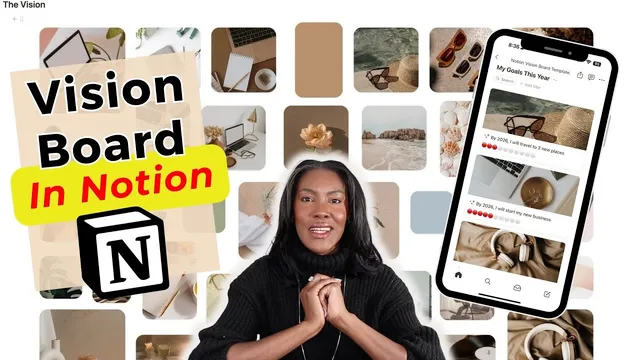
The Notion build itself focuses on aesthetics without sacrificing structure. It walks through common Notion approaches (gallery views with image uploads, inline database layouts, and manual image placement) and then steers viewers toward a more polished template-based method. The recommended workflow uses a Notion vision board template that integrates Canva-based assets for an “aesthetic” look, plus dedicated sections for reflection prompts, goal cards, and progress tracking. Goal cards include formulas that update visual progress indicators (circles) when satisfaction scores are adjusted, and the board can be arranged in quadrants—such as dedicating one section to business goals, another to self-care—while placing the word of the year in the center with nature imagery and surrounding goal visuals. The final message ties the vision board back to execution, pointing viewers to 12-week planning as the mechanism for turning “larger-than-life” goals into measurable progress.
Cornell Notes
The tutorial argues that vision boards work best as a tool for goal clarification, not as a daily motivation engine. Neuroscience research cited suggests that repeatedly viewing a vision board can trigger feelings of satisfaction that reduce the drive to do the work needed to achieve goals. The recommended workflow starts with pen-and-paper goal setting: reflect on the past year, clarify values, define “moon goals” for the year, and break them into quarterly or 12-week “stars.” For the Notion build, the template uses prompts to select images that represent themes, desired life outcomes, and the strategic actions required. It also adds a “word of the year” and progress-tracking goal cards so the board stays connected to execution.
Why does the tutorial discourage using a vision board mainly for motivation?
What comes first: designing the board or setting goals?
What prompts help choose better images for the vision board?
How do longer-range goals and a “word of the year” fit into the system?
What makes the Notion vision board template more effective than basic Notion layouts?
How does the template connect the board to measurable progress?
Review Questions
- What does the tutorial claim vision boards can do to motivation, and how should that change how they’re used?
- List the three image-selection prompts and explain what each one is meant to clarify.
- How does the Notion template handle progress tracking inside goal cards?
Key Points
- 1
Set goals through reflection before building the vision board, including values review and defining yearly “moon goals” plus quarterly or 12-week “stars.”
- 2
Use pen-and-paper goal writing first, then transfer goals into a digital vision board for reminders and tracking.
- 3
Treat vision boards primarily as tools for goal clarification, not daily motivation, because repeated viewing can reduce drive to do the work.
- 4
Choose visuals that represent themes, desired life outcomes, and the strategic actions required—not just the end result.
- 5
Use symbolic imagery (nature, animals, color) to capture the emotional “vibe” behind the goals.
- 6
Include longer-horizon thinking (5-year/10-year goals) and a “word of the year” to unify decisions and actions.
- 7
Build the Notion vision board with a template that supports aesthetics and progress tracking via goal cards and formulas.