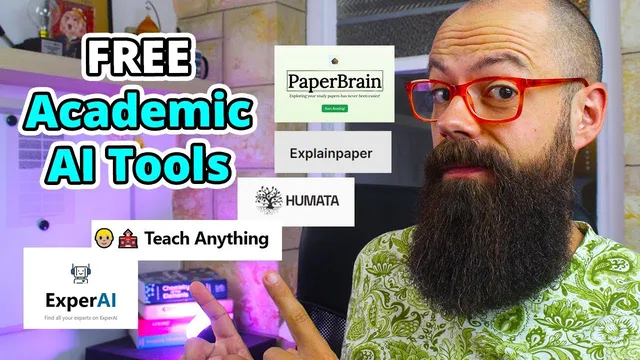
I tested *FREE Academic AI Tools* so you don't have to
Based on Andy Stapleton's video on YouTube. If you like this content, support the original creators by watching, liking and subscribing to their content.
Humata.ai can generate structured, academic-sounding summaries with performance metrics, but it may miss application claims that are clearly stated in the abstract.
Briefing
Free “academic AI” tools are multiplying fast, and the practical takeaway from hands-on testing is blunt: some services can summarize papers and explain jargon quickly, but none should be treated as a substitute for reading abstracts and verifying details—especially when answers omit key specifics or stall behind slow/limited processing.
Humata.ai was tested first by uploading a PDF and asking questions about a specific paper on water-based organic photovoltaics. The tool produced a structured, academic-sounding response, including references to performance metrics like power conversion efficiency and external quantum efficiency, and it framed results as comparable to previously reported values. But when asked about the paper’s main applications, the response failed to surface an important point that was actually present in the abstract—namely that the work offers insights for printable photovoltaics. That mismatch became the recurring theme: these tools can be helpful for getting oriented, yet they can miss what matters most if the question requires careful grounding in the text.
PaperBrain was then tried for searching and reading research PDFs. It could identify relevant documents (for example, organic photovoltaic devices) and load PDFs, but it struggled to answer even basic prompts reliably. In one case, follow-up questions didn’t yield usable conclusions, and the interaction stalled enough that the tester moved on.
ExplainPaper.com focused on a different workflow: highlighting confusing sections and generating explanations. When the tester highlighted “sheet resistance” and asked for clarification, the tool returned a straightforward definition and even expanded abbreviations like “r2r” into “roll-to-roll.” It also handled technical microscopy terminology (RAM and microscopy) with a more detailed description of how excited molecules and scattered light are used to identify components. The result was more immediately actionable than the broader Q&A tools.
A separate project—run by a researcher who indexes documents for question answering—was used to generate a quick literature snapshot and list “10 most relevant papers.” It also hit a common constraint: free usage can be limited by API access, requiring an API key to keep working. Still, the workflow was positioned as useful for literature reviews and fast orientation.
Teach-Anything-style tools were used for “difficulty-controlled” explanations. For up conversion in solar cells, the “easy” mode gave a rough analogy, while the “professional” mode delivered a more technical definition (two or more lower-energy photons converted into a higher-energy form). The tester treated this as a good way to match the explanation depth to the reader’s needs.
Finally, “Expert AI” was tested as a conversational subject-matter guide. Asked for solar-cell research types, it suggested categories like monocrystalline, polycrystalline, and thin film solar cells, then allowed further questioning in a supervisor-like back-and-forth. The overall caution remained: even when answers sound confident, they still require verification.
Across all tools, the consistent message is that speed and convenience are real advantages for early-stage research—finding a starting point, clarifying terminology, and drafting questions—but accuracy depends on careful cross-checking with the original papers, especially the abstract and experimental details.
Cornell Notes
Hands-on testing of several free “academic AI” tools found that they can speed up literature orientation and clarify technical terms, but they frequently miss key details or fail to answer reliably. Humata.ai produced academically phrased summaries with metrics like power conversion efficiency and external quantum efficiency, yet it overlooked an application claim that was present in the abstract. PaperBrain struggled with basic question answering after loading PDFs. ExplainPaper.com performed better in a targeted workflow—highlighting confusing text and expanding abbreviations—while Teach-Anything tools offered difficulty levels that ranged from simplified analogies to more technical definitions. Even the most helpful tools should be treated as a starting point, not a source of truth, because verification against the original paper remains essential.
What did Humata.ai do well when asked about a photovoltaic paper, and where did it fall short?
Why was PaperBrain less reliable in this test?
How did ExplainPaper.com’s highlight-and-explain approach change the quality of results?
What role did difficulty settings play in Teach-Anything-style explanations?
What constraints affected the document-indexing tool that returned “10 most relevant papers”?
What did “Expert AI” add beyond paper summarization and term explanation?
Review Questions
- Which tool performed best when the user highlighted a specific term, and what concrete example showed that advantage?
- Give one example where a tool’s answer sounded academically grounded but still missed an important detail from the abstract.
- What verification step did the tester repeatedly recommend, and why does it matter across these tools?
Key Points
- 1
Humata.ai can generate structured, academic-sounding summaries with performance metrics, but it may miss application claims that are clearly stated in the abstract.
- 2
PaperBrain’s PDF Q&A was inconsistent in this test, with stalled or unhelpful answers even after loading documents.
- 3
ExplainPaper.com delivered more reliable results using a highlight-and-explain workflow, including abbreviation expansion like “r2r” to “roll-to-roll.”
- 4
Difficulty controls in Teach-Anything-style tools help match explanation depth, from simplified analogies to formal technical definitions.
- 5
Document-indexing tools can speed up literature review by returning relevant papers, but free usage may be limited by API access.
- 6
Across all tools, answers should be treated as a starting point; reading the abstract and checking details in the original paper remains essential.