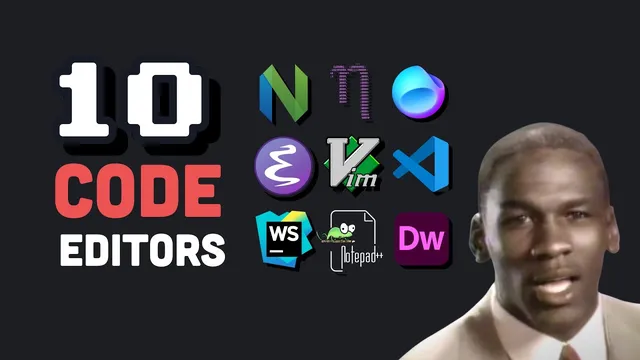
I tried 10 code editors
Based on Fireship's video on YouTube. If you like this content, support the original creators by watching, liking and subscribing to their content.
vi’s modal workflow can be extremely fast, but it demands memorizing commands and accepting missing features like syntax highlighting.
Briefing
Code editors have evolved from keyboard-only tools that replaced punch cards to today’s cloud-connected IDEs, and the practical takeaway is that “best” depends less on nostalgia and more on workflow needs—especially platform support, extensibility, and how much setup friction a developer is willing to tolerate.
The journey starts with vi, a 1976 keyboard-driven editor built around modes. Insert mode is required to type; escape returns to command mode; and saving relies on command sequences rather than menus. That modal approach makes vi fast once memorized—deleting lines with commands like “double d” or “3 d” avoids mouse highlighting—but it also demands a steep learning curve. vi’s limitations reflect its era: no syntax highlighting and little native support for plugins, which pushed developers to build workarounds instead of expecting a fully featured environment.
Emacs, created around the same period by Guy Steele at MIT, takes the opposite philosophy. It’s non-modal, more menu-driven, and highly extensible—capable of bundling tools like debuggers, file management, and even terminal emulation into one customizable environment. The tradeoff is complexity: heavy use of modifier keys can lead to “emax pinky,” and the editor’s scale—over 10,000 built-in commands—means productivity depends on investing time in configuration and macro-building.
Vim (1991) becomes the mainstream developer answer by improving vi with features developers expect in modern workflows: syntax highlighting, multi-level undo, and plugin support. It also includes a built-in learning path via “vim tutor,” and the muscle-memory payoff is framed as keeping fingers on the home row. A later fork, Neovim (2015), targets performance and modern scripting by embedding Lua instead of relying on Vim script, which is criticized as unpleasant. For those who want fewer concepts to juggle, nano (1999) offers a gentler, mode-free terminal editor with visible keybindings—especially “control x” to exit—while staying intentionally lightweight and less IDE-capable.
Graphical editors shift the center of gravity toward the mouse and click-based editing. Notepad (1983) helped popularize the mouse on MS-DOS, and Notepad++ brings that click-and-drag workflow to programmers with macros and plugins. For web development, Adobe Dreamweaver is described as visually polished but slow and dated, with first-class support for older frameworks like jQuery and Bootstrap. The modern default for many developers becomes Visual Studio Code: approachable for beginners, powered by a large extension ecosystem (including likely support for tools like Tailwind), and capable of remote and container-based workflows. Its open-source, Electron-based architecture makes it easy to extend, though it carries a reputation for high memory use.
Platform-specific IDEs then take over when the target ecosystem demands it. Visual Studio for .NET is positioned as a comprehensive IDE with strong completion, refactoring, and debugging for languages like C++ and C-sharp—powerful but overwhelming until deep in a project. JetBrains WebStorm is framed as a “gold standard” for professional development, with polished refactoring (like extracting React UI elements into named components) and less need for plugin juggling, at a cost of about $69 per year.
Finally, the direction of travel points to the cloud: browser-based editing via vscode.dev, GitHub Code Spaces, and browser-run tooling like StackBlitz using WebAssembly. The core message is pragmatic: choose tools that match the platform and workflow you’re building, because the editor’s real job is to reduce friction—not to impress with features you won’t use.
Cornell Notes
The editor landscape runs from modal, terminal-first tools to full IDEs and cloud workspaces. vi (1976) is fast but requires mode switching and memorized commands; Emacs (built at MIT by Guy Steele) is non-modal and extremely extensible but can be complex to configure. Vim (1991) makes vi more practical for daily coding with syntax highlighting, multi-level undo, and plugins, while Neovim (2015) improves scripting by embedding Lua. For simpler terminal editing, nano (1999) avoids modes and shows keybindings. In the GUI era, Visual Studio Code dominates for extensibility and extensions, while Visual Studio and JetBrains WebStorm focus on polished, platform-specific IDE features. The next shift is toward cloud-based editing and browser execution.
Why does vi feel fast once learned, and what makes it hard at first?
How do Emacs and vi differ in philosophy, and what tradeoffs follow?
What improvements made Vim more attractive for everyday development than vi?
How does Neovim modernize Vim’s customization, and why does that matter?
What makes Visual Studio Code a default choice for many developers?
Why might a developer choose Visual Studio or WebStorm instead of VS Code?
Review Questions
- Which editor’s modal design requires switching between insert mode and command mode, and what specific keystrokes are used to delete multiple lines efficiently?
- What scripting change distinguishes Neovim from Vim, and what language is embedded instead?
- Compare the main reasons developers might prefer Visual Studio Code versus a platform-specific IDE like Visual Studio or WebStorm.
Key Points
- 1
vi’s modal workflow can be extremely fast, but it demands memorizing commands and accepting missing features like syntax highlighting.
- 2
Emacs trades simplicity for extensibility, bundling many developer tools into one environment at the cost of a steep learning curve and heavy modifier-key use.
- 3
Vim’s popularity comes from adding practical IDE features to vi’s core editing model, including syntax highlighting, multi-level undo, and plugins.
- 4
Neovim’s customization direction shifts toward embedded Lua to improve scripting quality and performance.
- 5
nano offers a low-friction terminal editor experience by avoiding modes and displaying keybindings directly in the interface.
- 6
Visual Studio Code wins on approachability and an extension ecosystem, plus support for remote and cloud/container workflows.
- 7
Platform-specific IDEs like Visual Studio and JetBrains WebStorm emphasize polished refactoring and debugging, often with less reliance on extensions but more upfront complexity or cost.