I Tried Notion for 7 Days...
Based on John Mavrick Ch.'s video on YouTube. If you like this content, support the original creators by watching, liking and subscribing to their content.
Notion’s PARA-based workspace turned scattered goals into a navigable system by mapping Projects, Areas, Resources, and Archives to specific database views.
Briefing
Notion’s biggest payoff in a week-long trial wasn’t a single feature—it was the ability to build a personalized “workspace” that ties together project management, study systems, creative planning, and even game strategy notes. The result: a shift from scattered goals and responsibilities toward a structured hub where school, content creation, personal priorities, and weekly reflection all live in one place.
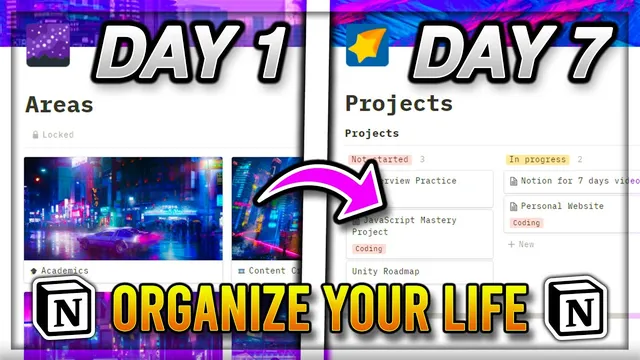
The setup started with a clear use-case map: project management and goal setting, area-based dashboards for quick access, and a resources layer for links and reference material. After learning Notion’s core building blocks—blocks inside pages, and databases that organize pages into views—the trial focused on database views as the main engine for workflow design. The workspace was structured using the PARA model (Projects, Areas, Resources, Archives). Projects used a board-style Kanban view to track active work. Areas used gallery-style dashboards for responsibilities like school and content creation. Resources held hobbies and reference material, while Archives stored completed or inactive items such as finished projects and old workspace layouts.
A major practical theme was template-driven organization. In the school workspace, course pages were paired with assignment and study-plan templates, including a “retrospective timetable” that logs study sessions by unit or concept and records comprehension ratings to reveal weak spots. A separate table tracked each review session in detail, including specific errors to target. For exam preparation, checklists and prompts were added to reduce missed steps. In content creation, the system leaned on Kanban for task management and gallery views to separate writing stages—planning, outlining, and scripting—so work didn’t become one long, linear document.
Weekly review became the glue. A Sunday reflection routine used “learning review” and “life review” prompts inspired by High Performance Habits, plus focus/time-management mindfulness and a forward-looking section for issues and solutions to try next week. A weekly planner page used a board view, and the main hub provided quick navigation back to daily tasks and course dashboards.
Notion also faced friction. Severe typing lag appeared during early use, and online suggestions pointed toward a third-party desktop alternative called Notion Enhanced, which offers customization options (fonts, indentation, code line numbers, themes) and extra features like tabs, weekly calendar views, collapsible properties, and focus mode. Collaboration was tested during a school hackathon: group members could view shared pages but not edit them under the free plan, and the free tier’s 1,000-page limit became a real constraint after the workspace grew.
Beyond productivity, Notion was used for visual, quick-reference notes in Valorant. Agent and map strategy notes were organized with nested gallery views, with attacking and defending phases split into columns and lineup reminders supported by image-first layouts. The week ended with a balanced verdict: Notion’s blank-canvas customizability can be liberating and powerful, but it depends on internet access and can introduce performance issues as the workspace grows—plus the design freedom can become a distraction if aesthetics take over planning.
Cornell Notes
A week with Notion centered on building a custom workspace that unifies planning, school, content creation, and reflection. The trial used Notion’s structure—blocks, pages, and especially databases with board/gallery views—to implement the PARA model (Projects, Areas, Resources, Archives). Templates powered school study systems, including a retrospective timetable that logs review sessions by unit and tracks comprehension to highlight weak areas. Weekly reviews used prompts inspired by High Performance Habits, feeding into a board-view weekly planner for the next schedule. The main drawbacks were typing lag, the need for an internet connection, and free-plan limits that restrict page count and editing in shared workspaces.
How did the PARA model shape the workspace, and what did each category become inside Notion?
What made the school system more actionable than a typical notes-and-assignments setup?
How did the weekly review routine connect reflection to planning?
What performance and compatibility issues appeared, and what workaround was tried?
What constraints emerged during group collaboration, and how did they affect editing?
How was Notion adapted for Valorant strategy notes in a way that supported quick recall?
Review Questions
- Which specific Notion view types (board, gallery) were used for projects, dashboards, and multi-step writing—and what problem did each solve?
- How did the retrospective timetable structure study sessions, and how did its data feed into exam preparation?
- What were the three biggest limitations encountered (performance, connectivity, and plan limits), and what coping strategies were suggested?
Key Points
- 1
Notion’s PARA-based workspace turned scattered goals into a navigable system by mapping Projects, Areas, Resources, and Archives to specific database views.
- 2
Database views—especially board and gallery—were the core mechanism for Kanban-style project tracking, dashboard-style navigation, and separating multi-step workflows.
- 3
School planning became more diagnostic through a retrospective timetable that logs study sessions by unit and records comprehension to reveal weak areas.
- 4
Weekly review worked best when it fed directly into a next-week board-view planner, using structured prompts inspired by High Performance Habits.
- 5
Typing lag and long load times can undermine the experience, and third-party desktop tools like Notion Enhanced may help with usability and customization.
- 6
Free-plan constraints (including a 1,000-page limit and limited editing in shared workspaces) can quickly become a bottleneck for growing setups and group projects.
- 7
Notion can support visual, quick-reference knowledge (e.g., Valorant lineups) by pairing nested gallery views with image-first templates.