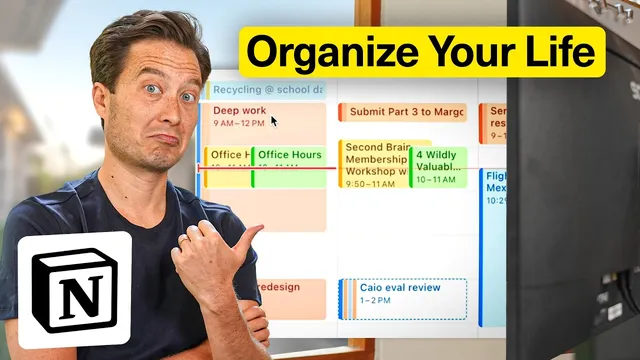
I Tried ONLY Working in Notion for a DAY - Here’s What Happened
Based on Tiago Forte's video on YouTube. If you like this content, support the original creators by watching, liking and subscribing to their content.
A single daily hub (“Daily Pages”) plus ordered startup/shutdown checklists reduces decision fatigue and prevents over-optimizing.
Briefing
Running a full workday inside one tool is less about chasing “all-in-one” hype and more about building a system that stays effortless. The core test here: can Notion—using a structured “Second Brain” setup plus Notion Calendar and the newly launched Notion Mail—replace the usual patchwork of apps for capturing notes, managing tasks, coordinating projects, and handling email scheduling?
The workflow starts with a dedicated daily hub called “Daily Pages,” treated like an inbox for whatever comes up during the day. Instead of letting morning planning sprawl across multiple places, the setup uses lightweight tracking via Notion properties (for example, a yes/no check on whether the day began after seven-plus hours of high-quality sleep). A “startup checklist” then forces a deliberate sequence: check the calendar first (including school logistics and a block reserved for deep work), then review the task list to identify the day’s priorities.
Task management is consolidated into a single Notion view that functions like a mini task manager—without switching to another app. The daily task view is the main decision point, while supporting views add context: a “week” view for later priorities, “waiting on” for items dependent on others (like booking an Airbnb after receiving a recommendation), and filters by status, by PARA category (projects, areas, resources, archives), and by calendar. The key move is that the system is ordered to match how work actually begins and ends, minimizing optimization time.
Once the day’s top task is selected—drafting the curriculum for “Second Brain Enterprise”—the workflow pivots to project context. A project page centralizes everything tied to that initiative: properties, links to related tasks and notes, and checklists for how the project starts and completes. Team collaboration happens inside the same environment through Notion comments: edits to a class agenda can be commented on and tagged to notify teammates (e.g., tagging Julia to solicit feedback).
Communication and scheduling are handled through Notion Mail, which adds three practical features. Auto labels use natural-language rules (like “Second Brain Enterprise” and specific collaborators) to categorize incoming threads, with an option to split into a dedicated inbox. Scheduling turns an email thread into a set of selectable time slots via an interactive widget inserted into the message—reducing the need for a separate scheduling tool. Snippets act as reusable templates, such as a “Zoom links” shortcut that inserts a meeting URL instantly.
The day then stays inside the Notion ecosystem even when meetings happen elsewhere: meeting notes are taken in Daily Pages as a temporary scratch pad, and an AI-generated summary from Otter is pasted into Notion for a fuller record. Before shutting down, the system enforces a cleanup routine: capture a quick win, review tomorrow’s calendar, process the notes inbox, and clear the task inbox by assigning due dates and linking items back to projects or PARA areas.
The takeaway is pragmatic: the creator barely touched other apps beyond Google Chat and a browser, because Notion became the single place to open and act. Other tools still exist for edge cases like Google Docs/Sheets, but Notion can link to them—keeping the workflow from fragmenting across tabs and apps.
Cornell Notes
The setup tests whether Notion can run an entire workday by consolidating daily capture, task management, project context, and email workflows. A “Daily Pages” inbox plus ordered startup/shutdown checklists reduce decision fatigue: check the calendar, then choose priorities, then work inside project pages with checklists and team comments. Notion Calendar provides the scheduling backbone, while Notion Mail adds auto-labeling, split inboxes, email-thread scheduling widgets, and reusable snippets (like Zoom links). The result is less app-hopping—mostly staying in Notion, with only limited use of Google Chat and a browser—while still supporting meetings and AI note summaries via copy/paste into Daily Pages.
How does the system prevent morning planning from turning into a time sink?
What makes the task manager view in Notion feel like a replacement for separate productivity apps?
How does the project page connect tasks, notes, and collaboration without losing context?
What specific features in Notion Mail reduce email-related app switching?
How are meeting notes handled to keep them useful later without forcing decisions during the meeting?
What does the shutdown checklist do to keep the system from accumulating clutter?
Review Questions
- If you had to choose only one view to decide what to do today, which Notion section would you rely on and why?
- How do auto labels and split inboxes change the way incoming email is organized compared with manual triage?
- What steps in the shutdown checklist ensure notes and tasks don’t remain unprocessed in inboxes?
Key Points
- 1
A single daily hub (“Daily Pages”) plus ordered startup/shutdown checklists reduces decision fatigue and prevents over-optimizing.
- 2
Notion Calendar is used first to frame the day (deep-work blocks, meetings, and logistics) before tasks are selected.
- 3
Task management works best when “today” is the primary execution view, supported by “week,” “waiting on,” and filters by status/PARA/calendar.
- 4
Project pages centralize related tasks, notes, and collaboration via properties, links, and tagged comments.
- 5
Notion Mail streamlines email handling with auto labels, split inboxes, scheduling widgets inside email threads, and reusable snippets.
- 6
Meeting notes can start as temporary scratch notes in Daily Pages, then be upgraded later by pasting AI summaries and action items.
- 7
Ending the day with inbox processing and linking items back to projects/areas keeps the system clean and usable.