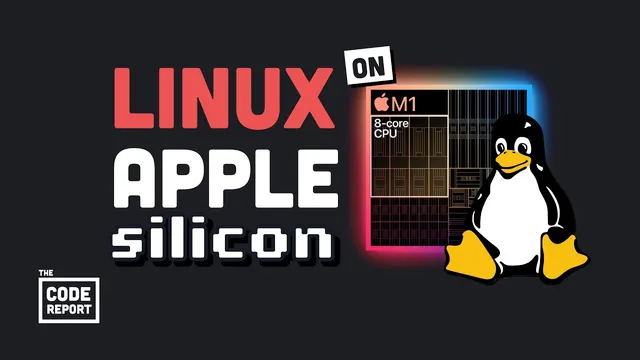
I use Arch on an M1 MacBook, btw
Based on Fireship's video on YouTube. If you like this content, support the original creators by watching, liking and subscribing to their content.
Asahi Linux enables dual-boot Linux on M1 MacBook Pro hardware without jailbreaking by using bootloader access.
Briefing
A new Linux effort called Asahi Linux is making it possible to run a full Arch-based Linux setup on Apple silicon—specifically an M1 MacBook Pro—without jailbreaking, and the result is “working somewhat okay” for everyday use. The core takeaway is that Apple silicon’s usual “walled garden” problem (limited drivers and documentation) is starting to break open: M1 Macs provide bootloader access, so a dual-boot Linux install can be done legally and with a guided installer.
The process starts with preparing the Mac for installation. The user bought an M1 MacBook Pro, then installed prerequisites on macOS: Xcode was required because git wasn’t installed, and updating macOS to Monterey was also necessary before the installer command would run. Once the Asahi Linux installer is launched, it walks through options and—most importantly—creates a dedicated partition on the drive for Linux. The outcome is a dual-boot system: macOS remains on one side, while Linux (installed as an Arch-based environment) lives on the other.
Booting into Linux requires a specific hardware step: holding the power button for about 15 seconds to reach a screen with multiple boot options, then selecting Asahi. After boot, the setup lands in an Arch environment with the KDE Plasma desktop. A setup wizard is included, which the narrator jokingly frames as “cheating” for strict Arch purists, but it lowers the barrier for getting started.
For software compatibility, basic development workflows appear to work. Node.js was installed and JavaScript testing ran without obvious issues, and the system includes Vim out of the box. Visual Studio Code, however, ran into trouble, and the project lists known limitations—most notably around hardware acceleration. GPU and neural engine support are not fully functional yet, meaning Apple silicon’s performance advantages can’t be fully leveraged from Linux at this stage.
Even with those gaps, the install is portrayed as a major milestone: Asahi Linux is an experienced team’s project (they’ve worked on Linux in other “weird places” like the PlayStation), and the alpha release timing signals momentum. The overall message is practical rather than theoretical: it’s feasible to say “I use Arch” on an M1 MacBook now, even if some core hardware features remain unfinished. The narrator seals the point with a playful Arch tattoo, emphasizing the novelty and legitimacy of the setup rather than any benchmark-driven claim.
Cornell Notes
Asahi Linux (an Arch-based Linux distribution for Apple silicon) enables dual-boot Linux on M1 MacBook Pro hardware without jailbreaking. The installation requires macOS preparation—Xcode (because git is missing) and an update to macOS Monterey—then uses an installer to create a Linux partition. Booting into Linux involves holding the power button for about 15 seconds and selecting Asahi from the boot menu. After installation, the system provides an Arch environment with KDE Plasma and includes a setup wizard plus common tools like Vim; Node.js and basic JavaScript work. Limitations remain, especially around GPU and neural engine support, and Visual Studio Code has issues.
Why is running Linux on Apple silicon historically difficult, and what changed here?
What steps are required before the Asahi Linux install command will work?
How does the installation affect the Mac’s storage and boot process?
What does the installed Linux environment look like, and how quickly can a user get started?
Which development tools worked, and which limitations were called out?
Review Questions
- What prerequisites (Xcode and macOS Monterey) are needed before running the Asahi Linux installer command, and why?
- How does the dual-boot setup work on an M1 MacBook Pro, and what exact boot action is used to select Asahi?
- Which hardware capabilities were explicitly listed as not working yet (e.g., GPU/neural engine), and how does that affect real-world performance expectations?
Key Points
- 1
Asahi Linux enables dual-boot Linux on M1 MacBook Pro hardware without jailbreaking by using bootloader access.
- 2
Xcode is required because git isn’t installed by default, and macOS must be updated to Monterey for the installer command to run.
- 3
The installer creates a dedicated partition, leaving macOS intact and installing an Arch-based Linux environment on the other side.
- 4
Booting into Linux requires holding the power button for about 15 seconds and selecting Asahi from the boot menu.
- 5
The default desktop environment after install is KDE Plasma, and a setup wizard simplifies initial configuration.
- 6
Basic development tasks like Node.js and JavaScript testing can work, but Visual Studio Code has issues.
- 7
GPU and neural engine support are known limitations, preventing full use of Apple silicon hardware acceleration yet.