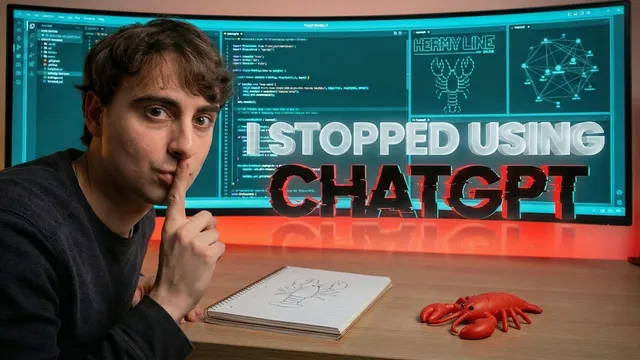
I was sick of AI that didn't listen so I built this AI BRAIN
Based on MattVidPro's video on YouTube. If you like this content, support the original creators by watching, liking and subscribing to their content.
Meridian is a drop-in “AI brain” made only of folders and Markdown files, designed to run on top of existing agent platforms like OpenClaw and anti-gravity.
Briefing
A weekend of failed prototypes turned into a working blueprint for an “AI brain” that can be dropped into an agent as a folder of Markdown files—turning a generic chat model into a persistent, configurable on-device assistant with visible “cognitive state,” memory retrieval, and behavior dials. The core idea is that customization doesn’t need to live in a complex interface. Instead, the agent’s operating system is encoded in a single master specification file (brain/masterspec.md) plus supporting MD files, so the model can reliably follow the same rules every time it’s triggered.
The build starts with frustration: the creator stopped relying on ChatGPT, Google Gemini, and Claude in standard chat interfaces for “most important work,” betting on agentic systems that run on the operating system with memory stored locally. Early attempts using OpenClaw and a custom front end (including a personality named “Hermy”) ran into connection and compatibility problems. A second OpenClaw-based prototype improved the UI and showed working API calls to Claude Opus 4.6, but bugs consumed hours. To avoid endless back-and-forth debugging, the creator added an audit workflow—running the same plan through multiple models (Claude Opus 4.6, Gemini Deep Research, Gemini Agent, Perplexity, OpenAI agent, and others) to find which responses best matched the intended structure. The takeaway: systematic audits help decide whether an agent design is worth the time before deeper engineering.
That shift in approach led to the third project, “Project Meridian” (code name chosen by Opus 4.6 six). Meridian is intentionally minimal: only folders and MD files. Drop the “brain” folder into an agent workspace (OpenClaw, anti-gravity, Manis AI, or similar), then ensure every send action links to brain/masterspec.md. Without that initial file, the brain won’t behave as intended. Meridian’s structure includes a live HUD dashboard spec (a small window with sliders and state indicators), “gauges” for monitoring, cognitive parameter files (humor, creativity, directness, morality, technicality, and more), user and identity files, and a memory protocol with an all memories store. It also defines personality modes such as a base profile, research analyst, creative director, and technical co-pilot.
The operational logic is spelled out in masterspec.md: a capability handshake checks what the host allows (file read/write, memory folder access, web browsing, code execution, tool calls). If a capability isn’t available, the agent must not claim it used it. The response flow is also constrained: internal memory retrieval and compatibility checks happen silently, the HUD is the first visible output, then the response content follows, and session-end memory persistence writes new memories back into the all memories folder as short, descriptive MD files. The system uses “cognitive sliders” as a Jarvis-like protocol to quantify behavior preferences, though it’s not treated as perfectly deterministic.
In testing with anti-gravity (recommended for ease and rate limits), Meridian successfully indexed context, created or edited user-facing and personality files, logged memories into MD form, and produced research outputs with a structured “past/present/future” framing. One run ended with an error during memory folder creation, but the memory logging still demonstrated the intended persistence mechanism. The project is published on GitHub for download, positioned as a practical way to build on-device agents that stay aligned through a text-based “brain” rather than fragile UI tweaks—while emphasizing safety around installing third-party agent software.
Cornell Notes
Project Meridian turns an AI agent into a persistent, configurable “AI brain” using only a folder of Markdown files. Every interaction is anchored to a single required entry point—brain/masterspec.md—so the agent follows a stable operating protocol. The brain includes a live HUD dashboard (sliders and state indicators), cognitive parameter controls (humor, creativity, directness, morality, technicality, etc.), identity/user files, and a memory protocol that retrieves relevant MD files and writes new memories back into an all memories folder. A capability handshake checks what the host environment allows (file access, web browsing, tool calls, code execution) and prevents the model from claiming capabilities it can’t use. The result is an on-device agent with visible cognitive state and memory persistence that can be dropped into multiple agent platforms.
Why does Meridian insist on brain/masterspec.md being linked every time the agent sends a prompt?
How does Meridian make memory persistent and editable using only Markdown files?
What is the “capability handshake,” and how does it prevent hallucinated tool use?
What does the live HUD dashboard do beyond aesthetics?
How do the cognitive sliders work, and what limits should users expect?
What did the creator learn from early OpenClaw prototypes that shaped Meridian’s design?
Review Questions
- What specific steps does Meridian require before it will behave correctly (including the role of masterspec.md)?
- How does Meridian’s memory retrieval and session-end persistence differ in what they do and when they happen?
- Why is the capability handshake important for reliability, and what kinds of capabilities does it check?
Key Points
- 1
Meridian is a drop-in “AI brain” made only of folders and Markdown files, designed to run on top of existing agent platforms like OpenClaw and anti-gravity.
- 2
brain/masterspec.md is the required anchor for every send action; without it, the brain won’t reliably activate its protocol.
- 3
A capability handshake checks what the host environment supports (file access, web browsing, code execution, tool calls) and forbids the model from claiming unavailable actions.
- 4
Meridian enforces output ordering: internal checks run silently, the live HUD is printed first, then the response content follows.
- 5
Memory is persistent through filesystem storage: relevant MD memories are retrieved each turn, and new memories are written back into all memories at session end as short, descriptive files.
- 6
Cognitive parameter “sliders” (Jarvis-like) bias behavior across turns, but they’re not treated as perfectly deterministic controls.
- 7
Safety matters when using agent software: installing malicious agents or outdated/unsafe open-source components can be harmful, so risk awareness is emphasized.