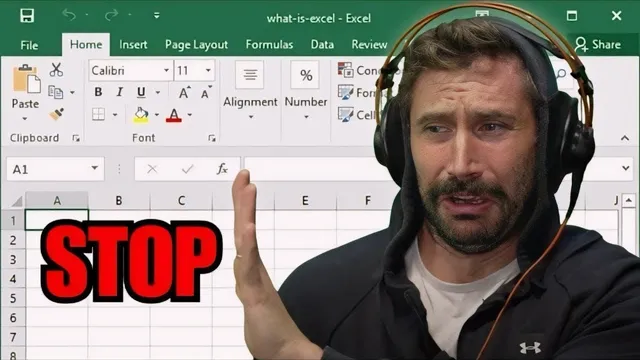
I Will Dropkick You If You Use A Spreadsheet
Based on The PrimeTime's video on YouTube. If you like this content, support the original creators by watching, liking and subscribing to their content.
Spreadsheet workflows often start as a stopgap but expand into production-critical automation chains that are expensive to refactor.
Briefing
Spreadsheets belong nowhere near automated processes—because once they get wired into real systems, they metastasize into brittle, hard-to-replace infrastructure that teams keep “temporarily” for years. That’s the core through-line: spreadsheets start as a convenient stopgap for categorization, reporting, or quick automation, then quietly become the backbone of data pipelines, database updates, and production workflows—until refactoring costs explode and the organization is stuck maintaining a spreadsheet-shaped monster.
The discussion draws a line from everyday spreadsheet use to large-scale operations. Google Sheets is cited as a real example of spreadsheet scale—millions of users can still depend on it as a backend—yet the moment automation enters the picture, the pain arrives. The speaker recounts how spreadsheet-driven workflows often evolve from simple lookups into increasingly complex scripts: parsing spreadsheets, running greedy “add one more thing” iterations, and building chains where spreadsheets feed other spreadsheets, which then trigger VBA macros, which then push data into databases. What begins as “just this one time” becomes a system no one dares to delete because it still works, even if it’s fragile.
A recurring theme is that “temporary” hacks become permanent organizational debt. The transcript describes layers of complexity accumulating like an onion—each new requirement adds another brittle slice—until the cost of doing it “properly” (a real database job, a clean service, a refactor) rises faster than the team can justify. Even when teams try to move on, stakeholders keep demanding urgent fixes, and the easiest path is to keep the spreadsheet pipeline alive rather than unwind it.
The rant also targets specific spreadsheet-adjacent tooling and failure modes. VBA macros are portrayed as capable of spiraling out of control, with one example involving a nonprofit that processed millions of medical records through a massive Microsoft Access script—so tangled that senior engineers spent months untangling it. SharePoint is treated as another common staging layer for spreadsheet workflows, with complaints that API response field names can’t be changed after the sheet is created, forcing painful manual mapping. The transcript also mocks common spreadsheet-to-code “glue” patterns: building analytics platforms dynamically from Excel, parsing spreadsheets with regular expressions, and relying on spreadsheet-driven joins instead of proper database pipelines.
Still, the message isn’t anti-programming; it’s anti-spreadsheet-as-infrastructure. Scrappy projects are celebrated when they stay contained and don’t become the foundation of production systems. The alternative offered is blunt: use a database or a real automation stack (the transcript name-checks PostgreSQL, SQL Server, and “cron job + Go script” as an example), and if data handling is needed, store and transform it in code rather than in spreadsheet cells that silently coerce types—like Excel dropping leading zeros from IDs.
By the end, the tone shifts from rage to a kind of gatekeeping mercy: stop the spreadsheet pipeline before it becomes welded into the organization’s soul. The proposed “escape” is to replace spreadsheet automation with something that can be tested, versioned, and maintained—because nothing is more permanent than temporary storage, and spreadsheet hacks have a long history of outliving their original intent.
Cornell Notes
The transcript argues that spreadsheets should not be used as part of automated production processes because they tend to evolve into fragile, hard-to-refactor systems. Convenience-driven “temporary” spreadsheet workflows often grow into chains of VBA macros, spreadsheet-to-spreadsheet lookups, and database updates, creating long-term maintenance debt. Examples include large-scale reporting pipelines built on Microsoft Access scripts and SharePoint-based spreadsheet workflows that force manual field mapping. The proposed remedy is to move automation to proper infrastructure—databases and real scripts/services—so logic is testable and data handling is explicit (e.g., avoiding Excel’s type coercion like dropping leading zeros).
Why does the transcript treat spreadsheets as especially dangerous once automation is involved?
What pattern turns a quick spreadsheet hack into long-term organizational debt?
What concrete failure modes are mentioned for spreadsheet-driven workflows?
How does the transcript reconcile “scrappy” development with the anti-spreadsheet stance?
What alternatives are suggested to replace spreadsheet automation?
What role do stakeholders and “urgent tickets” play in keeping spreadsheet pipelines alive?
Review Questions
- What specific mechanisms cause spreadsheet-based automation to become difficult to replace over time?
- Give two examples of spreadsheet-adjacent tooling mentioned (e.g., VBA/Access, SharePoint, Excel type coercion) and explain the failure mode associated with each.
- What would a “proper” replacement workflow look like according to the transcript, and why is it easier to maintain than spreadsheet-driven automation?
Key Points
- 1
Spreadsheet workflows often start as a stopgap but expand into production-critical automation chains that are expensive to refactor.
- 2
Incremental “one more thing” changes create long-term maintenance debt, turning temporary solutions into permanent infrastructure.
- 3
Excel can silently corrupt data semantics through type coercion, such as dropping leading zeros from IDs.
- 4
Microsoft Access/VBA and SharePoint-based spreadsheet workflows can become tangled and operationally rigid, including locked-in API field mappings.
- 5
Stakeholder pressure and urgent ticket cycles make teams keep spreadsheet pipelines running instead of replacing them.
- 6
A database-backed automation approach (scripts/services with explicit logic) is presented as a more testable and scalable alternative than spreadsheet-driven joins.
- 7
Scrappy experimentation is valued when it doesn’t become the foundation of the production stack.