Insight Hunting with Queries in Roam
Based on Cortex Futura's video on YouTube. If you like this content, support the original creators by watching, liking and subscribing to their content.
Roam queries can pull matching blocks from anywhere in the database into a single live collection for synthesis.
Briefing
Roam’s query syntax turns scattered notes—quotes, comments, and insights—into a live “inbox” for synthesis. Instead of manually jumping between pages and juggling the sidebar, a single query block can pull matching blocks from anywhere in the database and stack them together in one place, making it easier to write and think through a topic.
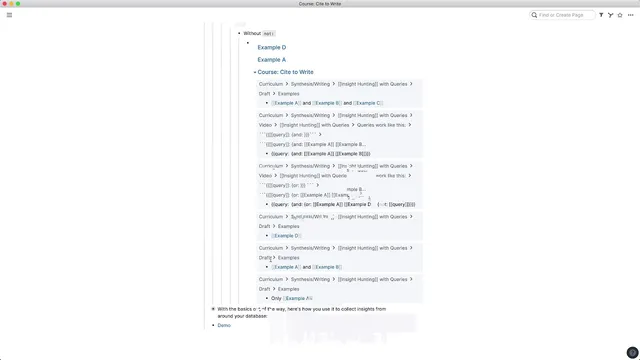
Queries work by embedding special syntax inside a normal Roam block. The mechanism uses double curly brackets and double square brackets with the keyword query, followed by a colon and a boolean expression. For example, a query can collect all blocks that mention “example A” and “example B” together by using an AND-style structure. The result is that the query block doesn’t just display code—it executes and renders the matching blocks directly under the query.
Boolean logic is the key to making these collections useful. Using OR lets a query gather blocks that mention either of two terms, even if they appear in different places. Using NOT allows exclusion—so a query can collect blocks about “example A” or “example D” while filtering out blocks that also contain an unwanted term. The transcript also highlights a practical pitfall: if NOT is used incorrectly, the query term itself can show up in the results. A workaround is to explicitly exclude the query term (and any other terms that would otherwise be pulled in), which cleans up the output.
To demonstrate the workflow, the creator builds a page called “Looking Glass” and adds a query block that collects mentions of terms like “settle casting” and “knowledge management” and “writing,” while excluding query-related terms that would otherwise clutter the results. Once created, the page becomes a continuously updated collection of relevant blocks, stacked together for review.
The payoff is operational, not just organizational. With “Looking Glass” open in the sidebar, the user can jump to a source page like “writing,” then pull blocks into the query-driven workspace and continue drafting or analysis without repeatedly re-filtering and re-stacking the sidebar. Because the collected blocks are editable, the workspace can also be used for follow-on work—adding children blocks, comments, or extra thinking directly in the synthesis area.
Overall, queries are presented as a powerful way to consolidate research into one evolving view. While the transcript notes that Roam Research is still working on improving the workflow (described as somewhat “janky” at the moment), the core capability—live boolean retrieval across the database—already supports faster synthesis and more coherent writing.
Cornell Notes
Roam queries let users assemble a live collection of blocks from anywhere in their database into a single “synthesis” page. By writing query syntax inside a normal block (not a code block), the expression executes and renders matching blocks beneath it. Boolean logic drives the results: AND narrows to blocks containing multiple terms, OR broadens to blocks containing either term, and NOT excludes unwanted matches. A common cleanup step is explicitly excluding the query term itself (and other noisy terms) to prevent irrelevant results. Used this way, a page like “Looking Glass” becomes an always-updated workspace for writing, review, and adding follow-up notes.
How does Roam’s query syntax retrieve content, and what makes it different from writing code?
What’s the practical difference between using AND vs OR in a Roam query?
Why can NOT queries produce messy results, and how can that be fixed?
How does the “Looking Glass” page demonstrate the value of queries for synthesis?
What workflow advantage comes from opening the query page in the sidebar?
Review Questions
- When would you choose OR over AND in a Roam query, and what kind of research question does each support?
- What specific problem can arise when using NOT in Roam queries, and what exclusion strategy helps prevent it?
- How does keeping a query-driven page open in the sidebar change the day-to-day process of moving between source notes and drafting?
Key Points
- 1
Roam queries can pull matching blocks from anywhere in the database into a single live collection for synthesis.
- 2
Query syntax uses double curly brackets/double square brackets with the keyword query and a boolean expression after a colon.
- 3
AND narrows results to blocks containing multiple terms, while OR broadens results to blocks containing either term.
- 4
NOT can exclude unwanted matches, but it may also require explicitly excluding the query term itself to avoid irrelevant output.
- 5
Queries must be written in one line for reliable parsing, even if indentation appears in examples.
- 6
A dedicated synthesis page (like “Looking Glass”) can function as an always-updated research workspace that supports editing, comments, and children blocks.
- 7
Opening the query page in the sidebar reduces the need to repeatedly filter pages and juggle the sidebar stack while writing.