Iphone + GPT-4 Vision API = Autonomous Security Cam System
Based on All About AI's video on YouTube. If you like this content, support the original creators by watching, liking and subscribing to their content.
The system captures an image every five minutes with an iPhone, uploads it to Google Drive, and uses a script to pull the newest frame for analysis.
Briefing
An iPhone-based security camera can be turned into an autonomous change-detection system by pairing it with the GPT-4 Vision API, automatically logging what’s different between successive snapshots and emailing an hourly summary. The core workflow is simple: the iPhone captures an image every five minutes, uploads it to Google Drive, and a script pulls the newest frame, compares it against the previous one, and uses GPT-4 Vision to generate a structured description of changes. Those descriptions are then compiled into logs and sent to the user via the Mailgun API.
The system’s logic hinges on image-to-image comparison. Each iteration downloads the latest image from Google Drive and feeds it—along with the prior image—into GPT-4 Vision (using the “gpt-4 vision preview” model). A carefully written prompt instructs the model to look for specific categories of change: time-of-day and weather consistency, counts of cars, bikes, people, and animals, and any “unusual activities.” The prompt also requests a consistent output format, including a timestamp, so the resulting records can be used as a practical audit trail rather than a free-form description.
To turn frequent checks into something actionable, the script runs on a timed loop (a “trup”/cron-like schedule with a 350-second sleep between checks). It collects per-comparison logs for 1 hour by storing 12 reports (12 × 5 minutes ≈ 60 minutes). When the counter reaches 12, the system summarizes the last hour of observations into a single “log hour summary” and emails it. After sending, it clears the stored reports and starts the next hour-long cycle.
The implementation ties together several services: Google Drive for storage and retrieval, Google Drive API for authentication and downloading the latest image, GPT-4 Vision for change detection and narrative logging, and Mailgun for email delivery. The Python functions reflect this modular design: one function handles Drive authentication and image download; another analyzes two images and generates the change description using GPT-4 Vision; a third sends the email using Mailgun; and a GPT chat function produces the final log text and summaries.
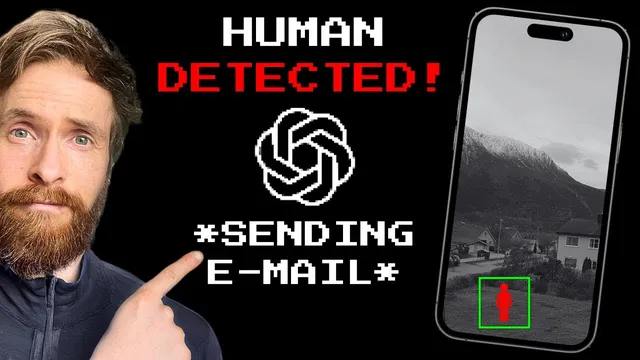
In a test run lasting over an hour, the system produced an email while the user was away. One comparison showed no meaningful differences—consistent daytime lighting, stable weather, and the same number of cars, with no bikes, people, animals, or unusual activity detected. A later comparison flagged a clear change: a neighbor appearing in the second frame. The log noted that one person was visible in the later image, described the activity as routine (walking through the yard), and aligned the event with the correct timestamp. The hourly email summarized the broader pattern: mostly static scenes, clear weather, car counts varying within a small range, and people appearing only in a few comparisons.
The results suggest the approach works reliably for basic scene monitoring, though the creator also points to prompt limitations—people were sometimes only partially described, and the neighborhood’s low activity reduced the volume of detected events. Still, the project demonstrates a practical path from consumer hardware (an iPhone) to automated, model-driven security reporting without building a full computer-vision pipeline from scratch.
Cornell Notes
The project builds an autonomous security camera by combining an iPhone with GPT-4 Vision and a timed automation loop. Every five minutes, the iPhone captures a frame and uploads it to Google Drive; a script downloads the newest image, compares it to the previous one, and prompts GPT-4 Vision to detect changes. The model checks for consistency in time-of-day and weather, counts cars/bikes/people/animals, and flags unusual activity, producing timestamped logs. Per-comparison logs are collected for about an hour (12 checks) and then summarized into an hourly email sent via the Mailgun API. A test run showed accurate “no change” detection and successful identification of a neighbor appearing in a later frame.
How does the system decide whether something changed between two moments?
What does the prompt ask GPT-4 Vision to look for, and why does that matter?
How does the project convert frequent 5-minute checks into an hourly report?
Which services handle storage, model inference, and notifications?
What did the test reveal about accuracy and limitations?
Review Questions
- How does the system’s image comparison loop work end-to-end from iPhone capture to GPT-4 Vision analysis?
- Why does the prompt’s structure (counts and categories) affect the quality of the hourly email summary?
- What role do the 12-entry report list and the 350-second sleep play in timing and reporting cadence?
Key Points
- 1
The system captures an image every five minutes with an iPhone, uploads it to Google Drive, and uses a script to pull the newest frame for analysis.
- 2
Consecutive frames are compared by GPT-4 Vision (gpt-4 vision preview) to detect changes in weather/time-of-day, counts of cars/bikes/people/animals, and unusual activity.
- 3
A structured prompt forces consistent, timestamped output so logs can be aggregated into a meaningful hourly report.
- 4
A timed loop (with a 350-second sleep) collects 12 comparisons per hour and triggers an hourly summary once the list fills.
- 5
Mailgun delivers the final “log hour summary” email, turning model outputs into an actionable notification.
- 6
The test showed reliable “no change” detection and successful identification of a neighbor appearing in a later frame, with room for prompt tuning to improve descriptive detail.