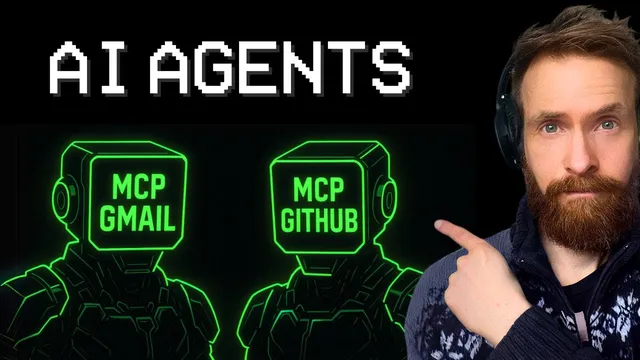
Is INSANE Fast Special MCP AI Agents The Future? (I think so)
Based on All About AI's video on YouTube. If you like this content, support the original creators by watching, liking and subscribing to their content.
An orchestrator agent can generate a task plan and delegate steps to specialized agents connected to MCP tools.
Briefing
A multi-agent AI system built around Model Context Protocol (MCP) servers can complete a realistic “business workflow” end-to-end—fetching live data, writing it to disk, creating a GitHub repo, committing a Markdown file, and emailing a confirmation—in about 1 minute 20 seconds. The speed comes from orchestration plus strict tool separation: an orchestrator agent generates a plan, then specialized agents execute only the MCP tools they’re allowed to use (search, file system, email, GitHub). The result is less tool confusion than a single-agent setup and a workflow that’s easier to customize as new capabilities are added.
The demo task makes the architecture concrete. The system pulls the current Bitcoin price, saves it as a Markdown file (“Bitcoin price MD”) in a local file system, creates a repository named “Bitcoin prices,” pushes the Markdown file to GitHub, and—if everything succeeds—sends an email back to the “boss” (the creator). After running the orchestrated job, the repo is checked to confirm the file exists on GitHub, and the email is verified as well. The local copy of the Markdown file also matches, showing each step executed as intended rather than relying on a single monolithic agent to juggle everything.
What changes from earlier agent designs is how tools are attached. Instead of one agent making generic tool calls, each specialized agent gets its own MCP server connections. In the described setup, the “coms” (communications) agent is wired to an email MCP server and a file system MCP server, while the “git” agent connects to a GitHub MCP server. A “search” agent connects to a Brave Search MCP server. This compartmentalization reduces the risk of calling the wrong tools in the wrong order—especially as the number of agents grows—because each agent only sees the tool set it needs.
Configuration is handled through a config.py that maps agent roles to MCP server paths, including local MCP servers and third-party ones (with GitHub referenced as an official MCP server). The system also demonstrates extensibility by adding a “memory” MCP server. Using an npx command and MCP server instructions, the memory server is integrated into the communications agent’s configuration, then run via standard in/out. After connecting, the system is tested by storing and retrieving knowledge: it loads information about Gemini 2.5 Pro from memory, then uses the same orchestrated workflow to search, write a blog post, create a new repo (“Gemini 2.5 magic”), and save “blog.md” to GitHub.
The memory test produces a structured blog post with sections like history, key features, benchmarks, conclusion, and future implications, and the repo URL confirms the write-and-push steps worked. The takeaway is practical: memory can be used to store repeatable knowledge for recurring tasks—so future runs can “remember” what was done before and reuse that context. The creator also shares that the full setup is published to a community GitHub repository, with pointers to official MCP server listings for expanding to larger multi-agent configurations (potentially 10–20 agents) in future work.
Cornell Notes
The system demonstrates an MCP-based multi-agent workflow where an orchestrator agent plans tasks and delegates execution to specialized agents, each connected to its own set of MCP tools. A real demo—Bitcoin price retrieval, local Markdown creation, GitHub repo creation, pushing the file, and sending an email—finishes in about 1 minute 20 seconds. The key design choice is tool separation: the communications agent only has email and file-system MCP access, the GitHub agent only has GitHub MCP access, and the search agent only has Brave Search MCP access. Extensibility is shown by adding an MCP “memory” server to the communications agent, enabling the system to load stored knowledge (e.g., Gemini 2.5 Pro info) and generate a blog post saved into a new GitHub repo.
Why does splitting tools across specialized agents improve reliability compared with one all-purpose agent?
How does the orchestrator agent fit into the workflow?
What concrete evidence shows the demo workflow completed correctly?
How is the system configured to connect agents to MCP servers?
What role does the MCP memory server play, and how was it tested?
Review Questions
- If you wanted to add a new capability (e.g., Slack posting) to the workflow, which part of the architecture would you change first: the orchestrator, the agent plan, or the MCP server connections? Why?
- What failure modes are most likely when a single agent has access to many MCP servers, and how does the described tool-per-agent approach mitigate them?
- How would you design a memory strategy for a recurring job so the system reuses prior context without overwriting important details?
Key Points
- 1
An orchestrator agent can generate a task plan and delegate steps to specialized agents connected to MCP tools.
- 2
A Bitcoin-to-GitHub-to-email workflow completed in about 1 minute 20 seconds when tools were separated by agent role.
- 3
Each agent should only access the MCP servers it needs (search, email/file system, GitHub) to reduce ordering and tool-selection errors.
- 4
Configuration maps agent roles to MCP server paths via config.py, supporting both local and third-party MCP servers.
- 5
Adding an MCP memory server to an agent enables knowledge reuse across runs, demonstrated by generating a Gemini 2.5 Pro blog post from stored memory.
- 6
Memory can be used for repeatable jobs by storing prior outputs or instructions and loading them during future orchestrations.
- 7
The setup is published for others to run, with references to official MCP server listings for scaling to more agents.