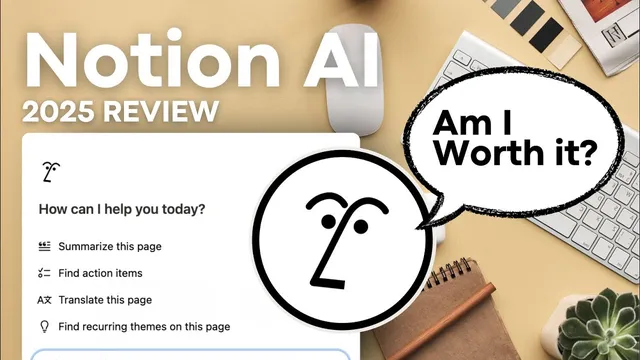
Is Notion AI Worth it? | 2025 Review + Top Features!
Based on The Organized Notebook's video on YouTube. If you like this content, support the original creators by watching, liking and subscribing to their content.
Notion AI is priced at $8 per member per month when billed annually, or $10 per member per month billed monthly.
Briefing
Notion AI’s biggest value isn’t just chat—it’s the way it plugs AI into the core objects people already use in Notion: pages, databases, templates, and even Notion Mail. For $8 per member per month when billed annually (or $10 per member per month billed monthly), it can search across a workspace and connected tools, generate and rewrite content inside Notion, and automate database fields in ways that feel purpose-built rather than “copy/paste from another app.” That combination matters because it reduces context switching and turns Notion into a single command center for writing, organizing, and follow-up work.
At the center is a GPT-4 and Cloud-powered assistant accessible from within Notion workspaces. Users can open a dedicated chat tab and ask questions that can draw from the workspace itself and connected apps like Slack. Keyboard shortcuts make it fast: Shift Command J (or Command Shift J) brings up the chat while Notion is open, even when switching to other websites. The assistant also appears directly in the page workflow. Typing “/ai” inside a Notion page can generate content such as a blog draft, and then “ask AI” can revise it—shorten, lengthen, or simplify language—without leaving the document.
Where Notion AI stands out most is inside databases. Using “/database” and database inline creation, users can add AI properties that automatically summarize page content, translate titles (example given: to Korean), generate AI keywords as multi-select items, and fill custom bullet-point summaries via AI autofill. After adding content to a database entry, the properties can be updated together—keywords, summary, translation, and structured bullet points—turning unstructured notes into consistent metadata.
Another distinctive feature is “AI blocks,” which store reusable prompts tied to the current page content. Instead of re-asking the same instruction from scratch, users can update an AI block so it regenerates outputs based on the latest page title and text. These blocks can also be embedded into database templates, letting every new entry automatically produce content like 30 topic-specific hashtags.
Notion AI also expands search beyond Notion pages by adding sources. From the Notion AI icon’s “sources” area, users can include the Organized Notebook workspace, Slack AI knowledge, the Notion help center, and additional integrations such as Google Drive, GitHub, and Jira—so answers can be grounded in information spread across tools.
Newer capabilities push further into creation and operations: “build with AI” can generate an entire database layout from a natural-language request (example: a book tracker with authors, pages, progress, and rating), Notion Mail can draft emails via “ask AI” and auto-label incoming messages, and AI-enabled templates (like a content planner plus AI) can generate brainstorming hubs, scripts, city summaries, packing lists, and gift ideas. The tradeoff is straightforward: if someone already relies on another AI subscription and prefers working outside Notion, the added convenience may not justify the cost; if Notion is the primary workspace, the integrated workflow is the main reason to consider paying for it.
Cornell Notes
Notion AI is a GPT-4 and Cloud-powered assistant built into Notion workspaces, designed to reduce context switching by generating and organizing content where people already work. It supports chat access, page-level commands like “/ai,” and deeper database automation through AI properties (summaries, translations, keywords, and custom autofill). Reusable “AI blocks” let users save prompts and update outputs based on the current page, and they can be embedded into database templates for repeatable workflows like hashtag generation. Connected sources (including Slack, Notion help center, and tools like Google Drive, GitHub, and Jira) expand search without leaving Notion. With Notion Mail, it can draft emails and auto-label messages, and AI-enabled templates can generate planning and content assets.
How does Notion AI differ from using a standalone chatbot?
What are the key AI database properties, and what do they do?
Why are “AI blocks” useful compared with repeatedly typing prompts?
How does connected-app search work in Notion AI?
What does Notion AI add to Notion Mail?
What does “build with AI” do for database creation?
Review Questions
- Which Notion AI features are most likely to save time for someone who primarily writes and edits inside Notion pages (and why)?
- How would you design a database workflow using AI properties and AI blocks to keep entries consistent (summaries, keywords, translations, and structured bullet points)?
- What kinds of tasks are better suited to connected-app search sources like Slack, Jira, and Google Drive rather than relying only on workspace content?
Key Points
- 1
Notion AI is priced at $8 per member per month when billed annually, or $10 per member per month billed monthly.
- 2
Notion AI uses GPT-4 and Cloud and can chat, search, and generate content using workspace content plus connected apps like Slack.
- 3
Page-level commands like “/ai” let users generate and then revise text directly inside Notion pages without leaving the document.
- 4
Database AI properties can automatically create summaries, translations, keyword multi-select items, and structured bullet-point autofill fields.
- 5
AI blocks store reusable prompts and can be updated to regenerate outputs based on the page’s current title and content.
- 6
Notion AI can search across added sources such as Google Drive, GitHub, and Jira, aiming to keep research inside Notion.
- 7
Notion Mail integrates Notion AI for drafting emails and auto-labeling incoming messages.