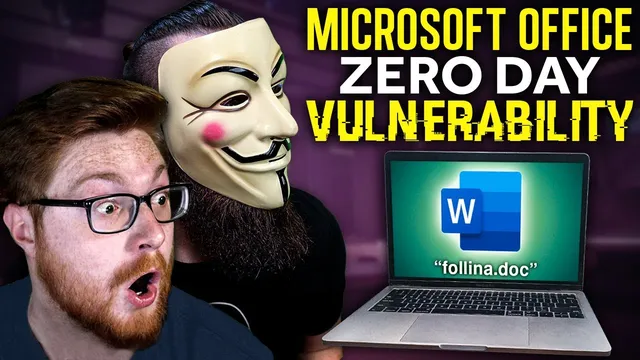
let’s play with a ZERO-DAY vulnerability “follina”
Based on NetworkChuck's video on YouTube. If you like this content, support the original creators by watching, liking and subscribing to their content.
Follina (CVE-2022-3019) is a high-severity Microsoft Word zero-day enabling remote code execution without relying on Office macros.
Briefing
A newly discovered “Follina” (CVE-2022-3019) zero-day vulnerability in Microsoft Word can enable remote code execution with no official patch available at the time of discovery. Researchers say it’s high severity because it can turn a simple phishing lure—often a Word document delivered via email—into full control of a victim machine, including the ability to run PowerShell or command-line commands and establish a reverse shell.
The attack chain starts when a victim opens a crafted Word document. Instead of relying on the more common Office macro route, the malicious document triggers Microsoft Support Diagnostic Tool (MSDT). MSDT is designed for troubleshooting, but in this scenario it can be abused to execute attacker-controlled commands. The Word document reaches out to an external reference, stages an HTML payload, and then uses a file-protocol handler to kick off code execution. From there, the attacker can run arbitrary commands—ranging from harmless actions like launching Calculator to more dangerous outcomes such as spawning a reverse shell for remote access.
What makes the exploit particularly concerning is how quickly it can escalate. Once an attacker has a foothold, they can use the established access to move laterally across systems, attempt privilege escalation, and potentially deploy follow-on payloads such as remote access trojans, cryptocurrency miners, or ransomware. Researchers also note that the “real” malicious payload used in the wild may include additional capabilities beyond what’s demonstrated in lab recreations.
Because the vulnerability was brand new, researchers only had partial evidence: the malicious Word document “detonator” and the observed behavior, but not the full malware tooling used by attackers. That gap is where reverse engineering comes in. John Hammond and other researchers reconstructed the missing components by analyzing the document and recreating the exploit logic, enabling a safe lab demonstration of how the zero-day works.
The walkthrough then shifts from mechanics to replication. It lays out a free lab setup using VirtualBox, a Kali Linux VM to host the exploit tooling, and a Windows 11 VM with Microsoft Office installed. The lab uses a Python script (Felina.py) to generate a malicious Word document (Felina.doc) that points back to a local web server. After downloading the document into Windows and enabling editing in Word’s protected view, the document attempts to contact the attacker-controlled server and triggers the MSDT-based execution path.
In the demo, Windows Defender flags the activity as “MSDT” related, which can interfere with observing the behavior. The lab workaround involves temporarily disabling real-time protection to let the recreated payload run long enough to test commands. With the environment working, the script supports multiple command options: launching benign apps like Notepad, and—more critically—starting a reverse shell via netcat so the attacker can issue commands and enumerate the system.
The practical takeaway is blunt: the best mitigation remains user and email hygiene—avoid opening suspicious documents and treat phishing attempts as dangerous even when macros are disabled. For deeper technical detail and ongoing updates as the vulnerability evolves, the transcript directs viewers to John Hammond’s research and related write-ups.
Cornell Notes
Follina (CVE-2022-3019) is a high-severity Microsoft Word zero-day that enables remote code execution without relying on Office macros. Instead, a crafted Word document abuses the Microsoft Support Diagnostic Tool (MSDT) to run attacker-controlled commands after Word reaches out to an external reference and stages an HTML payload. In a lab, researchers recreate the missing “detonator” and use a Python script to generate a malicious document that calls back to a local server, then triggers command execution when editing is enabled. The demo shows both harmless command execution (Calculator/Notepad) and a reverse shell for full remote control. Because no patch was available at the time, mitigation depends heavily on phishing defenses and safe handling of unexpected documents.
Why is Follina considered more dangerous than typical macro-based Office attacks?
What role does MSDT play in the exploit chain?
How do researchers recreate a zero-day exploit when they only have partial evidence?
How does the lab demonstration deliver the malicious document to the Windows VM?
What capabilities does the recreated exploit demonstrate once code execution is achieved?
Why does Windows Defender interfere in the lab, and what’s the workaround described?
Review Questions
- What specific component (besides Word) is abused to achieve command execution in Follina, and why does that matter for macro-disabled environments?
- Describe the high-level steps from opening the malicious document to obtaining a reverse shell in the lab setup.
- What evidence gap exists in zero-day research, and how does reverse engineering help close it?
Key Points
- 1
Follina (CVE-2022-3019) is a high-severity Microsoft Word zero-day enabling remote code execution without relying on Office macros.
- 2
The exploit abuses Microsoft Support Diagnostic Tool (MSDT) to run attacker-controlled commands after Word triggers an external reference and staged payload.
- 3
Once attackers gain execution, they can use reverse shells for remote control and potentially perform lateral movement, privilege escalation, and follow-on malware actions.
- 4
Researchers can recreate missing exploit tooling by reverse engineering from the malicious Word document behavior, even when the full malware isn’t available.
- 5
A practical lab setup uses VirtualBox with a Kali Linux VM hosting a callback web server and a Windows 11 VM with Microsoft Office to test the recreated document.
- 6
Windows Defender may detect MSDT-related activity during testing; the transcript notes temporarily disabling real-time protection to observe the payload in a lab.
- 7
Mitigation hinges on phishing defenses and avoiding suspicious document downloads/opens, especially when unexpected Word files arrive via email.