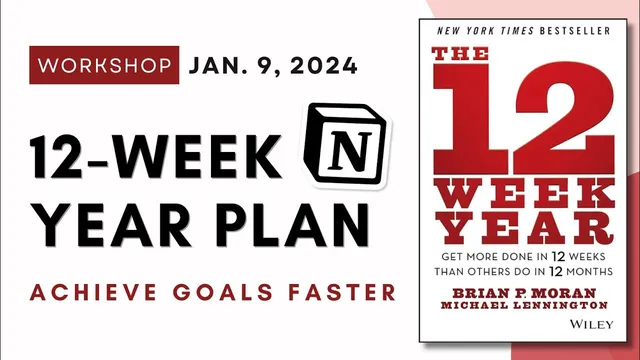
Let's build a 12-week year planner system in Notion! | Progress and Achieve Goals in 12 weeks ✨
Based on The Organized Notebook's video on YouTube. If you like this content, support the original creators by watching, liking and subscribing to their content.
Use a 12-week cycle to sustain urgency and avoid the mid-year motivation drop that often follows annual planning.
Briefing
A 12-week planning cycle is presented as a practical way to keep goals urgent, measurable, and actionable—then the workshop turns that framework into a working Notion system with linked databases, weekly templates, and automatic progress tracking. Instead of treating a “year” as 12 months of slow momentum, the method compresses the planning horizon into 12 weeks, aiming to prevent the mid-year drop-off that often follows New Year resolutions.
The core idea comes from the 12-week-year concept: 12 weeks is long enough to get meaningful work done but short enough to sustain urgency. The process starts with a vision that feels emotionally compelling—goals are chosen not because they sound impressive, but because they connect to a clear “why” that can carry someone through setbacks. From there, the system breaks a central 12-week goal into weekly plans and daily actions, using time blocking to protect focus. Strategic blocks are scheduled, uninterrupted work sessions; buffer blocks absorb delays; breakout blocks are dedicated multi-hour breaks for life beyond the work itself.
Execution is structured around three pillars: accountability, commitment, and “greatness in the moment.” Accountability is framed as taking ownership of actions and outcomes regardless of circumstances, while commitment is treated as a personal promise. The workshop also emphasizes process control through weekly planning, end-of-week review, and measurement. A weekly scorecard is paired with two types of indicators: lag indicators (end results like weight lost) and lead indicators (the behaviors that produce those results, like exercise and diet). The point is to manage the inputs—tracking activities that drive outcomes—rather than only judging progress by final numbers.
To make the framework usable, the session builds a simplified 12-week year planner in Notion from scratch. Two databases anchor the system: one for Weeks and one for Tasks. A right-side “My Goals” area includes a toggle for brainstorming prompts and a short list of 3–4 goals to avoid overwhelm. Each task is tagged with a goal, assigned a due date, and related to a specific week. Views are created to show “current week” automatically using advanced date filters, plus separate lists for incomplete tasks sorted by soonest due date.
The most tangible feature is an automatic progress bar. A Notion formula calculates the percentage of tasks marked done within each week by filtering related tasks for the current week, counting completed vs. total, and formatting the result as a percent (with rounding adjustments). Weekly pages also include templates so every new week loads the same structure: planning prompts, linked task lists filtered to that week, and an “incomplete tasks” view. A bonus week (Week 13) is included to wrap up unfinished tasks or serve as a celebration period.
In Q&A, the guidance sharpens goal-setting: goals should be specific and action-oriented (e.g., “read one book a week” rather than an abstract desire to “read more”), and the recommended number of goals is typically 3–4 unless each goal requires minimal weekly work. When the 12 weeks end, the method calls for thorough reflection, then duplicating the planner template for the next cycle. A free template is offered for download, alongside a more feature-rich workbook template with additional progress connections and time-blocking sections.
Cornell Notes
The 12-week-year approach replaces annual goal planning with a compressed cycle designed to maintain urgency. It starts with a meaningful vision (“why” that feels emotionally connected), then breaks a central goal into weekly plans and daily actions using time blocking (strategic, buffer, and breakout blocks). Progress is managed through process control: weekly planning, end-of-week reflection, and a scorecard that distinguishes lag indicators (results) from lead indicators (the behaviors that produce results). The workshop implements this in Notion using two linked databases—Weeks and Tasks—plus views for “current week,” incomplete tasks, and an automatic progress bar calculated from completed tasks. Weekly templates make the system reusable for every new 12-week cycle.
Why does compressing planning into 12 weeks change goal outcomes compared with planning across 12 months?
What makes a goal “good” in this system—beyond being something you want?
How do lead indicators and lag indicators work, and why does the distinction matter?
How does the Notion planner automatically show weekly progress?
What’s the purpose of time blocking in the 12-week-year workflow?
Why include a Week 13 in the planner?
Review Questions
- What emotional or identity-based criteria should be used to choose goals before breaking them into weekly tasks?
- How would you design lead indicators for a goal where the lag indicator is only visible months later?
- In the Notion build, which properties and relationships are required for the progress bar to update correctly?
Key Points
- 1
Use a 12-week cycle to sustain urgency and avoid the mid-year motivation drop that often follows annual planning.
- 2
Start with a vision that feels personally meaningful; choose goals that connect to a clear “why,” not just desirable outcomes.
- 3
Break a central 12-week goal into weekly plans and daily actions, then protect execution with time blocking (strategic, buffer, breakout).
- 4
Track progress with both lag indicators (results) and lead indicators (behaviors), and manage the behaviors to drive outcomes.
- 5
Build the Notion system around two linked databases—Weeks and Tasks—so tasks automatically appear in the correct weekly view.
- 6
Create a “current week” view using advanced date filters based on start and end dates so the planner updates automatically.
- 7
Use weekly templates in Notion so every new week loads the same structure, including linked task lists and an incomplete-task view.