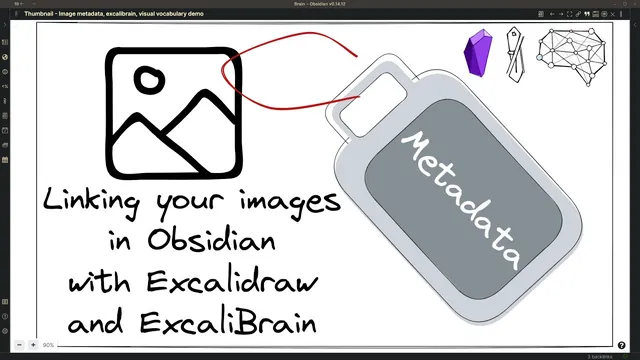
Linking your Images in Obsidian with Excalidraw and ExcaliBrain
Based on Zsolt's Visual Personal Knowledge Management's video on YouTube. If you like this content, support the original creators by watching, liking and subscribing to their content.
Create an embedded Excalidraw drawing in Obsidian so the visual artifact can carry structured metadata rather than remaining a static PNG.
Briefing
Linking Excalidraw images to Obsidian notes through structured metadata turns one-off PNG pastes into searchable, navigable knowledge objects. Instead of dropping an image into a vault where it’s hard to retrieve later, the workflow embeds the drawing inside Obsidian and attaches fields like source, author, and a “parent” concept—so the image becomes part of a connected information system.
The process starts with taking a framework image from Laura Evans Hill’s posts (via a Twitter thread) and recreating it inside Excalidraw. Using Obsidian’s command palette, the creator selects an action to create a new Excalidraw drawing embedded into the active document. The drawing is set to light mode to match the bright backgrounds of the source images, and the framework image is pasted into the canvas. From there, the key move is metadata: the creator adds a “source” field containing the Twitter link, plus tags/fields for export behavior (explicitly setting export dark mode to false), the author name, and a parent thought labeled “visual vocabulary.” A short summary can also be placed above the “text elements” section, with the important detail that anything above that section won’t be overwritten by Excalidraw, while content below it can be replaced.
To make the drawing even easier to scan and retrieve, additional items (including icon-based elements) are inserted into the metadata block. The transcript notes a practical snag: some pasted icons appear larger than others, but the size can be adjusted by adding a pipe character and specifying a pixel value (the example uses 50). Once the metadata is in place, Obsidian search becomes the retrieval engine. Searching for a term like “actionable steps” surfaces the document containing the embedded drawing, and opening it reveals the same linked image object.
The workflow also leverages ExcaliBrain to connect the drawing to the broader note graph. After embedding the Excalidraw content, the “nine abstract frameworks to visualize ideas” item becomes linked to the “visual vocabulary” note. From that parent note, the user can navigate to the related visual items and then jump back out to Laura Evans Hill’s page, including the conference session “Atomic visuals to organize your ideas” and its date. The result is a system where the image isn’t just stored—it’s indexed, categorized, and cross-referenced.
Overall, the approach trades a few minutes of upfront metadata entry for long-term payoff: faster discovery, cleaner navigation, and higher confidence that visual artifacts can be found later when they’re needed for thinking, writing, or planning. The transcript closes by encouraging viewers to join the upcoming conference session if they’re watching before Friday, framing the material as both inspiring and practically useful.
Cornell Notes
Embedding Excalidraw drawings inside Obsidian and attaching structured metadata turns images into searchable, linkable knowledge units. The workflow recreates a framework image in Excalidraw, then adds fields such as source (Twitter link), author (Laura Evans Hill), and a parent concept (“visual vocabulary”), plus export settings like export dark mode set to false. Metadata placed above the “text elements” section is preserved, while content below can be overwritten by Excalidraw. With the metadata in place, Obsidian search can retrieve the drawing by keywords, and ExcaliBrain uses the links to connect the image to related notes and conference/session context. The payoff is easier long-term retrieval compared with pasting a raw PNG.
Why embed the framework image in Excalidraw instead of pasting a PNG into Obsidian?
What metadata fields are added to make the drawing retrievable later?
How does the workflow avoid Excalidraw overwriting important metadata?
How does the creator handle icon sizing issues in the metadata block?
How do Obsidian search and ExcaliBrain work together in this system?
Review Questions
- What specific metadata fields in the workflow make an embedded drawing discoverable through Obsidian search?
- What rule about the “text elements” section prevents Excalidraw from overwriting metadata?
- How does ExcaliBrain use the drawing’s metadata links to connect it to the broader note graph?
Key Points
- 1
Create an embedded Excalidraw drawing in Obsidian so the visual artifact can carry structured metadata rather than remaining a static PNG.
- 2
Add a source field with the original Twitter link to preserve provenance and enable traceability.
- 3
Record author and parent concept fields (e.g., author: Laura; parent thought: “visual vocabulary”) so the drawing fits into a navigable note hierarchy.
- 4
Set export dark mode to false when the source artwork has a bright/light background, ensuring consistent rendering in your documents.
- 5
Place metadata above the “text elements” section to prevent Excalidraw from overwriting it during updates.
- 6
Use Obsidian search to retrieve drawings by keywords found in the metadata and content, not by file names.
- 7
Leverage ExcaliBrain to turn metadata relationships into bidirectional navigation across related notes and conference/session context.