LLM Function Calling (Tool Use) with Llama 3 | Tool Choice, Argument Mapping, Groq Llama 3 Tool Use
Based on Venelin Valkov's video on YouTube. If you like this content, support the original creators by watching, liking and subscribing to their content.
Use a function-calling-capable Llama 3 model (here, Groq’s fine-tuned “tool use” variant) to translate natural language into structured tool calls.
Briefing
Function calling with Llama 3 is no longer a niche capability: a Groq-tuned “Llama 3 tool use” model can reliably translate natural-language requests into structured tool calls, then feed tool results back into the model to produce user-ready answers. The practical payoff is clear in the walkthrough—an LLM can manage a small habit-tracking database by selecting the right domain function (add habit, list habits for a date, complete a habit), generating correct arguments, and iterating across multiple tool calls without hardcoding the workflow.
The setup starts with benchmarking context. The Berkeley Function Calling leaderboard is used as a yardstick for which models perform well at tool use. Quoting leaderboard positioning, “Claude” sits at the top with about 90% overall accuracy, followed by GPT-4 class models and others. The key focus then shifts to Groq’s work: Groq has introduced a fine-tuned Llama 3 variant optimized specifically for function calling/tool use, described as the highest-performing model on that leaderboard in Groq’s reporting. The model is available via open repositories, including 8B and 70B sizes, and the demo uses the 70B “tool use” model through the Gro API.
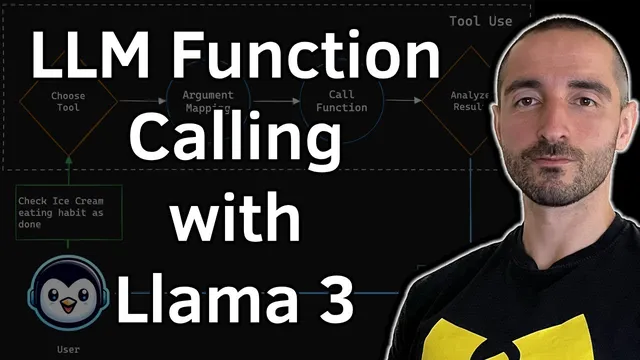
A simplified architecture diagram frames the mechanism. A user prompt goes into the LLM along with a list of available tools. The model chooses a tool, performs argument mapping when parameters are more complex than simple types, calls the corresponding backend function, and then receives the function output. That output is returned to the LLM, which generates the final assistant message for the user.
To make the concept concrete, the walkthrough builds a “habit tracker” app backed by SQLite. Domain functions include: list habits, list habits for a specific date, complete a habit for a date, and add a habit (name, repeat frequency, and a list of text tags). Data classes represent the domain objects, including a day-of-week enum and structured fields for habit IDs, names, repeat frequency, and daily entries.
The core engineering step is defining tool schemas so the LLM understands how to call the backend. Each tool is described with a name, a parameter list (including examples), and which parameters are required. Because the model only sees strings for things like repeat frequency and dates, an argument-mapping layer converts those strings into the app’s internal types (e.g., mapping “Monday/Tuesday/…” into enum values and converting ISO date strings into date objects).
Once the tool definitions and mappings are in place, the model can autonomously emit tool calls. The demo shows adding a new habit (“reading a book” on weekdays with a tag), receiving a tool call with structured arguments, executing the backend function, and then calling the model again to produce a natural-language confirmation. It then demonstrates multi-step agent-like behavior: listing habits for a chosen date (July 26, 2024), completing the gym habit for that date, and verifying the update by querying the database again. The result is a working pattern for building agentic systems from scratch using only the Gro API and any Llama 3 model that supports function calling.
Cornell Notes
A Groq fine-tuned “Llama 3 tool use” model can turn natural-language requests into structured function calls, then use tool outputs to generate final answers. The demo builds a habit-tracking system with SQLite and defines backend domain functions like add habit, list habits for a date, and complete a habit. Tool schemas describe each function’s parameters (with examples), while an argument-mapping layer converts model-friendly strings (day names, ISO dates) into the app’s internal types (enums, date objects). After the model emits tool calls, the backend executes them and returns results to the model, enabling multi-step workflows such as adding a habit, listing scheduled habits for July 26, 2024, and marking a habit complete. This pattern is positioned as a foundation for agentic applications without heavy frameworks.
Why does function calling require more than just listing backend functions?
How does the demo handle complex parameters like repeat frequency and dates?
What does the tool-calling loop look like in practice?
How does the demo demonstrate multi-step “agent-like” behavior?
What role does the Gro API play in the workflow?
Review Questions
- What information must be included in a tool definition so the LLM can generate correct JSON arguments for backend execution?
- How does mapping from string day names and ISO date strings into internal enums/date objects affect tool-call reliability?
- In the habit tracker workflow, where does the tool result get inserted back into the message history, and why is that necessary for multi-step tasks?
Key Points
- 1
Use a function-calling-capable Llama 3 model (here, Groq’s fine-tuned “tool use” variant) to translate natural language into structured tool calls.
- 2
Define tool schemas with parameter lists, required fields, and examples so the model can generate valid arguments.
- 3
Implement an argument-mapping layer to convert model-friendly strings (day names, ISO dates) into the app’s internal types (enums, date objects).
- 4
Execute each emitted tool call on the backend, then feed the tool output back into the model via message history.
- 5
Support multi-step workflows by allowing the model to emit multiple tool calls and iterating through them in sequence.
- 6
A small domain app (habit tracker + SQLite) is a practical testbed for verifying end-to-end tool use: add, list by date, and complete by date.