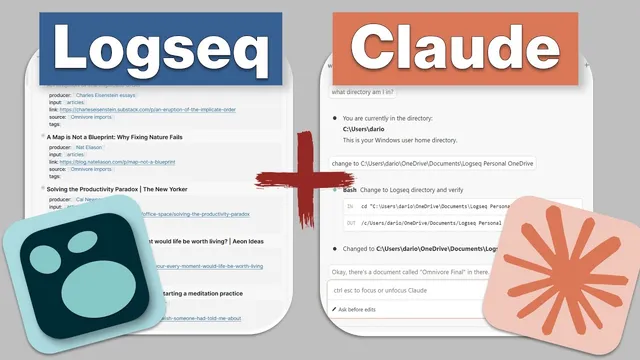
Logseq + Claude Code: AI-Powered Database Management for PKM
Based on CombiningMinds's video on YouTube. If you like this content, support the original creators by watching, liking and subscribing to their content.
Claude Code can automate duplicate cleanup in a Logseq Markdown workspace by cross-referencing imported Omnivore highlights against already-processed daily journal pages.
Briefing
Claude Code, paired with a Logseq Markdown workspace, can automate a painful PKM cleanup task: finding duplicate “Omnivore final” highlights and matching them against articles already moved into daily journal pages. The workflow matters because it turns messy, history-dependent imports—especially after Omnivore shut down—into a repeatable, queryable process that saves time and reduces manual cross-checking.
The cleanup starts with a structured Logseq setup. In the Logseq personal directory, the imported Omnivore content lives in a document named “Omnivore final.” Claude Code runs inside VS Code and is pointed at that directory, then asked to locate the relevant article blocks. The key detail is how the imported articles are formatted: most entries share a consistent Markdown pattern (including heading markers and a predictable block structure), which makes them searchable at scale. Claude Code identifies 62 articles on the page, though it misses the first one due to a formatting inconsistency (the first entry lacks the expected dash).
Next comes the duplicate detection step, which ties the imported articles to the user’s existing processing history. The journaling system stores processed items in daily journal files named by date (year-month-day). Claude Code is prompted to compare the 62 Omnivore articles against those already processed journal pages, and it asks clarifying questions before running a long background search. The result: 20 articles are flagged as duplicates. Those duplicates can then be removed, producing a concrete time savings rather than a vague “organize your notes” recommendation.
The workflow also emphasizes privacy and local-file access. Claude Code can read local Logseq files, which may concern some users; the transcript includes a disclaimer about turning off training on chats/coding sessions so Anthropic AI models aren’t improved using that activity. The broader point is that local-first access enables AI-assisted database management without forcing everything into a hosted system.
Beyond cleanup, the transcript argues for consistent input formatting as the foundation for reliable AI queries. External links and content are ingested using a repeatable template: title, Markdown header/link structure, producer metadata, and tags (often stored in block properties). A browser extension (“copy tab title URL”) helps capture title and URL, and the resulting blocks make it easier for Claude (and other AI tools) to retrieve and reason over notes using stable fields like “input videos” or producer tags.
Finally, the user reports that AI-assisted formatting into Logseq’s structure is mostly accurate but not perfect. A couple of articles are missing or partially matched—issues attributed to small text, duplicates, or multiple newsletter instances—so the workflow is positioned as a powerful assistant, not an automatic delete button. The practical takeaway is that the exercise is valuable both for the cleanup results and for restoring a comfortable “processing rhythm” in the workspace, with Claude Opus suggested as a strong option for complex spreadsheet-like structures.
Cornell Notes
Claude Code can turn a Logseq Markdown library into a queryable “note database,” enabling automated cleanup of duplicate Omnivore highlights. By pointing Claude Code (running in VS Code) at the local Logseq directory and using consistent Markdown/block formatting, it can identify all imported article blocks (62 found) and then cross-check them against already-processed daily journal pages. After a clarifying-question phase and a lengthy background search, it flags 20 duplicates for removal. The approach works best when inputs follow a stable template (title/header/link structure plus tags/block properties), and it still needs human oversight because a few edge cases are missed. Privacy controls matter since Claude Code can read local files and may be configured to avoid training on chats/coding sessions.
How does the workflow locate Omnivore-imported articles inside Logseq?
What makes duplicate detection possible without manually scanning everything?
Why is consistent input formatting treated as a core requirement?
What role do browser tools and templates play in keeping the dataset queryable?
What are the limitations, and how should the output be trusted?
What privacy setting is recommended when using Claude Code with local notes?
Review Questions
- What specific Logseq document and directory does Claude Code target to enumerate the imported Omnivore articles?
- How does the workflow determine whether an Omnivore article is a duplicate of something already processed?
- What kinds of formatting or data issues caused Claude Code to miss or partially match some articles in the reported run?
Key Points
- 1
Claude Code can automate duplicate cleanup in a Logseq Markdown workspace by cross-referencing imported Omnivore highlights against already-processed daily journal pages.
- 2
Pointing Claude Code at the correct local Logseq directory and using predictable Markdown/block structure enables it to enumerate article blocks at scale (62 found in the example).
- 3
Duplicate detection works because processed items are stored in date-named journal files, creating a searchable processing history.
- 4
Consistent ingestion templates (title/header/link structure plus tags/block properties like producer and input type) make AI queries reliable across the workspace.
- 5
Privacy controls matter: configure Claude Code to avoid training on chats/coding sessions when working with personal notes.
- 6
AI-assisted cleanup still needs human oversight because formatting edge cases and duplicate newsletter instances can lead to missed or partial matches.
- 7
Claude Opus is suggested as a strong option for complex, spreadsheet-like structures where flexibility can otherwise make data handling difficult.