Logseq Zettelkasten ANTI-tutorial | You don't ACTUALLY need a zettelkasten
Based on CombiningMinds's video on YouTube. If you like this content, support the original creators by watching, liking and subscribing to their content.
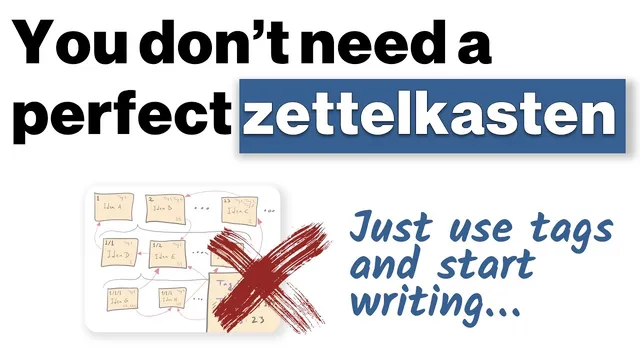
A tag-first workflow can deliver fast retrieval without requiring a perfectly structured zettelkasten.
Briefing
A “perfect” zettelkasten-style knowledge system isn’t necessary for most people; a flexible, tag-driven workflow in Logseq can be enough to retrieve ideas quickly and keep writing with low friction. The core shift is moving from obsessing over pristine, fully linked atomic notes to building a “messy custom” database where concepts can be found when needed and reshaped as thoughts evolve.
The workflow centers on tags and quick navigation rather than strict structure. A philosophy discussion becomes the example: a voice note about the Buddhist idea that “life is suffering” is transcribed and tagged with “suffering.” From there, Logseq’s tag view lets the writer open a right-side panel listing multiple references tied to that theme—books, passages, and notes. Quotation marks are used to distinguish borrowed text from the writer’s own words, while linked references make it easy to jump between related materials.
Instead of treating notes as fixed objects, the system supports iterative writing. The writer can copy blocks from one place and paste them into a draft, then choose whether to keep them as references or “replace with text” so the content becomes editable without maintaining the original link. That choice matters: preserving every link across a database can become impractical, so the workflow intentionally balances traceability with usability.
The same idea applies to incorporating specific sources. A quote mentioned in conversation is retrieved via search (using a command flow) and inserted into the writing area as a block reference. As the draft grows, the writer reorganizes sections—adding headings like “introduction,” “complication,” and “personal experience,” then collapsing and expanding parts to manage structure without locking the content into a rigid template.
Beyond the main writing space, the writer maintains “scratch pads” or maps of content—outline-style areas where ideas can be broken down without requiring full cross-linking. These spaces act as staging grounds for future writing: thoughts can be moved from one location to another as they become clearer. The message is blunt: insisting on a perfectly structured zettelkasten (with strict note types and link discipline) can slow down writing, while a tag-and-filter system helps retrieval without demanding perfection.
The takeaway is practical. Trust the system enough to start writing, then let the database materialize through use. Filters and tag navigation handle discovery later. For people who still want a more structured approach, a course called Logseq Mastery is mentioned, but the emphasis remains on getting into the notes, writing, and embracing flexibility rather than waiting for the “right” system before producing work.
Cornell Notes
The workflow argues that most writers don’t need a perfectly structured zettelkasten to benefit from Logseq. Instead, tags and fast navigation let ideas cluster around themes (like “suffering”), while block references and “replace with text” support iterative drafting. The writer distinguishes borrowed quotations from personal notes and reorganizes sections with headings and collapsible structure as thoughts develop. A separate scratch-pad outline area serves as a low-pressure map of ideas that can later feed into full drafts. The result is a “messy custom” system that prioritizes frictionless writing and retrieval over strict atomic-note purity.
How does tagging replace the need for a rigid zettelkasten structure?
What’s the purpose of inserting blocks as references versus replacing them with editable text?
How does the workflow handle quoting and distinguishing source material from original thinking?
Why are headings and collapsible sections used during drafting?
What role do scratch pads play compared with fully linked note systems?
What’s the practical principle behind the “messy custom” approach?
Review Questions
- When would you choose to keep a block as a reference instead of using “replace with text,” and what tradeoff does each option create?
- How would you design a theme-based tag workflow (like “suffering”) to retrieve sources and notes efficiently without pre-linking everything?
- What kinds of writing tasks fit better in scratch pads or outline maps versus a more structured draft space?
Key Points
- 1
A tag-first workflow can deliver fast retrieval without requiring a perfectly structured zettelkasten.
- 2
Use tags to cluster related references around themes, then navigate via tag panels and filters.
- 3
Differentiate borrowed text from personal notes using quotation marks so scanning stays reliable.
- 4
Move content by copying blocks into drafts, and decide case-by-case whether to preserve references or replace them with editable text.
- 5
Draft structure can be added later with headings and collapsible sections, supporting reordering as ideas evolve.
- 6
Scratch pads (outline-style maps) can hold early-stage thinking without demanding full cross-linking.
- 7
Start writing with a system that works now; perfect structure is optional if retrieval and drafting stay frictionless.