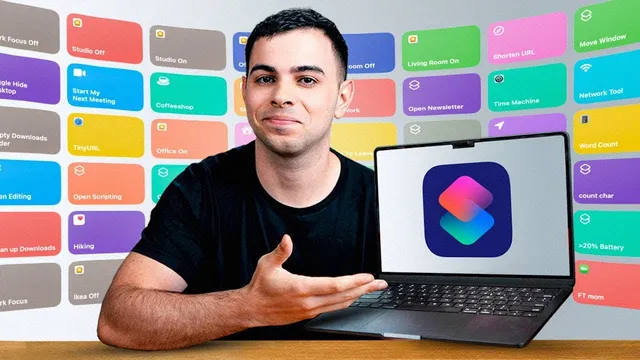
MacOS Shortcuts that ACTUALLY Make A Difference
Based on FromSergio's video on YouTube. If you like this content, support the original creators by watching, liking and subscribing to their content.
Shortcut usefulness depends on trigger speed; manual clicking in the Shortcuts app is too slow for frequent use.
Briefing
Mac shortcuts deliver real productivity gains only when they’re triggered quickly—so the biggest takeaway is less about clever automation ideas and more about building a fast, repeatable “launch path” for the shortcuts you’ll actually use. The fastest access methods discussed start with Spotlight toggling, then move to Alfred or Raycast for shortcut-only search (Alfred requires a one-time payment; Raycast can do it for free). The most important practical point: if a shortcut takes longer to find than to run, it won’t stick.
From there, the transcript lays out a set of everyday workflows designed to remove friction during meetings, work sessions, and media production. For video calls, a calendar-based shortcut searches for upcoming video calls and automatically joins the next one via the meeting link. Before joining, another routine stops any music, enables Do Not Disturb, and opens Hand Mirror (a free menu bar app) to check the camera before going on screen. If screen sharing is likely, a separate shortcut hides desktop clutter to keep the presentation clean.
The system also adapts to different contexts. Shortcuts are assigned to specific “setups,” such as an audiobook mode that opens Audible alongside a note-taking app, a work mode that launches VS Code, iTerm 2, and YouTube Music, and a “local coffee shop” mode that turns on Do Not Disturb, boosts brightness, and connects to a home VPN while opening a Substack dashboard. For multitasking chaos, a shortcut tiles the last two open windows. Sharing long URLs—especially Amazon links—is handled by a shortcut that converts copied links into shorter versions.
Storage and reliability get attention too. Since macOS can auto-empty the Trash but not the Downloads folder, a shortcut deletes Downloads items based on age parameters (example: delete items older than 7 days; the transcript notes you can change the setting to values like 20D for 20 days or 1M for one month). For backup safety after a Final Cut crash, the workflow includes a shortcut that triggers a Time Machine backup whenever significant progress is made, avoiding the limitation of hourly backup intervals.
Other utility shortcuts target content creation and planning: one estimates reading time for a copied script block using a configurable words-per-minute rate (around 200), while another counts characters to keep titles under 50 characters. A network shortcut provides IP details and runs a speed test. Home control is streamlined by triggering lighting “scenes” directly from Spotlight rather than relying on older menu bar tools.
Finally, the transcript shifts from manual shortcuts to Mac automations using third-party tools. Because macOS lacks an iPhone-style automation tab in the Shortcuts app, Shery is presented as an option that can run shortcuts based on events like opening or quitting an app (example: turning Work Focus on when Notion opens, then turning it off when Notion closes). Shery’s free tier limits trigger types unless paying $10/year. An alternative, Tria, offers similar automation with extra features, including a free plan that allows only one trigger. The automation approach is treated as “diminishing returns” on desktop—except for a daily 11:00 p.m. Downloads cleanup automation, which is kept as the one recurring Mac automation.
Cornell Notes
The core idea is that Mac shortcuts only pay off when they’re easy to trigger, so access speed matters as much as the shortcut itself. The transcript recommends shortcut-only search via Alfred or Raycast (Alfred paid once; Raycast free) to avoid Spotlight indexing everything. It then lists practical, repeatable workflows: joining the next calendar video call, prepping the camera with Hand Mirror, hiding the desktop before screen sharing, context-based app “setups,” tiling windows, shortening copied URLs, and cleaning Downloads by age. Reliability and creation workflows round it out with on-demand Time Machine backups after major editing progress, reading-time and character-count tools for scripts and titles, and network/speed-test shortcuts. Finally, it covers Mac automations using Shery or Tria to run shortcuts on app open/close and to schedule daily cleanup.
Why does the transcript emphasize triggering shortcuts quickly, and what access methods are ranked as fastest?
How does the meeting workflow reduce friction before and during video calls?
What “context switching” shortcuts are used for different daily modes?
How is the Downloads folder cleanup handled, and what parameters can be changed?
What reliability and content-creation shortcuts support video production?
How do Mac automations work here, given macOS limitations?
Review Questions
- Which shortcut-launch method best balances speed and accuracy for finding only shortcuts, and why does Spotlight fall short?
- Describe the sequence of actions taken before joining a video call in the transcript’s workflow.
- What problem with Time Machine backup frequency does the transcript address, and how does the shortcut-based backup routine fix it?
Key Points
- 1
Shortcut usefulness depends on trigger speed; manual clicking in the Shortcuts app is too slow for frequent use.
- 2
Spotlight is fast but can’t be restricted to shortcuts only, which leads to noisy indexing results.
- 3
Alfred and Raycast provide shortcut-only search, making it practical to run many shortcuts daily.
- 4
Meeting prep can be automated end-to-end: join the next video call, stop music, enable Do Not Disturb, and verify camera readiness with Hand Mirror.
- 5
Context-based “setups” can launch multiple apps and settings together (including VPN, brightness, and focus modes) to reduce daily setup time.
- 6
A Downloads cleanup shortcut can delete files by age (e.g., older than 7 days, or using parameters like 20D/1M) and can be scheduled to run daily.
- 7
Mac automations require third-party tools like Shery or Tria due to missing native automation UI, but the transcript treats them as most valuable for recurring maintenance tasks.