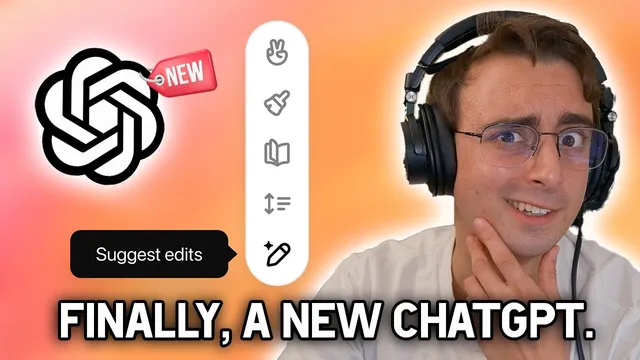
Major ChatGPT Upgrade! | "Canvas" AI Features HANDS ON
Based on MattVidPro's video on YouTube. If you like this content, support the original creators by watching, liking and subscribing to their content.
Canvas adds a dedicated workspace for writing and coding that supports targeted, inline edits instead of full-response regeneration.
Briefing
ChatGPT’s long-awaited interface overhaul adds “Canvas,” a dedicated workspace that lets people write and code with inline, targeted edits instead of regenerating entire responses. The practical payoff is faster revision: highlight a section, ask for changes, and apply suggestions without losing the rest of the draft—something the older chat layout forces users to redo from scratch.
Canvas opens as a separate window and is accessed via “GPT 40 with canvas” in the model selection tool. In early beta, it’s rolling out to paid tiers first (ChatGPT Plus, Team, and Enterprise), with free users expected once the beta ends. The workflow is designed for side-by-side creation and refinement: the interface can generate a new document from uploaded notes, then present a macro chat view alongside a structured “canvas” where individual pieces can be opened and edited.
OpenAI positions Canvas as more than a UI refresh. It’s built to understand project context and to behave differently depending on what kind of work is needed—writing versus coding, targeted edits versus full rewrites. Users can highlight specific text to act like a copy editor or code reviewer, and Canvas can provide inline feedback, suggestions, and direct edits. A key limitation in the older interface—no true in-place editing—gets replaced with direct modification inside the workspace, plus a way to restore prior versions using a back-button style history.
For writing, Canvas introduces shortcut-style actions that adjust length, reading level (ranging from kindergarten to graduate school), and “final polish” tasks like grammar, clarity, and consistency. It also supports branching into alternative directions by generating multiple inline suggestions, which can help writers explore variations without starting over. During hands-on testing, the reading-level and emoji tools worked as expected, while some actions were less precise—highlighting only part of a section sometimes still triggered broader rewrites.
For coding, Canvas adds a similar set of inline, iterative tools aimed at making revisions easier to track. The interface supports code-focused actions such as adding logs and comments, fixing bugs, and porting code to other languages. The transcript notes disappointment that the new Canvas UI is tied to GPT-4o rather than the newer “01” models, even though those models are described as especially strong for coding.
Under the hood, OpenAI claims Canvas required training the model to collaborate with the interface—especially around when to open Canvas, when to do targeted edits versus full rewrites, and how to use project-level context for more accurate suggestions. The rollout also reflects competitive pressure: the interface resembles the kind of document-centric workflows popularized by tools like Google Docs, and Canvas can automatically open when it detects a helpful scenario.
In short, Canvas turns ChatGPT from a single-turn chat box into a revision workspace—aiming to make editing, feedback, and iterative development feel closer to working in a document than prompting for a whole new answer every time.
Cornell Notes
Canvas is a new ChatGPT interface workspace that supports writing and coding with targeted, inline edits. Instead of regenerating an entire response, users can highlight a section and apply suggestions such as rewriting, adjusting length, changing reading level (kindergarten to graduate school), adding emojis, and performing “final polish.” Canvas also introduces coding shortcuts like adding logs/comments, fixing bugs, and porting code, with the goal of making iterative development easier to follow. OpenAI says Canvas required training the model to collaborate with the interface—deciding when to use Canvas and how to use broader project context—rather than relying on a simple UI change alone. The rollout begins with paid users and expands as the beta ends, with free access expected afterward.
What problem does Canvas solve compared with the older ChatGPT chat layout?
How does Canvas work at the UI level—what does “separate window” and “canvas mode” mean in practice?
What are the main writing shortcuts demonstrated, and what kinds of outputs do they produce?
How does Canvas handle coding tasks differently from standard chat prompting?
What does OpenAI claim about training—why isn’t Canvas just a UI skin?
What rollout details and model constraints are mentioned?
Review Questions
- When would a user prefer Canvas’s targeted edits over regenerating an entire response in standard chat?
- Which writing shortcuts in Canvas adjust reading level and what range is mentioned?
- What training behaviors does OpenAI claim Canvas required beyond UI changes, and why does that matter for edit accuracy?
Key Points
- 1
Canvas adds a dedicated workspace for writing and coding that supports targeted, inline edits instead of full-response regeneration.
- 2
Canvas is accessed via the model selection tool as “GPT 40 with canvas” and opens in a separate window.
- 3
Highlighting enables context-aware editing (e.g., copy-editor or code-review style changes) and supports direct in-canvas revisions.
- 4
Writing shortcuts include length adjustment, reading-level shifts from kindergarten to graduate school, and “final polish” for grammar/clarity/consistency.
- 5
Canvas introduces coding shortcuts for iterative development, including logs/comments, bug fixes, print statements for debugging, and language porting.
- 6
OpenAI frames Canvas as model-trained collaboration—teaching when to trigger Canvas and when to choose targeted edits versus full rewrites.
- 7
Rollout starts with paid tiers in beta, with free access expected after beta ends.