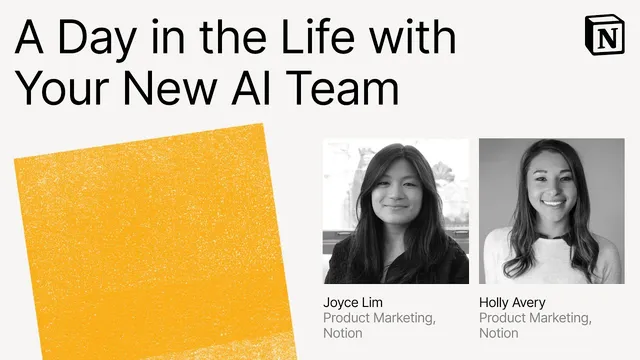
Make with Notion 2025: A Day in the Life with Your New AI Team
Based on Notion's video on YouTube. If you like this content, support the original creators by watching, liking and subscribing to their content.
Notion’s AI teammates aim to eliminate “work about work” by turning meeting and knowledge tasks into direct outputs inside the workspace.
Briefing
Notion’s new “AI team” is built to cut the hidden time sink of “work about work”—the note cleanup, context hunting, and tool-hopping that steals hours from actual execution. Instead of sending users to another tab or login, the AI teammates live inside Notion and work from the same workspace context where projects, decisions, and documents already exist. The result is less chasing for answers and more immediate follow-through: meeting notes turn into action items, action items become tasks, and research becomes first drafts that can be edited and shared.
The demo frames the problem with familiar workplace friction. People leave meetings busy but unsure what changed, then spend time tidying notes and chasing follow-ups. Quick questions also rarely stay quick: clarifying requests trigger a scramble through old threads, docs, and emails to reconstruct context. On top of that, many standalone AI apps generate outputs that feel generic or even wrong because they lack access to the team’s internal decisions and priorities. Notion’s pitch is that AI becomes genuinely useful only when it can “see” the work—using connected apps and workspace knowledge—so answers are synthesized rather than stitched together.
Three AI teammates anchor the workflow. First, AI meeting notes transcribes conversations and produces word-for-word transcripts, structured notes, and summaries with action items. In the onboarding scenario, Holly starts an AI meeting notes session during a one-on-one, then later reviews the transcript, the notes (including captured context like “check pilot timeline next week”), and a summary that lists takeaways and next steps—eliminating manual tidying.
Second, enterprise search acts as a shortcut to answers across connected sources. In the demo, Holly asks what a colleague (Renee) works on, turning off web search to focus on internal knowledge. The system returns a synthesized response rather than a list of links, with clickable source materials so the user can verify details and dive deeper when needed.
Third, research mode functions as a built-in research assistant that can work in plain language. It runs multi-step research across the workspace, connected apps, and the internet, then produces a report that can be saved as a Notion page. The demo uses it for market research and customer sentiment, and then escalates to drafting a product requirement document for a GPS tracking feature. Because the output lands inside Notion, it becomes collaborative immediately—Holly can tweak the draft, share it, and add comments.
The throughline is workflow continuity: a meeting produces notes, notes produce tasks, tasks feed project planning, and research produces specs—all without context switching. The practical setup tips reinforce that the AI team’s usefulness depends on context: connect apps like Slack, GitHub, Jira, and Google Drive; use the Notion desktop app for AI meeting notes so it can capture both system audio and microphone; connect calendars for meeting prompts; and insert AI meeting notes into meeting templates when a meetings database is used. The day-in-the-life ends with a simple promise—less busy work, more head space, and work that moves forward in one place.
Cornell Notes
Notion’s “AI team” is designed to reduce the time spent on work about work—cleaning up meeting notes, hunting for context, and switching between tools. Instead of generic answers from standalone AI apps, the system uses workspace context and connected apps to generate synthesized outputs. AI meeting notes transcribes and summarizes meetings into transcripts, notes, and action items. Enterprise search answers questions across internal sources with clickable materials, and research mode produces multi-step reports that can be saved and edited as Notion pages. The payoff is a continuous workflow: meetings become tasks, and research becomes drafts/specs that teams can collaborate on immediately.
What problem does Notion’s AI team target beyond “productivity” in general?
How does AI meeting notes turn a conversation into usable work?
What makes enterprise search different from searching the web or browsing documents manually?
What does research mode do, and how is it used in the demo?
Why does the demo emphasize connecting apps and using the desktop app?
Review Questions
- How does the workflow in the demo move from meeting content to tasks and then to project planning without switching tools?
- Compare enterprise search and research mode: what kinds of questions each is best suited for, and what each returns to the user?
- What specific setup steps are recommended to make AI meeting notes work reliably (including device and calendar connections)?
Key Points
- 1
Notion’s AI teammates aim to eliminate “work about work” by turning meeting and knowledge tasks into direct outputs inside the workspace.
- 2
Standalone AI tools can produce generic or incorrect answers when they lack access to team context; Notion’s approach relies on connected apps and workspace knowledge.
- 3
AI meeting notes provides a full transcript, structured notes, and a summary with action items, reducing manual note cleanup.
- 4
Enterprise search synthesizes answers across connected internal sources and can include clickable materials for verification.
- 5
Research mode performs multi-step research across workspace, connected apps, and the internet, then outputs a report that can be saved and edited as a Notion page.
- 6
Action items generated from meeting notes can be converted into to-dos and used to create project trackers and follow-up drafts.
- 7
The system’s effectiveness depends on setup: connect apps (e.g., Slack, GitHub, Jira, Google Drive), use the Notion desktop app for meeting audio capture, and connect calendars for meeting prompts.