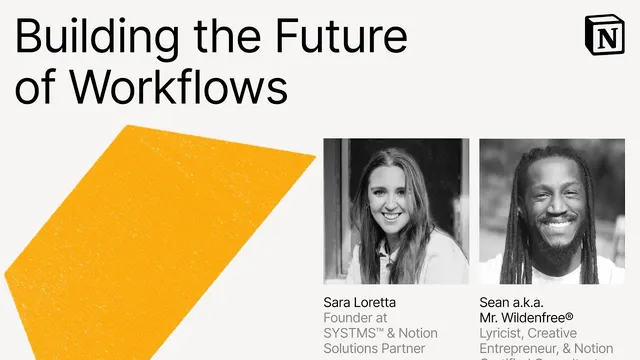
Make with Notion 2025: Building the Future of Workflows (Sara Loretta, Sean a.k.a. Mr. Wildenfree®)
Based on Notion's video on YouTube. If you like this content, support the original creators by watching, liking and subscribing to their content.
Sara Loretta organizes a solo business in one clean Notion workspace and avoids dashboard clutter until the workflow foundation is stable.
Briefing
Custom agents and automation are being used to turn Notion into a “boringly effective” operating system—one that reduces admin, prevents status chaos, and keeps work moving with minimal manual effort. Sara Loretta, a solo Notion solutions partner, describes building a single, tightly structured workspace that tracks finances, sales pipeline, knowledge, content, goals, and projects. Her core principle is to avoid aesthetic clutter and dashboard sprawl until the foundation is solid, then layer in AI only where it saves real time. She also argues that the biggest productivity drain is context switching—constantly bouncing between inboxes, notifications, and fragmented project statuses—so she replaces multiple status-heavy databases with a simpler “areas” model and deep-dive pages that hold everything needed for offers and products.
Loretta’s workflow centers on capacity planning and due-date clarity without relying on dozens of statuses. In her projects area, she uses toggles and aggregation to maintain a bird’s-eye view, limiting each toggle to no more than 10 items to keep throughput predictable. Instead of tracking “not started / in progress” across separate systems, she organizes work into areas like backlog, extended projects, quick projects, and research-heavy one pages. For timing, she uses formulas inside toggles to surface the next subtask due date, letting her quickly determine availability during sales calls without guessing or digging through notes.
The “bells and whistles” arrive with Notion AI and custom agents. Loretta describes a real-time project manager standup built from a Notion AI text property that summarizes what’s incomplete, when the next due date is, and suggests an action item—auto-updating inside the database so she doesn’t have to read meeting notes. A second custom agent, “Arthur,” is triggered when a sales call status changes to “done.” Arthur cross-references sales call notes against the deep-dive one-page offer details, then recommends whether to onboard the client or route them to another Notion consultant. The agent updates database statuses and produces an onboarding-ready outcome.
Onboarding itself is streamlined through a button that sends an email prefilled with context pulled from the sales pipeline. Loretta adds that this automation extends beyond Notion: Zapier acts as an external trigger that creates invoices in Stripe, updates calendars, and generates Slack channels. She estimates the system saves roughly five hours per client—small per task, but meaningful because repetitive admin tends to expand as volume grows. The payoff isn’t just efficiency; it’s protecting attention for relationship-building and creative work.
Sean “Mr. Wildenfree®” Wild shifts the focus from business operations to creative production. He uses Notion to manage a “music OS” that evolves from a simple set of databases into a more complex system as industry needs grow. His custom agents handle tasks like expanding music-industry acronyms into standardized term pages, generating ID3 credit structures from song mentions, formatting lyrics for distribution across platforms (including variants like spaced, punctuated, labeled, and emoji versions), and analyzing lyrics for sentiment, readability, literary devices, word counts, unique words, rhyme patterns, and more. He also describes a Web3 agent that classifies wallet vs. smart contract addresses by scanning blockchain explorers and populating a web3 database. Finally, he uses an external browser (Comet) connected via MCP-style integration to reduce redundant data entry by pulling Notion metadata into forms. Across both workflows, the message is consistent: build a simple, standardized workspace first, then use agents and automation to keep work moving—without sacrificing quality or creative control.
Cornell Notes
Sara Loretta builds a single, structured Notion workspace for a solo business and replaces status-heavy project tracking with simpler “areas” plus deep-dive one pages. She uses formulas inside toggles to surface the next due date, so sales calls quickly reveal capacity without searching or guessing. Notion AI and custom agents then automate standups, research, and onboarding: a project-manager agent summarizes what’s incomplete and what’s next, while a sales-call agent cross-compares client notes to offer pages and updates statuses. A button triggers onboarding emails, and Zapier extends the workflow into Stripe invoices, calendar updates, and Slack channel creation—saving about five hours per client. Sean “Mr. Wildenfree®” Wild complements this with a music “OS” using custom agents for acronyms, ID3 credits, lyric formatting, lyric analysis, and Web3 address classification.
How does Sara Loretta reduce “context switching” in her workflow?
What mechanism tells Loretta when work is due without relying on a traditional status system?
What do Loretta’s Notion AI components automate day-to-day?
How does onboarding become a one-click process in Loretta’s system?
What external tools extend Loretta’s automation beyond Notion?
How does Sean “Mr. Wildenfree®” Wild use custom agents differently for music work?
Review Questions
- What tradeoff does Loretta make by removing statuses, and how does she replace the lost information (especially due dates)?
- Describe the trigger-and-action chain for Loretta’s sales-call automation, including what gets updated and what gets sent to her.
- Which of Wildenfree’s custom agents would be most useful for a music team dealing with distribution formatting and why?
Key Points
- 1
Sara Loretta organizes a solo business in one clean Notion workspace and avoids dashboard clutter until the workflow foundation is stable.
- 2
Replacing many status-driven project views with a small set of “areas” plus deep-dive one pages reduces context switching and keeps offer details in one place.
- 3
Formulas inside toggle aggregations can surface the next due date, letting sales calls quickly confirm capacity without manual searching.
- 4
Notion AI can power an always-current standup summary by generating action items directly from database properties.
- 5
Custom agents can automate research and decisioning by cross-comparing sales notes against standardized offer pages, then updating statuses automatically.
- 6
A single Notion button can trigger onboarding emails prefilled from sales pipeline properties, and Zapier can extend the workflow into Stripe, calendars, and Slack.
- 7
Sean “Mr. Wildenfree®” Wild uses custom agents to standardize music-industry tasks—acronyms, ID3 credits, lyric formatting, lyric analysis, and Web3 address classification—while keeping the system adaptable as needs grow.