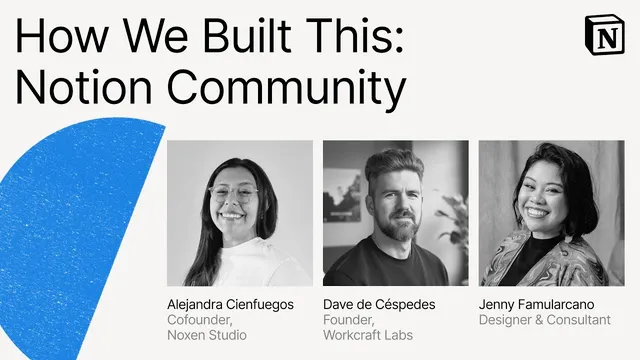
Make with Notion 2025: How We Built This – Community Edition (Alejandra, Dave, Jenny)
Based on Notion's video on YouTube. If you like this content, support the original creators by watching, liking and subscribing to their content.
Dave Desperetes’ labs framework starts with collecting what’s not working using Notion Forms, then consolidates input to pick one priority pain point before building anything.
Briefing
Notion’s biggest payoff for individuals and teams isn’t just smarter pages—it’s a repeatable way to turn community knowledge into practical workflow systems. Across three consultants, the through-line is that overwhelming tool choices and fast-moving AI capabilities become manageable when people share templates, compare approaches, and align on one measurable pain point at a time.
Dave Desperetes frames the shift as a “productivity renaissance” comparable to the Renaissance era: guilds created spaces for cross-trade learning, printing press scaled access to ideas, and new techniques made complex structures possible. In his case, Notion started as personal time blocking during early 2020, then expanded into tracking everything from journals to workouts and habits. Sharing his setups led to selling templates, which then turned into consulting work—made possible by a global network of creators answering questions, jumping on calls, and sharing how they built.
As clients’ needs evolved, Dave says projects moved from building workspaces to redesigning entire workflows using Notion automation and AI. The challenge became alignment: team members adopt tools at different speeds, and “building anything” isn’t the same as building the right thing. His practical framework—“labs”—starts with collecting what’s not working using Notion Forms, then consolidating ideas into a single focus area. He highlights meeting management as a recurring example: agendas may be organized, yet discussions drift toward planning instead of execution. Once the one target problem is chosen, AI blocks can recommend what to build and why, and Notion’s database builder can turn plain text into functional databases and even Mermaid diagrams that clarify relationships between systems.
Dave also emphasizes that effectiveness depends on adoption, not just construction. Teams need to understand the change and why it helps them work smarter, or the system won’t stick. He cites concrete uses: generating proposal drafts from meeting notes, and surfacing fundraising updates and blocked initiatives on investment meeting pages so teams can act on relevant information in real time. The core message is that focusing on one pain point can free up “hundreds of hours,” because it helps teams find root causes and prototype solutions instead of endlessly tweaking templates.
Alejandra Sien Vueos adds that community functions like regional guilds—especially when localization and cultural context matter. Her path began with a travel journal in 2020, then grew into a library of 70 templates shared publicly, eventually leading to Notion Ambassador status. In 2023, when Notion and Español launched, Spanish-language momentum expanded her client base across Spain and Latin America. For consultancy, she argues that discovery must be grounded in what already works, what the growth catalyst is, and what limitations—like security requirements and KPI definitions—constrain teams. Her example with O (a Spanish tech company) shows how aligning those three areas enabled a “real source of truth” in Notion: shared collaboration pages, clear action buttons, centralized metrics with agreed definitions, and real-time updates across operations, finance, and project management.
Jenny Familíaro closes the loop by treating Notion as a design tool for decision-making, not decoration. Her early work—organizing variations of copy for a Blizzard game launch—taught her that visuals can guide action. Over time, she built process dashboards and feedback trackers that make deliverables, risks, and missing requirements visible. She describes a “creative compass” approach: give teams clarity, connection, and creative freedom by making process visible through hierarchy, database relationships, timeline views, and color-coded visual cues. Jenny also credits community support for overcoming comparison anxiety while building a consulting business, arguing that structure designed with intention fuels creativity and helps clients communicate value clearly.
Together, the three stories converge on a single practical insight: community-driven learning plus disciplined problem selection turns Notion’s flexibility into systems people can actually use—and that can become the foundation of new businesses.
Cornell Notes
Notion consultants describe how community knowledge turns into real workflow systems—especially when teams feel overwhelmed by new tools and AI. Dave Desperetes’ “labs” approach starts with gathering what’s not working via Notion Forms, consolidating ideas into one priority pain point, then using AI blocks and the database builder to prototype structures quickly (including Mermaid diagrams). Alejandra Sien Vueos emphasizes that discovery must reflect cultural context and uses a three-question framework—what works, growth catalyst, and limitations—to build a shared “source of truth” with aligned metrics and real-time updates. Jenny Familíaro treats Notion as a visual decision system, using dashboards, timelines, and database relationships to make process, risks, and next actions obvious. The common thread: focus, alignment, and adoption turn flexible pages into systems teams can run.
Why does “one pain point at a time” matter more than building the most complex Notion setup?
How do AI blocks and the database builder fit into a workflow redesign process?
What does Alejandra Sien Vueos mean by discovery that accounts for cultural context?
What concrete changes did Alejandra’s team make for O, and why did they drive adoption?
How does Jenny Familíaro use design thinking to make Notion systems easier to act on?
How did community support influence Jenny’s shift from designer identity to consultant business?
Review Questions
- What steps does the labs framework use to move from team input to a buildable Notion workflow, and where does AI fit in?
- How do Alejandra’s three discovery questions translate into specific Notion design choices like a “source of truth” and shared metric definitions?
- In Jenny’s approach, what visual elements (dashboards, timelines, hierarchy, color cues) are meant to change behavior, and how?
Key Points
- 1
Dave Desperetes’ labs framework starts with collecting what’s not working using Notion Forms, then consolidates input to pick one priority pain point before building anything.
- 2
AI blocks can be inserted into pages and database templates to recommend what to build and why, but their outputs still require careful review.
- 3
Notion’s database builder can generate functional databases from plain text and can help visualize system relationships using Mermaid diagrams.
- 4
Adoption is the critical step after building: teams must understand the change and how it helps them work smarter, or the system won’t stick.
- 5
Alejandra Sien Vueos ties discovery to cultural context and uses a three-question structure: what works, the growth catalyst, and limitations (including security and KPI differences).
- 6
For O, aligning metric definitions and centralizing updates in real time created a shared “source of truth” that improved cross-team tracking and execution.
- 7
Jenny Familíaro treats Notion as a visual decision system—using dashboards, timelines, and color-coded cues to make next actions and risks obvious.