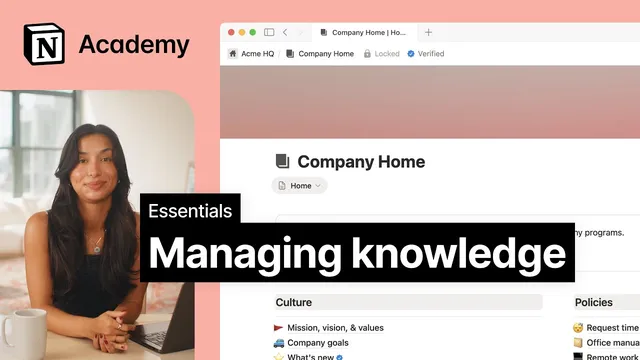
Managing knowledge
Based on Notion's video on YouTube. If you like this content, support the original creators by watching, liking and subscribing to their content.
A centralized knowledge base becomes useful only when teams can trust that content is current, not merely when it’s stored.
Briefing
A reliable knowledge base turns scattered company information into a “source of truth” teams can trust—so people stop guessing whether pages are current and spend less time hunting for answers. The core problem is simple: without clear review timing and ownership, even well-intentioned policy pages can quietly go stale, leaving employees uncertain whether guidance last changed “two years ago or yesterday.” Notion’s approach adds structure to knowledge by converting key pages into a wiki with built-in accountability and verification signals.
In practice, teams start with a company home page containing policies, programs, and other cross-company materials. The missing piece is freshness. Notion addresses this by offering a page setting to convert a knowledge base page into a wiki. Once converted, subpages inherit new properties—most importantly an owner field and a verification status. The owner property assigns responsibility for maintaining each page, while the verification property establishes a review cadence. After selecting a verification time frame, pages display a blue check mark to indicate they’re verified, and page owners receive notifications when it’s time to revisit content.
That verification layer serves two audiences at once. For owners, it creates a recurring workflow: review, update, and re-verify. For readers, it provides a visible trust signal that the information is current. Verified pages also gain practical distribution benefits: they become more prominent in search results and show up more reliably in Notion AI responses.
Beyond trust, the wiki format improves navigation and governance at scale. Wikis include three default views—Home, All pages, and Pages I own. The Home view acts as a front door for the intended audience, where teams can use callouts and headings to clarify what the wiki contains. It can also feature a curated database (for example, a gallery of “top picks”) so the most important resources stay prominent. All pages and Pages I own provide table-style overviews that make bulk updates to page properties easier, which matters when dozens or hundreds of pages need consistent review.
Finally, the system connects knowledge management to retrieval. A well-maintained knowledge base makes search more effective, and Notion AI goes further by returning direct answers—such as a company vacation policy—paired with references to the relevant pages. Combined, ownership, verification, and search create a repeatable loop: information is stored, validated on a schedule, and surfaced quickly when people need it. The result is less time spent verifying credibility and more time using the information to do the work.
Cornell Notes
Notion’s knowledge management workflow focuses on one bottleneck: teams can’t reliably use information if they don’t know who owns it or when it was last reviewed. Converting pages into a wiki adds governance fields like owner and verification, enabling a scheduled review cadence. Verified pages display a blue check mark, trigger owner notifications, and become more visible in search and Notion AI answers. Wikis also ship with structured views—Home, All pages, and Pages I own—so readers find the right content quickly while owners can review and update pages in bulk. This turns “where is the right policy?” into a fast, trustable process rather than a scavenger hunt.
Why do teams struggle to use company policies and other internal documents even when they exist in a knowledge base?
How does converting a page into a wiki change the way knowledge is managed?
What does “verification” accomplish for both page owners and readers?
How do wiki properties improve discovery through search and Notion AI?
What role do the wiki’s default views play in day-to-day use?
Review Questions
- What specific governance fields does Notion add when converting a page into a wiki, and how do they address the “stale information” problem?
- How does verification affect both visibility (search/Notion AI) and workflow (owner notifications and review cadence)?
- Which wiki views would a reader use to find curated resources versus which views help owners manage and update pages at scale?
Key Points
- 1
A centralized knowledge base becomes useful only when teams can trust that content is current, not merely when it’s stored.
- 2
Converting a page into a wiki in Notion adds governance properties like owner and verification status to establish accountability.
- 3
Setting a verification time frame creates a review cadence, with blue check marks signaling verified pages.
- 4
Verification improves both behavior and discovery: owners get notified to revisit content, and readers see trust signals before acting on information.
- 5
Verified pages gain higher visibility in search and Notion AI responses, helping people find accurate resources faster.
- 6
Wiki default views (Home, all pages, pages I own) support both audience navigation and owner-focused bulk management.
- 7
A maintained knowledge base strengthens retrieval by pairing Notion AI answers with references to the underlying pages.