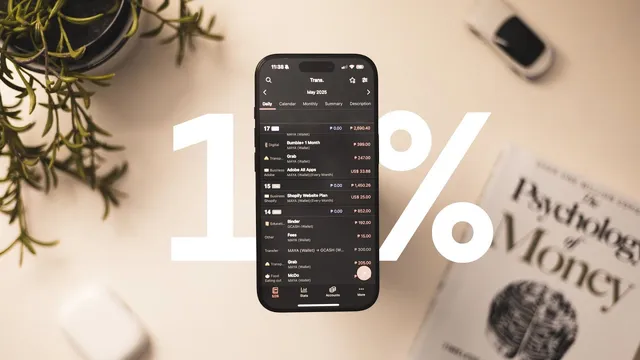
managing your money like the top 1% is easy... actually. here's how.
Based on Kai Notebook's video on YouTube. If you like this content, support the original creators by watching, liking and subscribing to their content.
Track money using either a money app tracker (fast and intuitive but dependent on the provider) or a spreadsheet (portable and fully controlled but slower to update).
Briefing
Buying a major item without draining savings comes down to one repeatable system: track every account, cut monthly spending to a controllable budget, route the leftover money into a “rainy day” emergency fund first, and only allow big purchases when they stay within a fixed percentage of savings. That framework is what made an iPhone 16 Pro purchase feel “guilt-free,” because it was treated as a planned transfer from savings rather than an impulse that threatened long-term goals.
The process starts with choosing a money-tracking method. Two options are presented: a money app tracker or an Excel-style spreadsheet. Money apps are praised for being streamlined and easy to learn, with modern interfaces designed specifically for budgeting. The tradeoff is dependence on the app provider—if data is lost or the service breaks, ownership and portability become uncertain. Spreadsheets offer full control because the file format isn’t tied to one app; the same spreadsheet can be opened in alternatives like Google Sheets if Microsoft Excel stops working. The downside is friction: logging expenses can require computer access, so the workflow may involve jotting notes first and entering them later. The personal preference here is a money app that can export data into a spreadsheet.
Next comes account mapping and expense math. Accounts are grouped into three buckets: cash (physical money in hand), current accounts (money used for card or online purchases), and savings accounts (money reserved for later, not touched for everyday spending). The example setup includes seven accounts across Maya, BDO, G-Cash, and PayPal, but the key idea is to list everything and record balances so “liquid net worth” is visible. Monthly expenses are then estimated by item—rent, food, utilities, subscriptions, and similar recurring costs—often converted into a per-day figure to make overspending easier to spot. After totals are calculated, the “fun part” is cutting: subscriptions that aren’t used get canceled, unnecessary services are dropped, and even housing costs can be reconsidered.
With expenses reduced, budgeting becomes the control lever. Two budget styles are compared: percentage-based and fixed-amount. Percentage budgets scale with income, but they can encourage higher spending as earnings rise. Fixed-amount budgets act like an allowance—set a monthly cap (for example, 15,000 pesos) and route everything beyond it to savings. A common benchmark mentioned is the 75/15/10 split (expenses/emergency/investments), though the recommendation is to tailor the method to personal discipline and income variability.
Finally, the leftover money gets deposited into three places: main savings for planned withdrawals, an emergency fund that is not touched except for emergencies, and an investments account (optional and country-dependent). The emergency fund is prioritized until a target is reached—such as 30,000 pesos—before funding larger goals like phones or tablets. For big purchases, a rule of thumb limits personal spending to a small share of savings: the iPhone 16 Pro was purchased because it cost less than about 10% of savings, with the broader guideline landing around 10–20% for personal items (and higher flexibility only in special circumstances like relying on allowances). The result is spending that stays aligned with long-term security rather than undermining it.
Cornell Notes
The core system is to manage money like a schedule: track accounts, reduce monthly expenses to a workable budget, and route surplus into savings—especially an emergency fund—before funding discretionary purchases. Tracking can be done with money apps (easy but dependent on the provider) or spreadsheets (portable and fully controlled, but slower to update). Expenses are estimated monthly (often converted to per-day amounts), then cut by canceling unused subscriptions and trimming categories that don’t match real habits. Budgeting can be percentage-based or a fixed monthly allowance; fixed amounts are recommended for stricter control. Big purchases are allowed only when they stay within a small percentage of savings (the iPhone 16 Pro cost under ~10%), keeping guilt low and savings intact.
Why does the transcript treat tracking accounts as the first step, and how are accounts categorized?
What tradeoffs are given between money apps and spreadsheets for budgeting?
How does the transcript estimate monthly expenses when spending habits vary?
What’s the difference between percentage-based and fixed-amount budgeting, and which is favored for discipline?
What is the priority order for where surplus money goes after budgeting?
What rule is used to decide whether a big purchase is “safe” for personal spending?
Review Questions
- If someone uses a money app tracker, what specific risk to data ownership is highlighted, and how does a spreadsheet avoid it?
- How would you decide between a percentage-based budget and a fixed-amount allowance using the criteria given?
- What emergency-fund target logic is used before funding a large personal purchase, and what percentage rule governs that purchase?
Key Points
- 1
Track money using either a money app tracker (fast and intuitive but dependent on the provider) or a spreadsheet (portable and fully controlled but slower to update).
- 2
Organize accounts into cash, current, and savings so spending and reserves are clearly separated.
- 3
Estimate monthly expenses by converting categories into realistic daily figures when spending varies, then total them for the month.
- 4
Cut expenses by removing unused subscriptions and trimming categories that exceed actual needs before setting a budget.
- 5
Use fixed-amount budgeting as an “allowance” approach when strict spending control matters; percentage budgeting can scale but may encourage higher lifestyle spending.
- 6
Fund an emergency rainy-day fund first and avoid touching it until the target amount is reached.
- 7
Limit personal big purchases to a small percentage of savings (about 10–20% in the guideline), so spending doesn’t derail long-term security.