Map, Visualise and Discover More For Academic Literature Review, Full Tutorial, 2024
Based on Artificial Intelligence Tools for Academics's video on YouTube. If you like this content, support the original creators by watching, liking and subscribing to their content.
Create a separate workspace for each research project to keep searches and results from mixing.
Briefing
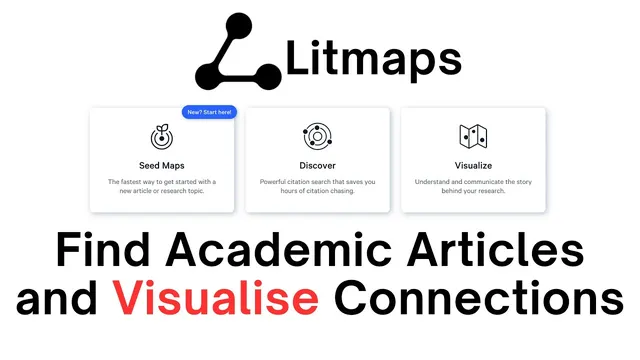
Lit Maps is presented as a workflow for organizing academic papers, visualizing how they connect, and expanding a literature set using citation relationships. After signing in, users are encouraged to create separate workspaces for different projects so search results and collections don’t get mixed. Within a workspace, the Library area supports creating collections—containers for papers gathered for a specific review question.
The tutorial then walks through building a collection from scratch. Users search using a query such as “impact of climate change on human Mobility,” select a batch of results (the example selects 20 articles), and continue to add them into the new collection. From there, Lit Maps supports “seed” discovery: pick one article as the anchor and let the system find additional papers connected through citations. The example chooses a seed article with 334 citations by selecting the “citations” view for a relevant topic (future climate change and vector-borne diseases). The seed article’s metadata—authors, DOI, and abstract—appears so users can confirm it matches their review focus before generating the map.
Clicking the “seed map” button produces a citation network visualization. The seed article appears on the left side, while the articles that cite it appear on the right. Hovering or clicking an article reveals details such as references, “cited by” counts, and the abstract. A “source” option lets users navigate directly to the original source, helping researchers move from a visual overview to the underlying paper quickly. The core value is maintaining orientation while reading many papers: instead of losing track of which studies connect to which, the map makes inter-article relationships visible.
Beyond the citation map, Lit Maps also offers a “discover more” step to expand coverage beyond the initial search. Using a “discover 20 more related articles” action, the system returns additional papers related to the earlier query. Users can review each candidate’s abstract to decide whether it belongs in the collection, then add selected items via an “add search” action. The tutorial notes that the process can be repeated as needed, and that collections can be exported for import back into citation management tools (such as BibTeX-based workflows). The overall takeaway is a repeatable loop: search → collect → choose a seed → visualize citation links → discover related papers → curate into a collection → export for writing and referencing.
Cornell Notes
Lit Maps helps researchers build and manage a literature review by organizing papers into collections, then using citation networks to find additional relevant studies. Users create a workspace for each project, create a collection in the Library, and import results by searching and selecting articles (the tutorial example selects 20). A single “seed” article can be used to generate a seed map that shows which papers the seed cites and which papers cite the seed, with hover/click details like DOI, abstracts, and citation counts. Lit Maps also supports “discover more” to fetch additional related articles, which researchers can screen via abstracts before adding them to the collection. Export options allow moving curated lists back into citation managers.
Why create multiple workspaces and collections in Lit Maps before searching?
How does the “seed map” feature expand a literature set beyond the initial search results?
What information is available when selecting or inspecting a seed article?
How do researchers decide whether “discover more” results should be added to a collection?
What practical benefits does the citation network visualization provide during a literature review?
Review Questions
- What steps are needed to turn an initial search into a curated collection using Lit Maps?
- How does choosing a seed article change what Lit Maps returns compared with a simple keyword search?
- What screening information does Lit Maps provide (e.g., abstracts, citation counts, DOI) to help decide whether to add papers to a collection?
Key Points
- 1
Create a separate workspace for each research project to keep searches and results from mixing.
- 2
Use the Library to create collections that act as curated containers for papers tied to a specific review question.
- 3
Search with targeted keywords, select a batch of results, and add them into a collection to start the literature set.
- 4
Pick a single seed article and generate a seed map to find additional papers through citation relationships.
- 5
Use hover/click details—DOI, authors, abstracts, references, and “cited by” counts—to verify relevance and track connections.
- 6
Screen “discover more” candidates by reading abstracts before adding them to the collection.
- 7
Export curated collections for import into citation management workflows that support BibTeX-style lists.