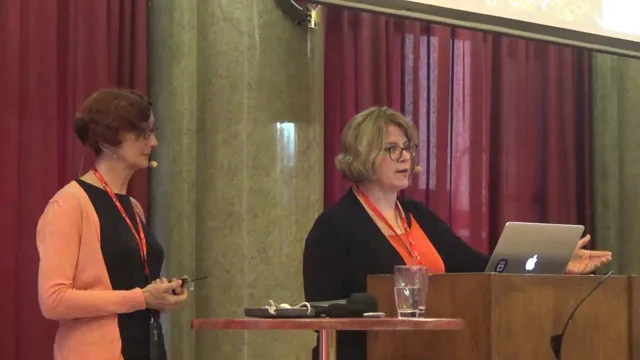
Margaret Eker, Jennifer Rondeau - Docs as Code: The Missing Manual
Based on Write the Docs's video on YouTube. If you like this content, support the original creators by watching, liking and subscribing to their content.
Docs as code improves documentation-to-code synchronization by storing docs near code, building them automatically, and deploying rendered drafts through continuous integration/deployment.
Briefing
Docs as code is less about changing what documentation is written in and more about making documentation delivery behave like software delivery: planned, iterated, tested, reviewed, and deployed through the same fast feedback loops. The core promise is tighter sync between documentation and code—achieved by storing docs alongside code, building them with static site generators or doc generators, and using continuous integration/deployment so drafts can be rendered quickly and updates can ship without waiting for a big release cycle.
A major gap sits underneath that promise: many teams treat documentation as a single “light” line item in release planning. That works for small fixes, but it collapses when scope expands—new features, cross-feature impacts, or entirely new products that require help systems or large manuals on a compressed timeline. The missing manual framing pushes teams to map the full documentation workflow the way they already map code workflows: scope documentation work from the start, design the content types and information architecture needed for reference, concept, task, narratives, and other topic formats, and plan deployment models (static publishing versus integration into product surfaces).
In practice, the workflow becomes iterative and environment-driven. Instead of writing once and publishing later, teams create drafts in a repository, commit changes, and rely on a docs-as-code development environment to build and deploy to staging so contributors can see rendered output almost immediately. That requires more than tooling: content models and templates must exist, contributor onboarding and cross-training must be planned, and review guidelines need to be explicit so multiple stakeholders can evaluate drafts consistently.
Quality assurance is where the “missing manual” idea sharpens. Code teams separate testing into unit, integration, regression, and acceptance tests; documentation teams often stop at manual review plus basic syntax/structure checks from linters. The argument here is that documentation testing can be expanded beyond “does it parse?” toward functional coverage—such as ensuring release notes for a bug fix get carried forward into subsequent releases, or that documented workarounds remain correct after changes. Automation can handle much of the repeatable checking (linters and other test harnesses), leaving humans to focus on the hardest acceptance-level questions at the product and documentation level.
The talk closes with a practical checklist of what makes docs as code succeed: align project planning with the GitHub workflow, establish review workflows and guidelines, set up a shared development environment with continuous integration and delivery, and invest in communication across teams during migration. Tools speed collaboration, but they don’t guarantee it. Without shared planning and ongoing coordination, teams still struggle—described as a difficult migration from docbook/XML and Jenkins to a newer system—because adoption depends on people using the same terms, the same processes, and the same feedback loops. The takeaway is straightforward: docs as code improves the odds of keeping documentation in sync with code, but only a complete, planned, iterative workflow turns that odds into reliable delivery.
Cornell Notes
Docs as code aims to keep documentation synchronized with rapidly changing software by treating docs like code: store them in the repository, write in lightweight markup, build with static site generators/doc generators, and use continuous integration/deployment so drafts render quickly. The talk’s central warning is that teams often under-plan documentation by treating it as a small release line item, which fails when scope grows to manuals, help systems, or new products. A “missing manual” approach maps the full documentation lifecycle—scoping, design of content models/templates, drafting, review, testing, and deployment—mirroring code workflows. It also argues for splitting documentation review and testing the way code does, moving beyond syntax checks toward integration/regression/acceptance-style coverage. Success still depends on shared planning, contributor training, and cross-team communication, not just tooling.
Why does “docs as a light release line item” break down when projects scale?
What does a more complete documentation workflow require beyond “use the same tools as code”?
How does docs-as-code change the drafting loop for contributors?
What’s missing from documentation quality checks compared with code quality checks?
What kinds of human processes still matter even with strong automation?
What practical steps are recommended to make docs-as-code work in real organizations?
Review Questions
- What specific planning assumptions about documentation scope cause late-project failures, and how does the “missing manual” approach correct them?
- How would you design a documentation content model/template strategy so contributors don’t create incompatible structures over time?
- Which documentation quality checks would you classify as unit, integration, regression, and acceptance—and what evidence would you need for each?
Key Points
- 1
Docs as code improves documentation-to-code synchronization by storing docs near code, building them automatically, and deploying rendered drafts through continuous integration/deployment.
- 2
Treating documentation as a small release line item works only for minor updates; larger scopes require documentation scoping from the start.
- 3
A complete docs-as-code workflow includes design-time decisions: content types, information architecture, and templates/content models for reference, concept, task, and narrative formats.
- 4
Docs-as-code drafting relies on repository commits that trigger staging builds, enabling rapid review of rendered output rather than waiting for a release.
- 5
Documentation quality should be tested beyond syntax/structure checks; teams should pursue integration/regression/acceptance-style coverage where feasible.
- 6
Successful adoption depends on shared project planning, contributor training, explicit review workflows, and sustained cross-team communication—not just tooling.
- 7
Migration to docs-as-code is typically incremental and communication-heavy; even strong platforms can fail if teams don’t align on processes and terms.