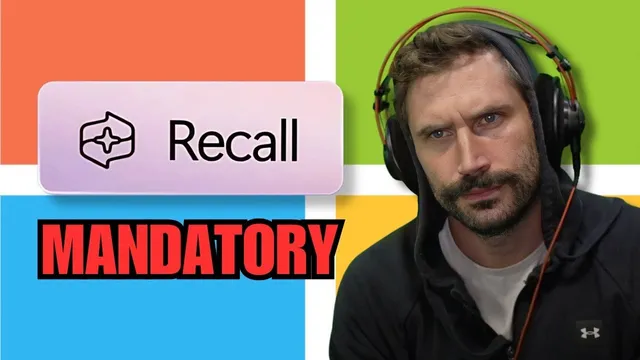
Microsoft Recall Required??
Based on The PrimeTime's video on YouTube. If you like this content, support the original creators by watching, liking and subscribing to their content.
Recall is described as capturing frequent desktop snapshots, processing them with OCR/image recognition, and enabling semantic search over user activity.
Briefing
Microsoft Recall is being rolled into Windows 24H2 in a way that’s tightly coupled to File Explorer—raising alarms that the system will capture and store frequent snapshots of user activity and enable later “semantic” search over that history. The transcript frames Recall as more than a niche feature: it’s described as taking full desktop screenshots every few seconds, running OCR/image recognition, and storing the resulting data in a way that can be searched later. That combination—continuous capture plus powerful retrieval—matters because it turns everyday computing into a searchable record, potentially surprising users who assumed such monitoring was limited or opt-in.
A key claim is that Microsoft previously reassured users that Recall wouldn’t infiltrate regular systems, limiting it to specific Copilot Plus PC hardware (notably Arm-based devices). But the transcript says Recall is now installed broadly on Windows 24H2 systems, and that it functions as a dependency for File Explorer itself. That dependency is presented as the reason disabling Recall may be necessary just to keep the operating system behaving normally, and why users who don’t proactively adjust settings could end up with the feature enabled by default.
The transcript also links Recall concerns to observed behavior changes in Windows Explorer after certain updates—specifically mentioning that removing or disabling Copilot-related components can break File Explorer tabs. One workaround described is to keep the underlying component in place while disabling it after the user logs in, so File Explorer remains stable. The broader interpretation is that Windows is increasingly built around AI-adjacent services: Explorer may rely on stubbed Copilot functions on non-Snapdragon CPUs, and the system may gradually expand what those functions do over time.
Beyond the technical details, the transcript argues that Microsoft’s incentives push toward widespread adoption and eventual monetization. It suggests “bonus-driven development” inside large teams: increasing installs and usage of AI features becomes a measurable target, which in turn encourages deeper integration into the OS. That framing is used to support a “slippery slope” concern—features that start as limited or “stubbed” could later become more capable and harder to disable.
There’s also a wider political-economic worry: if operating systems and core functionality become subscription-like and centrally controlled, users may lose meaningful ownership of their devices and software. The transcript contrasts that bleak outlook with a counterpoint—developers can still build and deploy software on self-managed infrastructure (including bare-metal and cloud setups), keeping control of the stack possible for now.
Overall, the transcript’s central message is that Recall’s integration into Windows 24H2—especially its relationship to File Explorer—could make privacy-impacting capture effectively unavoidable for many users unless they take deliberate steps. It’s a warning about silent defaults, escalating capability, and the growing role of AI services inside the operating system’s core workflows.
Cornell Notes
Recall is portrayed as a privacy-sensitive Windows feature that captures frequent desktop snapshots, processes them with OCR/image recognition, and enables later semantic search. The transcript claims Recall is now installed broadly on Windows 24H2 and is integrated as a dependency for File Explorer, making it harder to avoid than earlier assurances suggested. It also connects Copilot-related component changes to Explorer stability, describing a workaround that preserves components while disabling the Recall service after login. The practical takeaway is that users may need to disable Recall service proactively to prevent both privacy exposure and potential UI breakage. The larger concern is that “stubbed” AI functionality can expand over time, shifting from optional to effectively unavoidable.
What is Recall, and why does its “semantic search” capability raise privacy stakes?
How does the transcript claim Recall’s rollout differs from earlier assurances?
Why does integration with File Explorer matter for users who want to disable Recall?
What workaround is described to keep File Explorer working while addressing Recall/Copilot dependencies?
What larger incentive structure does the transcript suggest drives deeper OS integration of AI features?
What counterpoint does the transcript offer to the fear that users will lose control of computing?
Review Questions
- What specific technical behaviors attributed to Recall (capture frequency, OCR/image recognition, semantic search) make it different from ordinary telemetry?
- Why would a dependency on File Explorer change the user’s ability to opt out of Recall?
- How does the transcript connect internal incentives (bonuses/metrics) to the likelihood that “stubbed” AI features expand over time?
Key Points
- 1
Recall is described as capturing frequent desktop snapshots, processing them with OCR/image recognition, and enabling semantic search over user activity.
- 2
The transcript claims Recall is installed broadly on Windows 24H2 systems, not limited to specific Copilot Plus PC hardware categories.
- 3
Recall is portrayed as integrated with File Explorer, creating a dependency that can affect Explorer behavior when components are removed or disabled.
- 4
A workaround described is to keep certain components present but disable the Recall service after login to avoid Explorer reverting or breaking tabs.
- 5
Observed Explorer issues are linked to Copilot-related component changes, suggesting AI-adjacent services are embedded in core UI functionality.
- 6
The transcript argues that adoption metrics and monetization incentives can drive deeper OS integration over time, turning “opt-in” features into effectively unavoidable defaults.
- 7
Even with these concerns, the transcript points to continued opportunities for developers to own and deploy their own infrastructure and software stack.