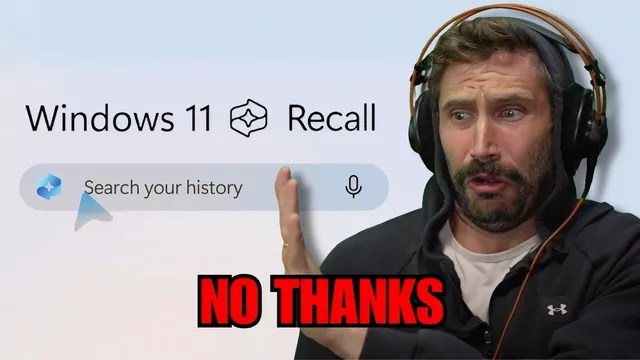
Microsoft Records Everything You Do
Based on The PrimeTime's video on YouTube. If you like this content, support the original creators by watching, liking and subscribing to their content.
Recall is presented as an on-device, AI-powered search system that builds a scrollable timeline of what a user sees and does on a Windows PC.
Briefing
Microsoft’s “Recall” feature for Copilot+ PCs is built to continuously capture what a person does on a Windows computer—snapping screenshots when the display changes enough, logging app activity, and transcribing or captioning meetings—so the user can later search an “explorable timeline” for anything they saw or did. The pitch is convenience: ask for a past moment (“that video,” “that meeting,” “that file”) and the system surfaces it without manual digging through folders or history. The practical implication is that a PC becomes a searchable memory of daily life, not just a storage device.
That capability is also why privacy concerns dominate the reaction. Critics in the transcript argue that even if Recall is “entirely on device” and can be deleted, the mere existence of a long-term, queryable record of websites visited, communications, and local activity creates a high-value target for misuse—whether by the company, by third parties, or through future changes to data handling. The discussion repeatedly frames Recall as a “back door” risk, pointing to how other software ecosystems have historically collected data, how security tools sometimes require deep access, and how advertisers or AI systems could potentially benefit from behavioral logs. There’s also anxiety about accuracy and control: if AI can hallucinate or if records could be manipulated, the timeline could become a tool for rewriting what happened.
The transcript also situates Recall inside Microsoft’s broader hardware shift. Copilot+ PCs run Windows on ARM via Qualcomm Snapdragon Elite chips, aiming for better battery life and performance claims such as “58% faster than an M3 ship on a MacBook Air.” But ARM compatibility is uneven: many x86-designed apps may not work yet, with emulation tools like “Prism” mentioned as a workaround. In that context, Recall is portrayed as a flagship differentiator—an always-on, snapshot-based system that uses on-device image classifiers to identify what’s on screen and supports live search through meeting/video captions.
Past Microsoft attempts are cited as a warning sign: Windows 10’s “Timeline” feature was discontinued in 2021, and a similar third-party app called “Rewind” is referenced as an alternative that also logs activity and offers recall via a chat-style interface. The transcript’s skepticism intensifies because Recall is positioned as a built-in capability rather than an opt-in, transparent, open-source tool.
Finally, the conversation broadens into a debate about where computing is headed: more processing moving to the cloud, more services replacing local control, and more AI-driven interfaces that reduce user agency. Even amid claims that Recall data stays local and can be deleted, the central tension remains: the feature’s usefulness depends on collecting detailed behavioral traces, and that trade-off feels irreversible to many users—especially when the system is closed-source and controlled by a single vendor.
Cornell Notes
Recall for Copilot+ PCs is designed to create a searchable, scrollable timeline of what a user does on a Windows computer. It works by taking on-device snapshots when the screen changes, logging app activity and communications, and using live captions/transcription to enable search across meetings and videos. The feature’s appeal is fast retrieval—finding past moments or files without manual searching. The transcript’s main concern is privacy and control: even if data is “entirely on device” and deletable, a long-term record of browsing, meetings, and local activity is a high-value target and could change over time. The discussion also notes Microsoft’s ARM-based hardware shift and app compatibility trade-offs that make Recall a key differentiator.
What exactly is “Recall,” and how does it turn everyday activity into something searchable?
Why do privacy concerns persist even when Recall is described as “entirely on device” and deletable?
How does Recall relate to Microsoft’s ARM-based Copilot+ PC push?
What historical comparisons are used to question whether Recall will stay user-friendly and privacy-preserving?
What broader computing trend does the transcript connect to Recall?
Review Questions
- How does Recall’s snapshot-and-classification approach enable searching across both screen content and meeting/video transcripts?
- What privacy risks remain even if Recall data is stored only on-device and can be deleted?
- Why does the transcript link Recall to Microsoft’s ARM transition and app compatibility challenges?
Key Points
- 1
Recall is presented as an on-device, AI-powered search system that builds a scrollable timeline of what a user sees and does on a Windows PC.
- 2
Snapshots are taken in the background when the screen changes enough, and on-device image classifiers help identify content for later retrieval.
- 3
Recall is described as logging app activity and communications, with meeting/video search supported via live captions that transcribe and translate speech.
- 4
The transcript’s privacy critique centers on the creation of a high-value behavioral record—web activity, meetings, and local actions—even if it is initially local and deletable.
- 5
Concerns also include trust and control: closed-source implementation, the possibility of future changes, and skepticism about whether “deletion” fully removes data.
- 6
The discussion places Recall within Copilot+ PCs’ ARM shift, where performance claims come with app-compatibility trade-offs and emulation workarounds like Prism.
- 7
Historical comparisons (Windows 10 Timeline ending; third-party Rewind) are used to question whether similar features will remain aligned with user expectations over time.