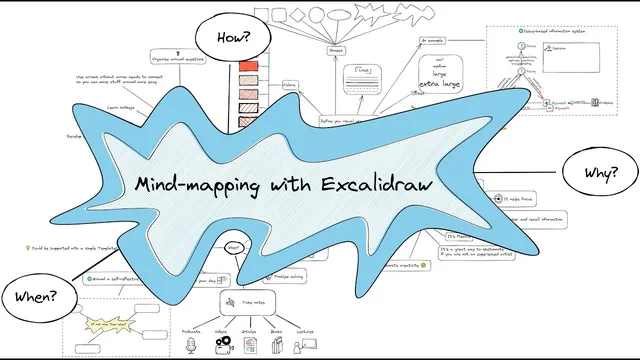
Mind mapping with Excalidraw-Obsidian
Based on Zsolt's Visual Personal Knowledge Management's video on YouTube. If you like this content, support the original creators by watching, liking and subscribing to their content.
Use a central prompt and branch around core questions (how, why, when) to keep mind maps structured.
Briefing
Mind mapping in Excalidraw can make thinking more engaging—at the cost of a slower process than bullet-point writing—while still producing a flexible, reusable way to organize ideas in Obsidian. The workflow starts with a central handwritten title, then branches into three core questions—how, why, and when—connected with arrows so the links stay intact when elements move.
The central practical takeaway is that mind maps work best when they’re treated like a visual system rather than freeform doodling. Excalidraw’s drawing tools let users define a “visual grammar” through deliberate choices: consistent colors, shapes, line styles, and font sizes. The transcript emphasizes that this isn’t about strict correctness; it’s about documenting ideas clearly enough that the map remains readable and reorganizable later.
Creativity and focus are the main reasons to use mind mapping at all. The map’s “why” branch explicitly ties the method to boosting creativity and making the act of writing and thinking more fun. It also claims improved focus: drawing and annotating together can feel more absorbing than listing points, which can make the overall process more efficient even if it takes longer.
When it comes to “how,” the guidance shifts from aesthetics to structure. Organizing around questions—specifically how, why, and when—is presented as a best practice because it naturally segments information. Arrows are recommended over simple lines because they remain connected to objects during rearrangement, making it easier to iterate on the map as ideas evolve.
The transcript also highlights operational tips for speed and consistency inside Excalidraw: learn hotkeys for drawing shapes and connectors (for example, pressing 2 for rectangles and 5 for arrows), and use grouping shortcuts (Ctrl+G) to keep related elements together. It notes that Obsidian may require redefining hotkeys because Ctrl+G has a default assignment there.
Color and asset management round out the workflow. Remembering color names like “sky blue,” “gold,” “orange,” and “orange red” helps users select palettes quickly. Users can add icons via a stencil library and insert emojis as lightweight visual cues. For faster assembly, drag-and-drop can pull items from the file explorer into the canvas, including links to objects.
Finally, the transcript lists concrete use cases: daily mind maps for planning or self-reflection (with a teaser that a templated daily drawing could be created), problem storage, and group brainstorming. The overall message is that Excalidraw-based mind maps can serve as an adaptable thinking and documentation layer inside Obsidian—especially when built around a repeatable visual grammar and question-driven structure.
Cornell Notes
Excalidraw mind maps inside Obsidian are presented as a question-driven way to organize thinking—typically using a central prompt and branches for how, why, and when. The method is slower than bullet-point lists, but it’s framed as more engaging, boosting creativity and focus by combining drawing and writing. Clarity comes from treating the map like a “visual grammar”: consistent colors, shapes, fonts, and connector styles. Arrows are favored over lines because they stay attached when elements move, and hotkeys (like 2 for rectangles and 5 for arrows) speed up creation. The approach supports daily planning, self-reflection, problem storage, and brainstorming.
Why use mind maps if they take longer than writing bullet points?
What does “visual grammar” mean in this workflow?
Why are arrows recommended instead of simple lines?
How can hotkeys and grouping speed up building a map in Excalidraw/Obsidian?
What tools and assets make the map easier to build and personalize?
Where can this mind-mapping approach fit into daily knowledge work?
Review Questions
- How do arrows change the way you can reorganize a mind map compared with lines?
- What specific elements make up the “visual grammar” approach, and why does it matter for readability?
- Which hotkeys and grouping actions are mentioned as speed boosters, and what Obsidian-specific issue might require reconfiguration?
Key Points
- 1
Use a central prompt and branch around core questions (how, why, when) to keep mind maps structured.
- 2
Treat Excalidraw mind maps as a “visual grammar” by using consistent colors, shapes, line styles, and font sizes rather than purely freeform drawing.
- 3
Prefer arrows over lines so connections remain attached when nodes are moved during iteration.
- 4
Speed up creation with Excalidraw hotkeys (e.g., 2 for rectangles, 5 for arrows) and keep related elements together using grouping (Ctrl+G).
- 5
Expect the process to be slower than bullet points, but use the added creativity and focus as the payoff.
- 6
Build maps faster and richer with color-name palettes, icon stencils, emojis, and drag-and-drop of files/links (and block references via the mentioned plugin).
- 7
Apply the method to daily planning, self-reflection templates, problem storage, and group brainstorming.