MindMap Builder v3: PDF++ Integration, Folding & Markdown Import
Based on Zsolt's Visual Personal Knowledge Management's video on YouTube. If you like this content, support the original creators by watching, liking and subscribing to their content.
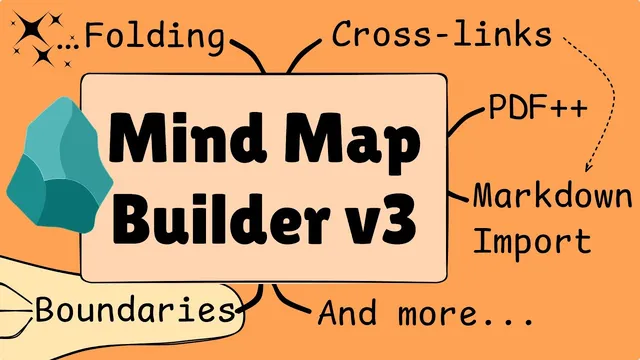
MindMap Builder v3 adds node folding/unfolding at multiple levels of detail, improving focus on parts of a large map.
Briefing
MindMap Builder v3 tightens its integration with Obsidian MD and adds a set of workflow upgrades aimed at faster reading, richer structure, and fewer manual steps. The headline change is folding and unfolding nodes at different levels of detail, letting users collapse complexity without losing navigability—then expand only what they need while working inside Obsidian.
Under the hood, the interface gets more usable for people who rely on keyboard flow. A new tab-driven floating input makes it easier to move between controls, and pressing Enter reveals an additional row of buttons when shortcuts are forgotten. Navigation is also designed around keyboard use, supported by a larger hotkey set in the site panel. Crucially, hotkeys can be scoped—using icons like the keyboard, globe, and “excolro” indicator—to prevent conflicts with other Obsidian hotkeys. That scoping also enables “global” hotkeys for specific contexts, such as when Excel is active, without forcing users to select the input box to keep working in the mind map.
Content integration becomes more powerful in two directions. First, embeddables can pull in videos, web pages, markdown documents, or sections of documents, building on earlier functionality. Second, copy/paste now preserves more than just the map structure: it also carries cross links and boundaries. When pasted, the generated markdown includes cross links to block references inside the bulleted list and adds a boundary tag where relevant. Images added as nodes are included in exported markdown, while images added separately as decorations are not—an important distinction for anyone expecting a fully self-contained export.
The most practical “reading while building” feature is PDF++ integration. While reviewing a PDF, users can highlight text and add it directly into the mind map without switching mouse focus. The resulting elements link back to the relevant PDF sections and use embedded images rather than screenshots. Because the workflow relies on the same handling available in Xcolor draw, users can adjust cropping and other embed behaviors, turning PDF note-taking into a structured, navigable map.
MindMap Builder v3 also adds markdown-to-map conversion. By importing headings from a linked file as child nodes, users can transform a markdown document structure into a mind map where each node jumps to the corresponding section. Nodes can then be converted into embeddables (using an exclamation mark), allowing edits in-place while staying within the mind map view; the link can be restored to switch back.
Beyond content, the update strengthens structural editing and visual organization. Decorations move with their nodes, boundaries can be toggled and customized (including connector and boundary styles like curved vs straight edges), and cross links follow node collapse/expand state. Node formatting is flexible via Excel-like styling, with a “rearrange” step recommended after changes to avoid breaking connections. Users can also drag nodes and regroup layouts, including a new left-right auto layout strategy.
For deeper coverage, the creator promotes a course that supports ongoing development and future updates, with early-bird Zoom Q&A sessions planned for Asia-Pacific and Europe time zones.
Cornell Notes
MindMap Builder v3 becomes a more complete Obsidian MD tool by adding folding, better keyboard navigation, scoped hotkeys, and deeper content integration. Copy/paste now preserves cross links and boundaries, and exported markdown reflects those relationships through block references and boundary tags. The update also enables a robust workflow for reading PDFs: highlighted text can be added to the mind map with links back to the exact PDF sections, using embed images that support cropping. Finally, markdown documents can be imported into a mind map by pulling in heading structure as child nodes, with nodes convertible to embeddables for in-place editing and then convertible back to links. These changes aim to reduce manual restructuring while improving navigability and editing speed.
How does folding in MindMap Builder v3 change day-to-day map editing?
Why do scoped hotkeys matter in an Obsidian workflow?
What exactly gets preserved when copying a mind map in v3?
How does PDF++ integration support “read and build” note-taking?
What does markdown import do, and how can nodes be edited without leaving the map?
Review Questions
- What kinds of information does MindMap Builder v3 preserve through copy/paste, and how does that show up in generated markdown?
- How do scoped hotkeys reduce conflicts in Obsidian, and when would global hotkeys be useful?
- Describe the workflow for turning a markdown document into a navigable mind map and then editing a section without leaving the map view.
Key Points
- 1
MindMap Builder v3 adds node folding/unfolding at multiple levels of detail, improving focus on parts of a large map.
- 2
Keyboard-first navigation is enhanced with a tab-driven floating input and an Enter-triggered row of buttons when shortcuts are forgotten.
- 3
Hotkeys can be scoped (keyboard/globe/excolro contexts) to avoid conflicts with other Obsidian hotkeys and enable Excel-specific global actions.
- 4
Copy/paste now preserves cross links and boundaries, and exported markdown includes block-reference cross links plus boundary tags.
- 5
PDF++ integration lets users highlight text in a PDF and add linked, crop-adjustable embed images into the mind map without switching focus.
- 6
Markdown-to-mind-map import can pull heading structure as child nodes from a linked file, and nodes can be converted to embeddables for in-place editing before converting back to links.