Minimalist Bullet Journal Setup I Wish I Had Learned Sooner
Based on Daily Atomic Steps's video on YouTube. If you like this content, support the original creators by watching, liking and subscribing to their content.
Reserve two blank pages at the front of the journal for the index so page references stay organized.
Briefing
A minimalist bullet journal setup hinges on two blank “index pages” up front and a disciplined way of numbering and referencing pages across months, weeks, and even multiple journals. The payoff is simple: notes stay searchable over time without turning the system into an art project—an approach meant to keep the habit sustainable.
The layout starts with monthly planning, but the first move is counterintuitive: keep two pages completely blank at the beginning so they can later serve as the index. For the monthly spread, days of the month are written in order, and each date can be annotated with special events, meetings, due dates, or reminders like vitamins. A habit-tracking option fits naturally into the same monthly view by placing each habit in its own column.
Weekly planning then takes over. One page is used for pre-planning the week using a four-quadrant cross: the first three quadrants map to the person’s main goals, while the last quadrant is reserved for personal development items such as reading. Instead of listing tasks, the weekly layout focuses on “main deliverables” tied to each goal. Events from the monthly spread can be transferred into the weekly view so the week reflects what actually matters.
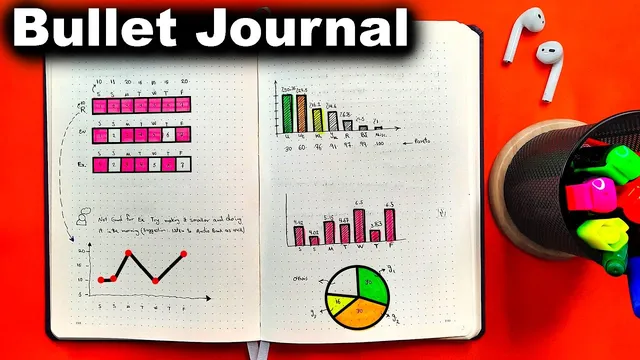
A second weekly page is dedicated to habit tracking. Each habit gets a “definition of done,” clarifying what success looks like before any scoring or performance tracking begins. Above that, the page can also hold weekly reports and charts—such as the percentage of time spent on each goal—while leaving space for those metrics as they accumulate.
Daily pages follow a flexible structure. Each day includes the date and weekday, with an optional pre-planning step for tasks written the night before or early in the morning. If pre-planning is used, the day’s to-dos should also pull in items from the week’s events section. During the day, tasks are logged along with the time spent, using customized bullet symbols to distinguish categories—for example, one bullet for special events and another for spontaneous ideas. The system intentionally avoids pre-dividing pages into equal sections for each day; some days need more space, others less, so the daily layout is completed as the week progresses.
Collections and indexing make the system scalable. Collections are created on the right side of the journal (e.g., suggested books, a “toolbox of success,” or a yearly big-picture list). Indexing avoids common mistakes by numbering every page in the bottom-left corner, while right-side collection pages use bottom-right numbering. Monthly and weekly layout pages are excluded from page numbering. References use a clear convention: “Page R2” points to page 2 on the right side, while “Page L15” points to left-side pages. For long-term search across multiple journals, each journal is labeled in a format like “Year-B” plus a number (e.g., 2023-B1). Cross-journal references then include a “R” marker plus the journal label and page number, such as R 2022-B3-L40. The result is a minimalist system designed to stay usable rather than abandoned.
Cornell Notes
The setup prioritizes long-term usability over decoration: two blank pages at the front become the index, and every page is numbered in a consistent way. Monthly spreads list dates with events and optional habit columns; weekly spreads use a four-quadrant plan for goals and a separate habit-tracking page with “definitions of done.” Daily pages support optional pre-planning and flexible space, using customized bullet symbols to categorize entries. Collections live on the right side, and indexing uses left/right page markers (L/R) plus a journal label (e.g., 2023-B1) so notes remain searchable across multiple bullet journals.
Why keep two pages blank at the start, and how do they affect indexing later?
How does the weekly layout distinguish goals from tasks?
What role do “definitions of done” play in habit tracking?
How does the system handle daily pages without wasting space?
What are the key rules for indexing collections and referencing pages?
How does “Global Referencing” work across multiple bullet journals?
Review Questions
- If monthly and weekly pages are not numbered, how would you reference a note that appears on one of those spreads?
- Design a sample reference for a collection page on the right side of journal 2023-B2—what would the notation look like?
- What information should be transferred from the monthly layout into the weekly layout, and why does that matter for planning?
Key Points
- 1
Reserve two blank pages at the front of the journal for the index so page references stay organized.
- 2
Use a monthly spread that lists each date and allows quick annotations for events, due dates, and habit columns.
- 3
Plan the week with a four-quadrant layout that maps three goals plus a personal-development quadrant, focusing on deliverables rather than tasks.
- 4
Track habits weekly with clear “definitions of done,” then leave room for charts and performance metrics like time allocation.
- 5
Log daily entries with optional pre-planning, time spent, and customized bullet symbols to separate events from ideas.
- 6
Keep daily pages flexible by filling them as the week progresses instead of pre-dividing space evenly.
- 7
Make indexing scalable with left/right page numbering and global journal labels (e.g., 2023-B1) so references work across multiple journals.