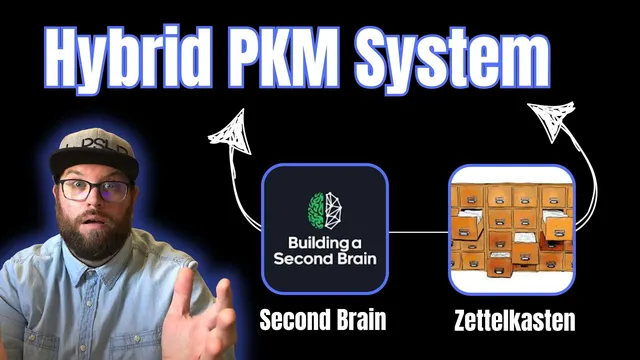
My Second Brain + Zettelkasten hybrid system (complete walkthrough)
Based on Greg Wheeler's video on YouTube. If you like this content, support the original creators by watching, liking and subscribing to their content.
Use a four-step loop—capture, connect, create, share—to keep notes moving from raw input to shareable knowledge.
Briefing
A personal knowledge management system should evolve with the person using it—so one hybrid setup blends Zettelkasten-style linking with a “second brain” workflow built around capture, connection, distillation, and sharing. The core idea is that notes aren’t valuable just because they’re stored; they become useful when they’re saved for specific reasons and managed in a way that turns raw inputs into shareable “building blocks of knowledge.”
The system’s backbone is a four-step process for purposeful thinking: (1) capture, (2) connect, (3) create, and (4) share. Capture is split into two buckets: what comes to mind and what gets consumed. “Comes to mind” includes Sparks (fleeting ideas), Meaningful moments (small experiences worth remembering for future analogy or reflection), and Red threads (deeply immersive activities that reveal what the person enjoys and where they feel most productive and aligned). “What gets consumed” includes copied Quotes, Literature notes drawn from books/podcasts/YouTube/conversations, Bible notes from reading Scripture, and Powerful questions—questions that flip perspective and help prevent getting stuck in a mental framework.
To make capture fast, the workflow uses Craft Docs plus phone tools (camera app and voice memo). Notes land inside a set of top-level folders organized by actionability, inspired by Thiago Forte’s PARA structure (projects, areas, resources, archive). Here, the folders are adapted into Zedel (active notes), Projects, Hubs, and Archive. “Zedel” holds the note types like Sparks, meaningful moments, quotes, and literature-derived insights, so the user can instinctively file new notes by type.
Connection is where Zettelkasten linking takes over. Instead of asking “Where do I file this?” the focus shifts to “What does this connect to?” Notes are linked bidirectionally in Craft to a Project, a Hub, and sometimes related notes. Hubs function like areas/themes/topics—examples include marriage, finances, health, and also more abstract patterns like “a life of with” (creativity and life done with other people) and “abundance” (a recurring theme tracked across different life domains). The workflow distinguishes organizing from connecting: organizing is for arranging ideas into an order for an end audience, while connecting is for establishing relationships so ideas can surface through links and search.
Distillation produces “Diamond notes,” treated as permanent, share-ready notes that package one core idea in full sentences. The diamond-making loop is iterative—capture and connect feed into creation repeatedly until a note is ready to ship. Craft supports the creation step with designed, sharable pages; Canva adds graphics (including AI-generated visuals), Figma and FigJam support whiteboarding, and Spotify provides a focused, repeatable ambience for getting into a writing zone.
Finally, sharing is positioned as the step that unlocks impact. Creating and expressing can happen alone, but sharing brings ideas into the world where they can be refined through other perspectives. Sharing happens through multiple avenues—online (primarily YouTube, sometimes Facebook groups) and live (masterminds, one-on-one conversations, and speaking at church). Diamond notes can be shared as PDFs, images, or links, with optional password protection for sensitive content.
Cornell Notes
The system uses a four-step loop—capture, connect, create, share—to turn personal inputs into durable, shareable knowledge. Capture is organized into “comes to mind” (Sparks, Meaningful moments, Red threads) and “what gets consumed” (Quotes, Literature notes, Bible notes, Powerful questions). Connection relies on bidirectional links in Craft, attaching each note to a Project and a Hub (areas/themes), plus related notes when possible. Distillation produces “Diamond notes,” permanent, full-sentence notes designed to be shipped. Sharing across online and live channels is treated as essential for ideas to gain real-world impact and refinement.
How does the system decide what to capture in the first place?
What’s the practical difference between organizing and connecting in this workflow?
What are Hubs, and how do they differ from Projects?
What makes a “Diamond note” different from other notes?
Why is sharing treated as a required step rather than an optional extra?
Which tools support each phase of the workflow?
Review Questions
- What specific note types fall under “comes to mind” versus “what gets consumed,” and how does that affect where they’re stored?
- How does bidirectional linking in Craft change the way notes are retrieved compared with traditional folder-based filing?
- What criteria turn a note into a “Diamond note,” and how does that shape the creation and sharing workflow?
Key Points
- 1
Use a four-step loop—capture, connect, create, share—to keep notes moving from raw input to shareable knowledge.
- 2
Split capture into “comes to mind” (Sparks, Meaningful moments, Red threads) and “what gets consumed” (Quotes, Literature notes, Bible notes, Powerful questions) to match different reasons for saving.
- 3
Store active note types in a dedicated Zedel folder, then rely on linking rather than rigid filing to find relationships later.
- 4
Treat Hubs as themes/areas/topics (including abstract patterns) and Projects as active work; link notes to both to preserve context.
- 5
Distill heavily worked ideas into “Diamond notes,” permanent full-sentence notes designed to be shipped and shared.
- 6
Use bidirectional links in Craft so notes, hubs, and projects stay interconnected and discoverable through search.
- 7
Share through multiple channels (online and live) to gain feedback and refine ideas beyond what solo creation can achieve.