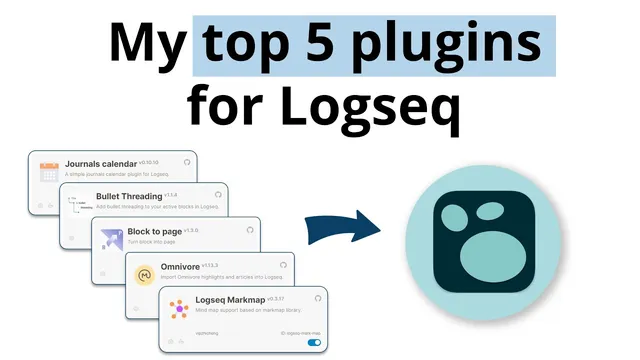
My Top 5 Plugins for Logseq
Based on CombiningMinds's video on YouTube. If you like this content, support the original creators by watching, liking and subscribing to their content.
Logseq plugins are community-built extensions, so they can add major workflow capabilities but aren’t maintained by Logseq developers.
Briefing
Logseq’s plugin ecosystem lets users build custom workflows on top of the core app, and five community-made tools stand out because they plug directly into everyday note-taking: visualizing structure, importing reading highlights, converting blocks into pages, clarifying block relationships, and navigating journals by date. The through-line is practical—each plugin reduces friction in turning raw thoughts, reading, and outlines into an organized knowledge base.
At the top of the list is Logseq Mind Map, which turns an outline into a zoomable, tree-like structure. In practice, it helps writers spot where content isn’t well structured yet—making it easier to identify missing components and confirm the intended hierarchy. By switching into “mind map mode,” users can drill into different levels of an outline and then return to editing with a clearer sense of how everything fits.
Omnivore comes next and focuses on reading-to-notes flow. It functions like a read-it-later and highlight capture tool, with tight integration into Logseq (and also Obsidian). After saving highlights elsewhere, Omnivore can fetch those articles and import them into Logseq, bringing in the highlights so notes can start immediately from the source material.
Block to Page addresses a common Logseq workflow need: turning a cluster of blocks into a standalone page. The transcript notes that Markdown headers can sometimes interfere with the conversion, but the plugin still provides a quick way to promote structured block content into a page view.
Bullet Threading is highlighted as a favorite for understanding block ancestry and indentation. It draws a visual line showing where a block sits in the parent/child structure. That matters because Logseq’s block hierarchy can carry inherited behavior—specifically, when a child block is indented under a parent that has tags or backlinks, the child inherits those tags/backlinks. The plugin therefore makes it easier to reason about how metadata and relationships propagate through an indented outline.
Finally, Journals Calendar makes date navigation fast, including for journal pages that don’t exist yet. The calendar UI lets users jump across months, then further back across years and decades, and quickly locate entries—for example, drilling down to a specific day such as July 6, 2015.
The transcript then shifts from recommendations to how to use plugins safely. Plugin support is enabled via Logseq settings (turning on “plugins” under the Features section), and users are warned that plugins are third-party code, so downloading random or untrusted extensions adds risk. Once enabled, the plugin Marketplace can be searched and sorted by GitHub stars and download signals as a proxy for quality. For installing and evaluating plugins, each plugin’s documentation is emphasized, and the transcript also points to “buy me a coffee” style links as a way to support developers.
A set of honorable mentions follows, including TOC markdown table editor, Tabs, Agenda, Readwise official integration, GPT-3 (OpenAI), YouTube captions (using an OpenAI key), Helium for video watching, Logseq graph analysis, and productivity/utility plugins like word count, tags, and random note. The overall message is that these tools accelerate Logseq usage by tightening the loop between capture, structure, and retrieval—especially for people building consistent workflows around journals, outlines, and imported reading highlights.
Cornell Notes
Community-built plugins extend Logseq with workflow features that aren’t part of the core app. The five most-used picks are Logseq Mind Map (tree-like outline visualization), Omnivore (import reading highlights into Logseq), Block to Page (convert blocks into a page), Bullet Threading (show indentation/ancestry and inherited tags/backlinks), and Journals Calendar (jump across dates, months, years, and decades). Together they reduce friction in structuring outlines, turning reading into notes, and navigating journal history. Because plugins are third-party code, enabling them requires caution, and quality checks like GitHub stars and plugin documentation matter. Supporting developers (e.g., “buy me a coffee”) is also encouraged.
Why does Logseq Mind Map matter for everyday writing and editing?
How does Omnivore connect reading highlights to Logseq notes?
What problem does Block to Page solve, and what limitation is mentioned?
What does Bullet Threading reveal about Logseq’s block structure and metadata inheritance?
How does Journals Calendar improve navigation compared with manually browsing journal pages?
What steps and safety checks are recommended for enabling and choosing plugins?
Review Questions
- Which plugin best helps you verify whether an outline’s hierarchy is correct, and how does it display that structure?
- What inheritance behavior does Bullet Threading make easier to understand, and why would that affect your tags/backlinks?
- When importing reading into Logseq, what role does Omnivore play compared with manually copying highlights?
Key Points
- 1
Logseq plugins are community-built extensions, so they can add major workflow capabilities but aren’t maintained by Logseq developers.
- 2
Logseq Mind Map helps writers validate outline structure by turning it into a zoomable tree view.
- 3
Omnivore streamlines the reading-to-notes pipeline by importing saved highlights into Logseq.
- 4
Block to Page converts block clusters into standalone pages, but Markdown headers can interfere.
- 5
Bullet Threading visualizes block ancestry/indentation and clarifies how child blocks inherit tags/backlinks from parents.
- 6
Journals Calendar enables fast navigation across months, years, and decades, including jumping to future journal dates.
- 7
Plugin safety matters: enable plugins in settings, rely on documentation, and use quality signals like GitHub stars rather than installing blindly.