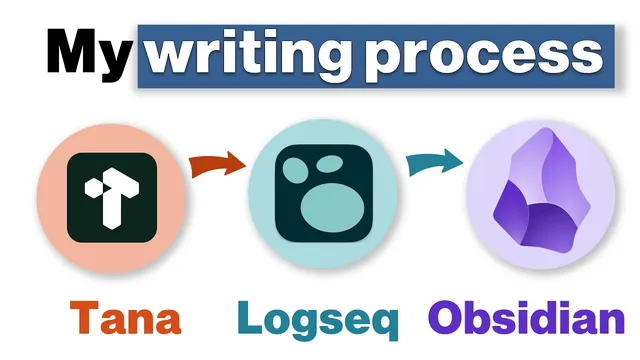
My writing process | Tana + Logseq + Obsidian
Based on CombiningMinds's video on YouTube. If you like this content, support the original creators by watching, liking and subscribing to their content.
Use Tana for structured idea capture by filling Super tag fields like audience, problem, agitation, and solution before drafting.
Briefing
A practical writing workflow emerges from a “use multiple tools” philosophy: start in Tana to structure an idea, draft via transcription, reshape the draft in Logseq using an outliner, then finish in Obsidian for clean, distraction-free editing—optionally using VS Code for formatting cleanup before publishing. The core takeaway is less about any single app and more about assigning each tool a job it does well, then moving the work forward with copy/paste and lightweight exports.
The process begins with Tana, where ideas get captured on the go using a mobile app. Instead of starting with a blank page, the workflow uses Tana “Super tags” to force early thinking into fields such as audience, problem, agitation, and a proposed solution. That structure acts like a prompt, helping the writer clarify who the piece is for and what problem it addresses. Once the fields are filled, the writer records a walking voice draft and transcribes it into text. A newer shortcut—Control Shift E recording—turns voice capture into a transcription quickly, producing a first draft without getting stuck on outlining.
Next comes Logseq. The draft text is copied and pasted into Logseq, where the outliner model makes reorganization fast. Blocks can be dragged and dropped, moved with keyboard shortcuts, and collapsed to focus on unfinished sections. The workflow also leans on a familiar plugin: “print to PDF.” By downloading a page as a PDF while retaining formatting, the writer generates a printable version of the draft, prints it, and marks it up with a pen—then returns those edits back into the outliner structure.
After iterations between Tana and Logseq, the draft eventually moves to Obsidian for final editing. Obsidian is chosen for its cleaner interface and WYSIWYG-style editing experience. The writer highlights that Obsidian uses “pure vanilla markdown” and supports collapsible sections via straightforward properties (e.g., collapsed equals true), avoiding the “bullet point” clutter and formatting quirks that come with Logseq’s approach. At this stage, the goal is to stay inside Obsidian and focus on polish rather than restructuring.
A fourth tool—VS Code—appears as a formatting fixer. The writer opens the Obsidian markdown with VS Code and uses a small regex-based replacement that removes indentation artifacts (specifically, replacing a “dash and a space at the start of the line” with a blank line). This ensures list formatting behaves correctly when the content is brought back into Logseq, unindenting where needed.
Finally, the cleaned article is moved into Substack and published. The workflow closes with a recap of benefits: fast idea capture in Tana, transcription using the OpenAI Whisper API, flexible outliner editing in Logseq, a practical print-to-PDF plugin, and clean markdown/WYSIWYG editing in Obsidian. The writer also ties the article to Movember, raising funds for men’s health in South Africa, with a donation page and additional support via course sales and a Tana + Logseq bundle.
Cornell Notes
The workflow assigns writing tasks to different tools instead of forcing everything into one app. Tana is used first to capture ideas with structured fields (audience, problem, agitation, solution) and to generate a first draft through voice transcription using the OpenAI Whisper API. The draft is then pasted into Logseq, where an outliner makes it easy to rearrange blocks, collapse finished sections, and iterate quickly; a print to PDF plugin supports printable markup. Once the structure is stable, the draft moves to Obsidian for clean, markdown-based final editing in a WYSIWYG-style interface. VS Code can be used for quick formatting cleanup before the final handoff to Substack for publishing.
Why start in Tana instead of drafting directly in an editor like Obsidian?
How does transcription fit into the drafting stage?
What does Logseq add that makes it useful for revision?
Why move the draft to Obsidian for final editing?
What role does VS Code play in the workflow?
How does the workflow end, and what publishing step is used?
Review Questions
- How do Tana’s Super tag fields (audience, problem, agitation, solution) change the quality of the draft before transcription?
- What specific Logseq capabilities make it better for revision than a plain markdown editor?
- Why might Obsidian’s “pure vanilla markdown” and collapsed properties matter during final editing?
Key Points
- 1
Use Tana for structured idea capture by filling Super tag fields like audience, problem, agitation, and solution before drafting.
- 2
Generate a first draft quickly by recording voice and transcribing it in Tana using the OpenAI Whisper API (Control Shift E recording).
- 3
Move the draft into Logseq for outliner-based revision, using block drag-and-drop, keyboard shortcuts, and collapsing completed sections.
- 4
Leverage Logseq’s print to PDF plugin to create a printable version for pen-and-paper markup when needed.
- 5
Finish in Obsidian for cleaner final editing, relying on pure vanilla markdown and simple collapsed properties (collapsed equals true).
- 6
Use VS Code as a targeted formatting tool to normalize indentation/list formatting before final handoff.
- 7
Publish by transferring the polished article to Substack after final edits in Obsidian.