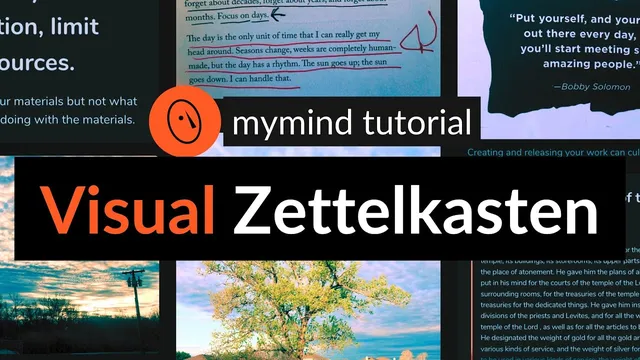
mymind: Visual Zettelkasten setup (personal knowledge management)
Based on Greg Wheeler's video on YouTube. If you like this content, support the original creators by watching, liking and subscribing to their content.
Create a smart space using a deep search for a time window (like “today”) and exclude unprocessed sources such as books, articles, and web pages so only actionable captures appear.
Briefing
A Zettelkasten-style workflow inside my mind is built around turning everyday captures into searchable “boxes” of notes—then using tags to connect ideas until they’re ready to become writing. The core payoff is that notes stop acting like a storage bin and start functioning as a dialogue partner and productivity engine: capture what resonates, process it into your own words, and link related ideas so they resurface when your brain is ready to make new connections.
The system starts with the Zettelkasten method, named from “Zettel” (note) and “Kasten” (box). Nicholas Luhmann’s slip-box approach is used as the model: index-card notes organized so the collection becomes more than the sum of its parts. In practical terms, the workflow emphasizes three steps—capture interesting ideas in your own words, review daily, and connect ideas until they mature into pieces of writing for others.
To make that happen in my mind, the first setup move is creating a “smart space” that surfaces only the notes worth processing. The method uses a deep search based on time (e.g., “today”) and then filters out content types that haven’t been consumed yet—excluding books, articles, and web pages. Once saved as a smart space (with a chosen name and color), it becomes a one-click entry point into the day’s processed-ready material.
Capturing happens continuously: highlights and quotes from books and articles, notes from podcasts, and ideas from conversations. The transcript’s example begins with a walk—snapping a sunrise photo and immediately adding it to my mind. Processing follows right away when inspiration strikes: the user writes reflections in markdown-enabled note fields, turning observations into a thesis-like thought (e.g., the same “materials” each day can still produce something new). Additional notes are created from book highlights while walking, such as Austin Kleon’s ideas about releasing small work daily and building a body of work one day at a time.
Once thoughts are written, each note gets a clear title and a structured tagging system. Titles are formatted as H1 (via hashtag) so they’re easy to scan in a visual interface. Tags then classify notes along three axes: (1) the type of note—spark (fleeting ideas), literature (your own words after consuming content), or permanent (polished, future-facing ideas); (2) macro tags, which act as umbrella topics or contexts for where the note should reappear; and (3) micro tags, which function like bridges between related notes.
Macro tags can be added intuitively (e.g., “creativity,” “writing,” “sharing ideas”) or by browsing and managing existing tags in settings. Micro tags are created by choosing a unique word or phrase that links multiple notes—like “daily drip”—so searching that micro tag later pulls together images, quotes, and written reflections. The workflow also supports iterative discovery: split-window searches help identify what a new note should connect to, and new micro tags can be invented to group emerging themes (such as “create in nature”). The result is a living knowledge system where ideas remain active, searchable, and ready to be assembled into new writing rather than left behind as a graveyard of captures.
Cornell Notes
The workflow applies Zettelkasten principles in my mind by organizing notes into “boxes” (smart spaces) and then using tags to connect ideas. It begins with a smart space built from a deep search for “today,” filtered to exclude books, articles, and web pages so only relevant captures appear for processing. Notes are then turned into your own words, given clear titles (often as H1), and tagged by three layers: spark/literature/permanent type, macro tags for umbrella contexts, and micro tags for bridging related ideas. Micro tags make connections retrievable—searching a tag like “daily drip” can pull together sunrise reflections, book quotes, and written insights—helping notes become building blocks for future writing.
How does the “smart space” setup make daily processing faster?
What are the three note types (spark, literature, permanent), and how does the workflow move notes between them?
Why format titles as H1, and where do titles live in the note system?
How do macro tags differ from micro tags in practice?
What does “processing” a capture mean in this workflow?
How does the system help generate new connections when inspiration doesn’t arrive immediately?
Review Questions
- When setting up a smart space for “today,” what filters are used to exclude content types, and why does that matter for processing?
- Describe the differences between spark, literature, and permanent notes, and give an example of how a spark note might become permanent.
- What is the practical purpose of micro tags, and how does searching a micro tag (e.g., “daily drip”) change what you can build from your notes?
Key Points
- 1
Create a smart space using a deep search for a time window (like “today”) and exclude unprocessed sources such as books, articles, and web pages so only actionable captures appear.
- 2
Turn captures into your own words immediately by “processing” notes—writing reflections that translate observations and quotes into reusable ideas.
- 3
Use clear titles, often formatted as H1 with markdown, so notes are easy to scan in a visual interface.
- 4
Tag every note by type (spark, literature, permanent) to track maturity and future use.
- 5
Apply macro tags as umbrella contexts (e.g., writing, creativity, PKM) to decide where notes should resurface.
- 6
Use micro tags as bridge labels that connect multiple notes; searching a micro tag should pull together text, images, and highlights into a coherent idea set.
- 7
Invent new micro tags when patterns emerge, then apply them to the related notes to create new retrieval paths for future writing.