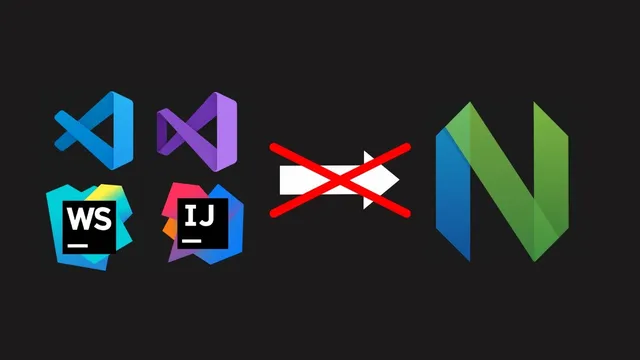
NeoVim Is Better, But Why Devs Are Not Switching To It? | Prime Reacts
Based on The PrimeTime's video on YouTube. If you like this content, support the original creators by watching, liking and subscribing to their content.
NeoVim’s appeal is tied to workflow learning (especially Vim motions), and the discussion treats that learning cost as a primary barrier to switching.
Briefing
NeoVim’s biggest advantage—its speed, flexibility, and “blank-canvas” customizability—doesn’t automatically translate into mass adoption because onboarding and expectations collide. The core friction isn’t whether NeoVim can be powerful; it’s whether developers can get productive quickly without spending days untangling configuration, plugin ecosystems, and modal editing muscle memory. The discussion frames NeoVim as a personal development environment that rewards learning, not a turnkey replacement for mainstream editors.
A personal conversion story sets the tone: the speaker initially dismisses Vim-style editing as something “old” and irrational, then tries it seriously for two weeks. By the end of the experiment, Vim motions feel indispensable—suggesting that the learning curve can flip from “stupid” to “the only way” once the workflow becomes automatic. That same learning-curve logic becomes the counterargument to calls for more guided setup wizards, gamified tutorials, or “make NeoVim like VS Code” approaches. The pushback is blunt: step-by-step onboarding can create users who never learn the underlying system, then get frustrated when something breaks and blame the project.
The conversation also challenges the premise that NeoVim should compete directly with IDEs. Modern IDEs are portrayed as text-heavy and confusing, with automation that can obscure what’s happening. NeoVim, by contrast, is described as simpler in concept—especially when paired with tools like Treesitter for parsing and LSP for language intelligence—yet the practical reality is messier. Complaints about performance are nuanced: NeoVim isn’t guaranteed to be “blazingly fast” in every scenario, and slowdowns often trace back to large files, extremely long lines, or LSP limitations on huge codebases (including memory-heavy indexing behavior). Even so, the speaker claims the experience can feel smoother than VS Code on large projects, where VS Code may stall during indexing or file opening.
Where adoption most clearly stalls is operational friction. NeoVim setups are fragmented across distros (LazyVim, AstroNvim, LunarVim, NvChad, and others), plugin managers, and configuration files—creating a dependency labyrinth where conflicts (like keybind collisions) can crash the editor. Cross-platform consistency is another sticking point: a setup that works on Linux may fail on macOS or Windows due to different plugin behavior, Treesitter issues, and platform-specific tooling. Meanwhile, VS Code’s “one-click” extension model and synced settings reduce the cost of switching machines.
The debate then widens into philosophy. NeoVim’s community is criticized for sometimes responding to newcomers with “read the manual,” assuming Vim knowledge, or overwhelming beginners with terms like LSP and Treesitter. Still, the counter-position insists NeoVim should not become an “enterprise” product optimized for everyone. Instead, it should remain terminal-first and customizable, with improvements that respect the existing audience—while acknowledging that better documentation, clearer starter templates (like Kickstart), and more welcoming guidance could lower barriers without turning NeoVim into a generic VS Code clone.
Cornell Notes
NeoVim’s strength—customizability and a workflow built around Vim motions—can make it feel superior once users invest time to learn it. The main reason developers don’t switch is not missing capability, but the cost of getting productive: modal editing rewiring, fragmented distro/config ecosystems, plugin conflicts, and cross-machine setup problems. Performance claims are also conditional; slowdowns often come from large files, extremely long lines, or LSP limitations rather than NeoVim itself. The debate centers on whether NeoVim should add more guided onboarding and “VS Code-like” convenience, or whether that would create users who never learn the system and then get stuck when things break.
Why does the learning curve matter more than raw editor features in this discussion?
What performance bottlenecks are attributed to NeoVim versus its dependencies?
How does the plugin/distro ecosystem create adoption friction?
Why is cross-platform consistency portrayed as a major obstacle?
What’s the disagreement about guided onboarding and “making NeoVim like VS Code”?
Review Questions
- What kinds of problems in the discussion are blamed on LSP limitations rather than NeoVim itself?
- How do plugin managers and distro documentation contribute to the “dependency labyrinth” described here?
- What is the core philosophical disagreement about whether NeoVim should prioritize newcomers with guided setup versus preserving a learning-first model?
Key Points
- 1
NeoVim’s appeal is tied to workflow learning (especially Vim motions), and the discussion treats that learning cost as a primary barrier to switching.
- 2
Many performance complaints are attributed to language tooling—particularly LSP indexing and memory use on very large projects—rather than NeoVim’s rendering speed alone.
- 3
Extremely long lines and very large files can degrade editor responsiveness, creating edge cases where “fast editor” claims don’t hold universally.
- 4
NeoVim adoption is slowed by ecosystem fragmentation: multiple distros, plugin managers, configuration ordering, and plugin conflicts can break setups.
- 5
Cross-platform setup remains difficult because NeoVim configurations and Treesitter/LSP components may behave differently across Linux, macOS, and Windows.
- 6
VS Code’s advantage is framed as operational convenience: synced settings, one-click extension installation, and consistent workspace behavior across machines.
- 7
The debate over onboarding (wizards, tutorials, gamification) hinges on whether it helps users learn or creates dependency that leads to frustration when setups change.